A Premium voicein your helmet
By default, iOS uses a compact voice that sounds robotic. Download a free Premium or Enhanced voice in your iPhone settings and Vroom GPS guidance becomes far more natural and easier to hear in your helmet.
Cruising
Tested with Vroom GPS v2.0.4
Step by step ↓Followthe guide
Allow 2 minutes, plus download time (50 to 250 MB depending on the voice). Use Wi-Fi if you can.
-
1
Open Settings
On your iPhone, open the Settings app and tap Accessibility.
Settings → Accessibility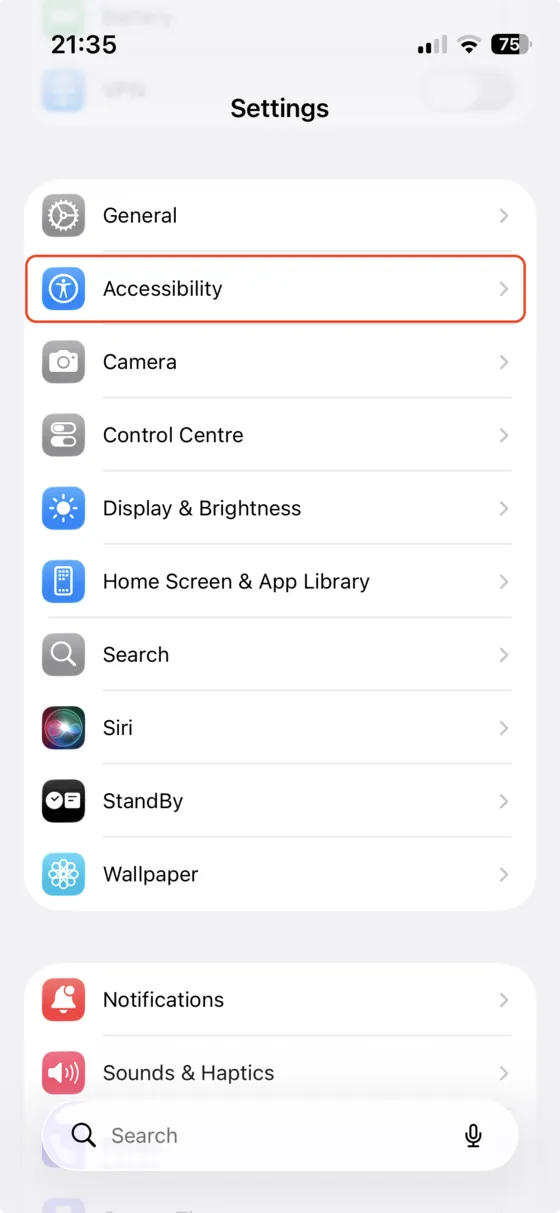
-
2
Read & Speak
In the Vision section, tap Read & Speak (called Spoken Content on older iOS versions).
Accessibility → Read & Speak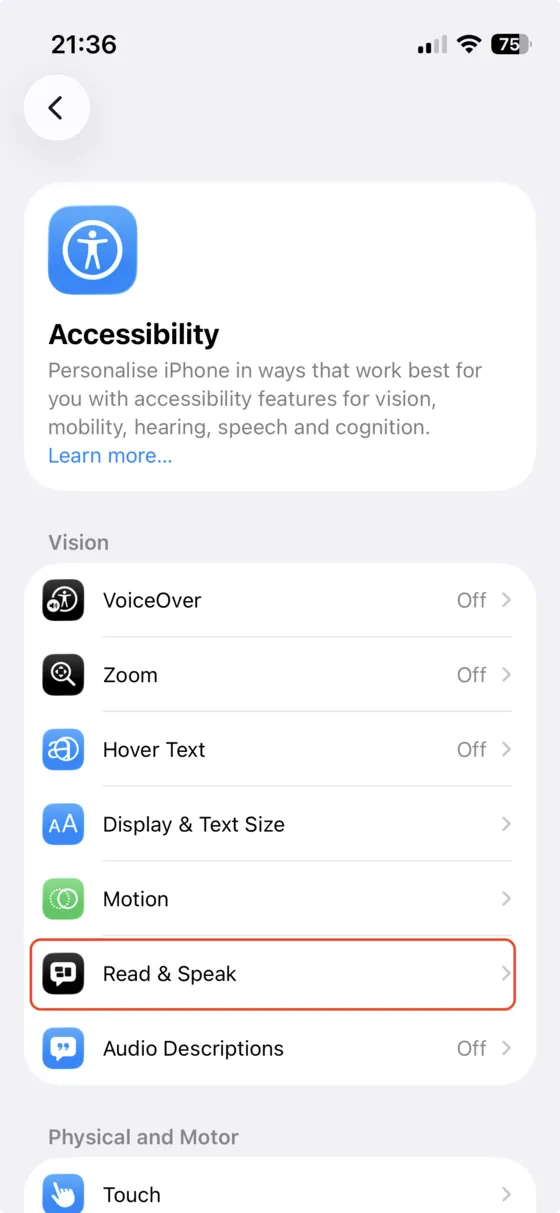
-
3
Open Voices
Tap Voices to see the list of available languages.
Read & Speak → Voices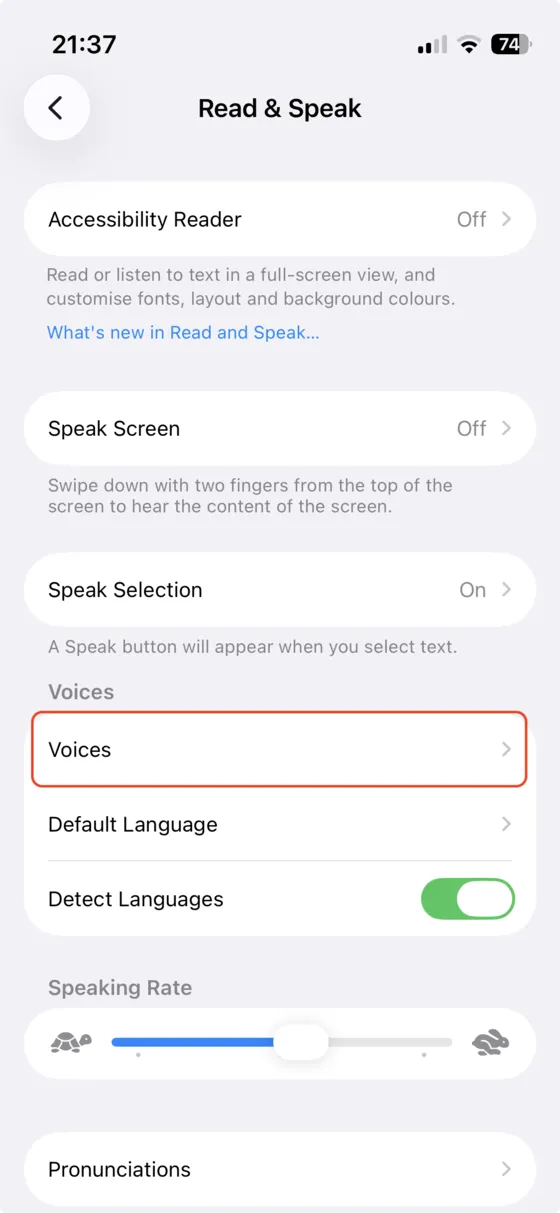
-
4
Pick your language
Select the language you use in Vroom GPS, for example English or French.
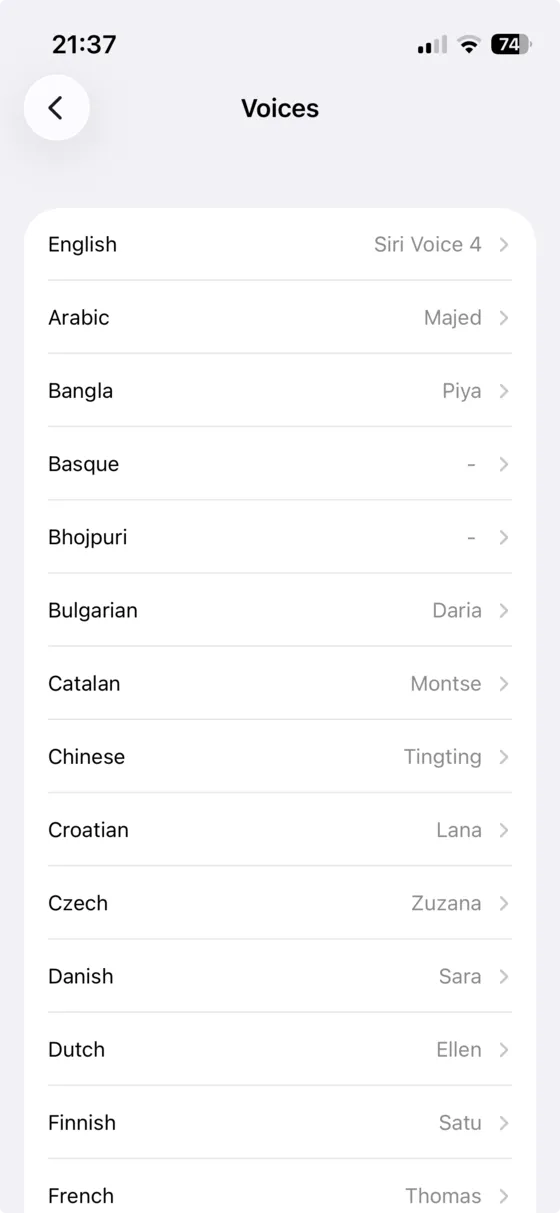
-
5
Show the voices
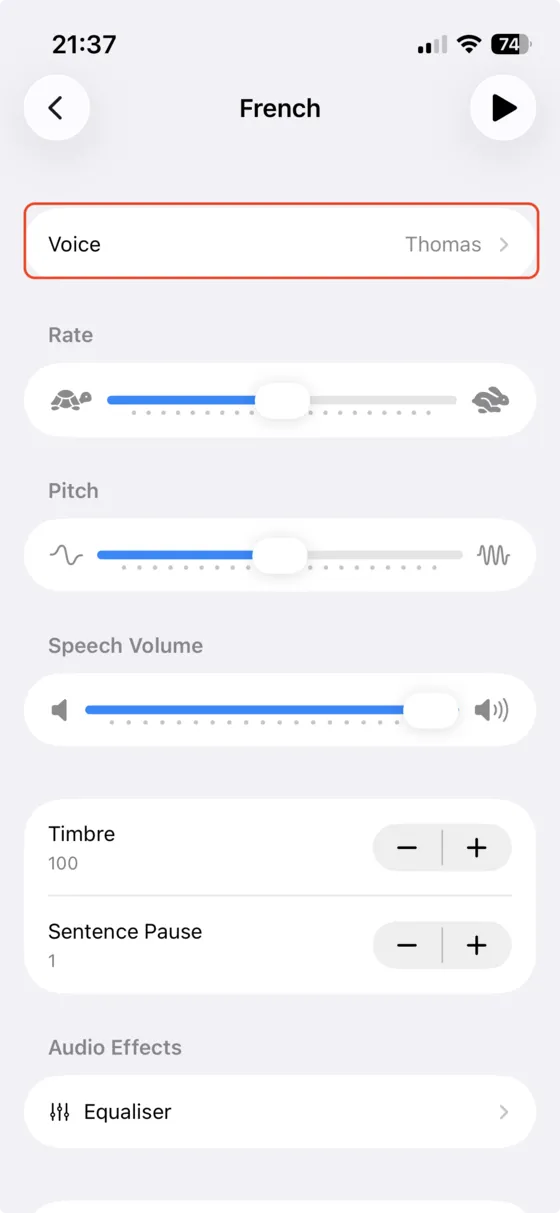
Tap Voice to see every voice available for that language.
-
6
Download a Premium voice
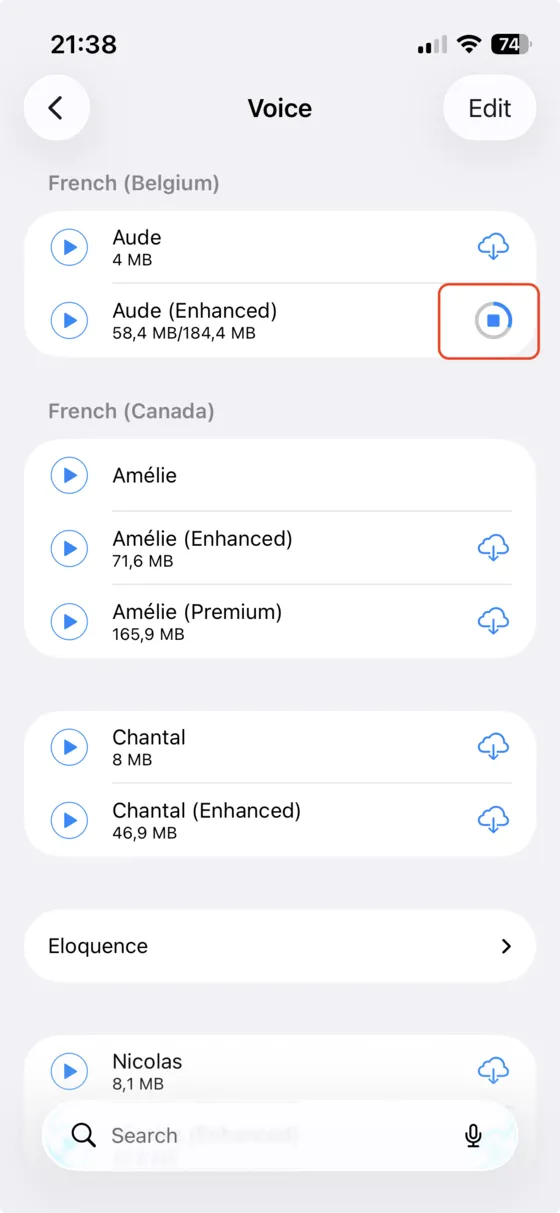
Choose a voice marked (Premium) or (Enhanced) and tap the cloud icon to download it. The play button lets you listen to it first.
Tip: Premium voices sound the most natural. Enhanced voices are a good balance between quality and storage space. Siri voices are not available to apps like Vroom GPS.
-
7
Select it in Vroom GPS
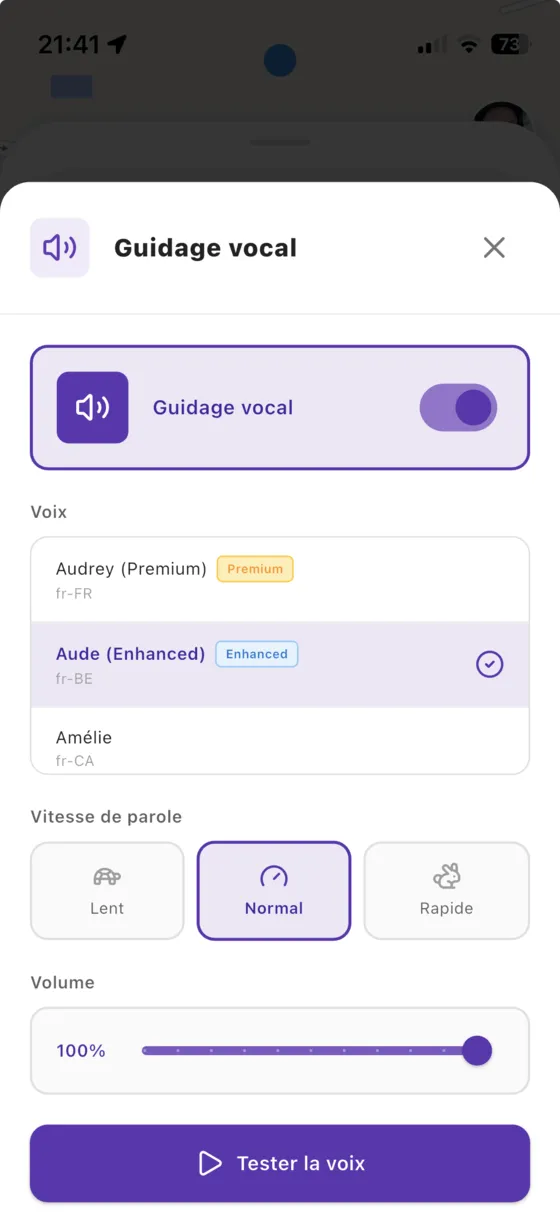
Go back to Vroom GPS and open the Voice guidance setting. The new voice shows up in the list: select it, then tap Test voice. If it doesn't show up, fully close the app and open it again.
← Vroom GPS guidesNext guide: Set up voice guidance: voice, speed, volume →
Not onVroom GPS yet?
Get the free app: voice guidance, speed cameras, curvy roads and CarPlay, no subscription.