Generate a loopin 5 seconds
No route in mind? Vroom GPS invents one for you. Choose how far you want to ride, and get loops that come back to where you started, along the roads riders love.
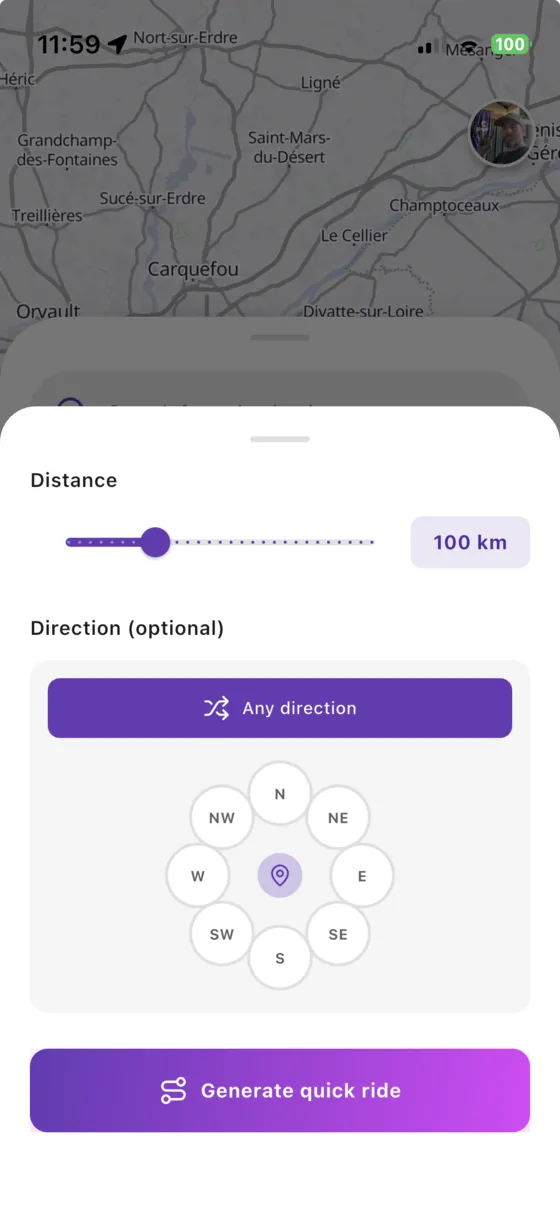
Three steps,you're riding
- 1
Choose a distance
From a short evening spin to a full day in the saddle.
- 2
Pick a direction (or not)
Head towards the mountains, the coast, or let Vroom GPS choose.
- 3
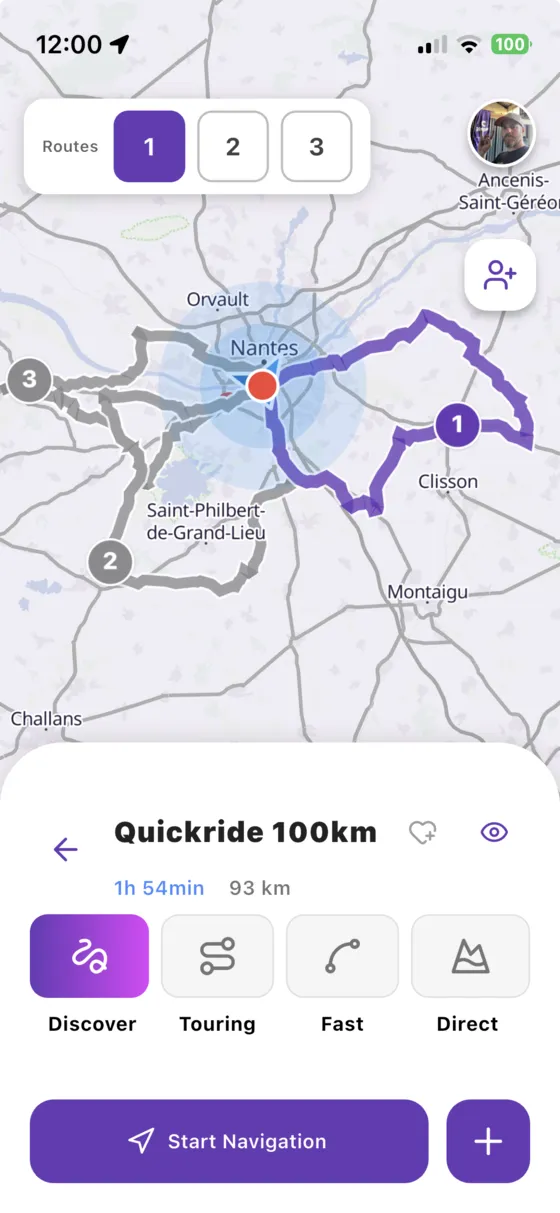
Choose your loop
Compare the suggested loops on the map and start navigation.
Back home,by the best roads
Each loop starts and ends where you are, without riding the same road twice. Perfect when you have a couple of hours and want to make the most of them.
- Several loops to compare
- Distance and riding time shown
- Save the ones you love
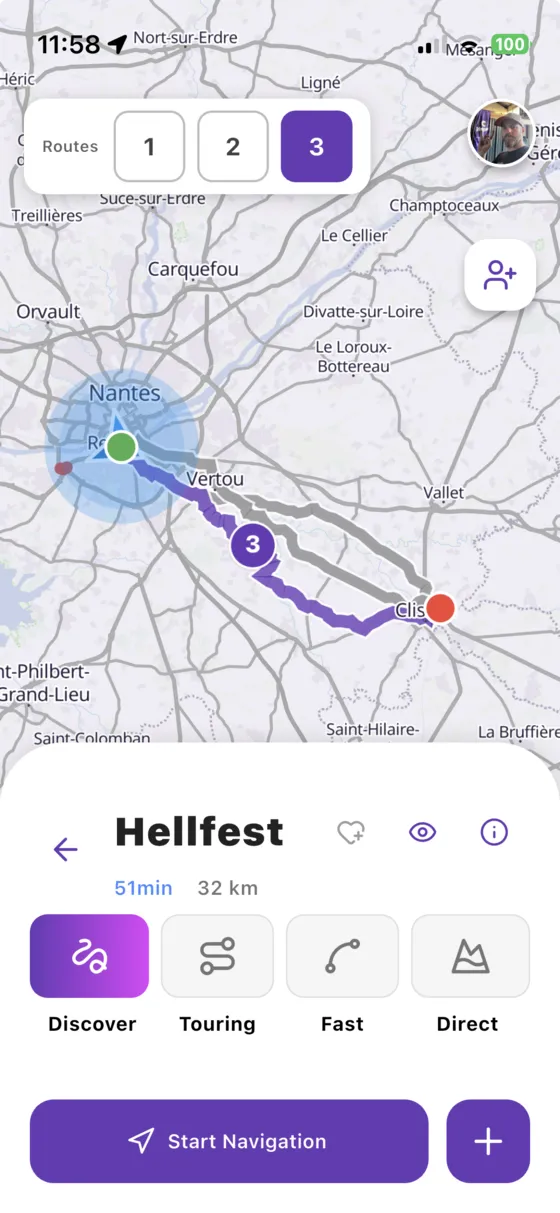
Curvy or quick,you decide
Apply your favourite riding style to the loop: Discover to chase bends and views, Touring for a relaxed ride, Fast or Direct when time is short.
- Discover, Touring, Fast, Direct
- Avoid tolls and ferries
- Start navigation in one tap
You might bewondering…
Does the loop always come back to my starting point?
Yes, a Quickride loop starts from your position (or the place you choose) and brings you back there.
Can I choose the direction?
Yes. Leave it free, or choose a direction such as north or south-west to head towards a specific area.
Can I edit the loop before leaving?
Yes. Open it in the editor to add stops or change the route, then save it to ride again later.
Everything elseVroom GPS does
Ridetogether
See your whole crew live on the map and message them in one tap.
Learn more → Motorcycle road tripAI builds yourroad trip
A complete multi-day road trip, stage by stage, generated in a few questions.
Learn more → Curvy roadsYour style,your routes
Four riding styles to get the curviest roads instead of the fastest.
Learn more → RoadbooksImport yourGPX tracks
Turn any GPX roadbook into turn-by-turn navigation, and export your trips.
Learn more → SafetyRoad alertsin real time
Report hazards in one tap and get the alerts other riders share.
Learn more → Motorcycle & carOn your dashboard,CarPlay & Android Auto
Guidance, alerts and your crew on your motorcycle's CarPlay or Android Auto screen.
Learn more → Group ride safetyRide together,ride safe
The whole group live on the map, and your QRful emergency sheet within reach of first responders.
Learn more →Ready toride?
Install Vroom GPS and find your next ride this weekend.