A Premium voicein your helmet
By default, iOS uses a compact voice that sounds robotic. Download a free Premium or Enhanced voice in your iPhone settings and Vroom GPS guidance becomes far more natural and easier to hear in your helmet.
Step by step ↓Followthe guide
Allow 2 minutes, plus download time (50 to 250 MB depending on the voice). Use Wi-Fi if you can.
-
1
Open Settings
On your iPhone, open the Settings app and tap Accessibility.
Settings → Accessibility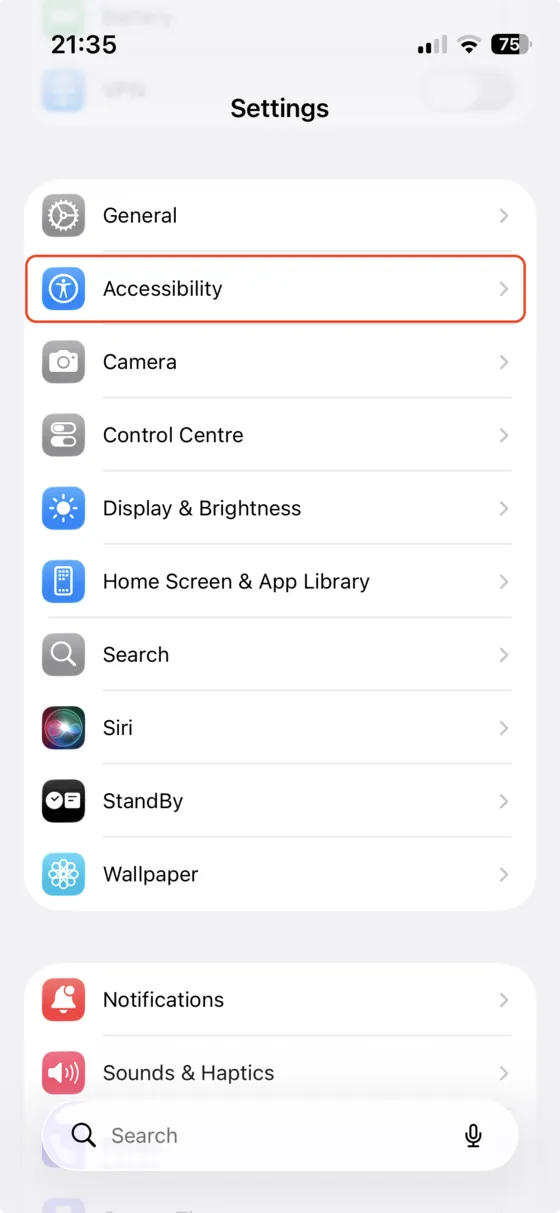
-
2
Read & Speak
In the Vision section, tap Read & Speak (called Spoken Content on older iOS versions).
Accessibility → Read & Speak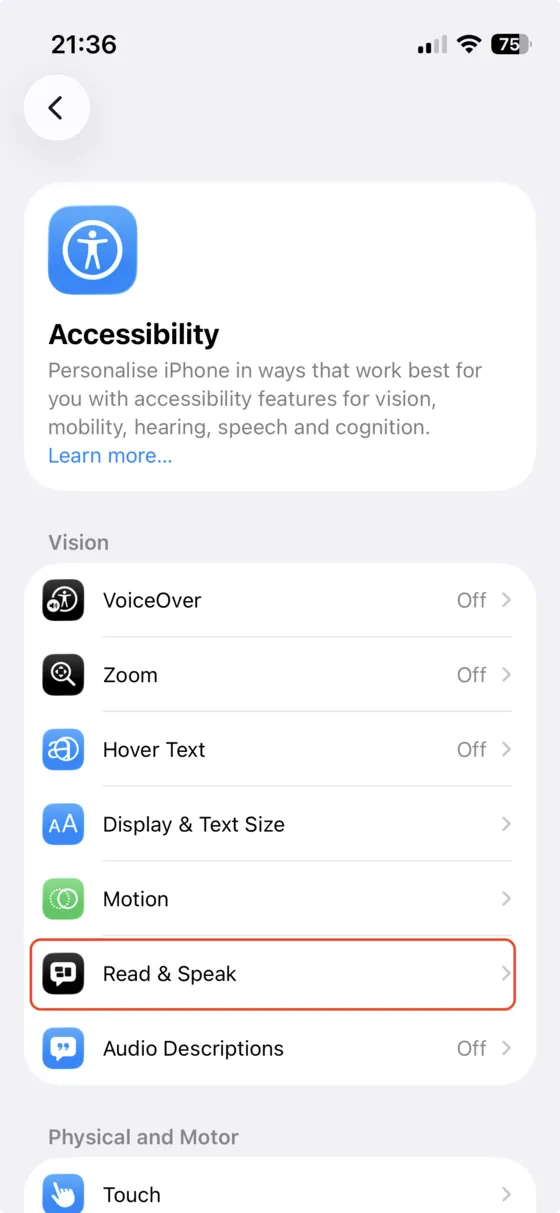
-
3
Open Voices
Tap Voices to see the list of available languages.
Read & Speak → Voices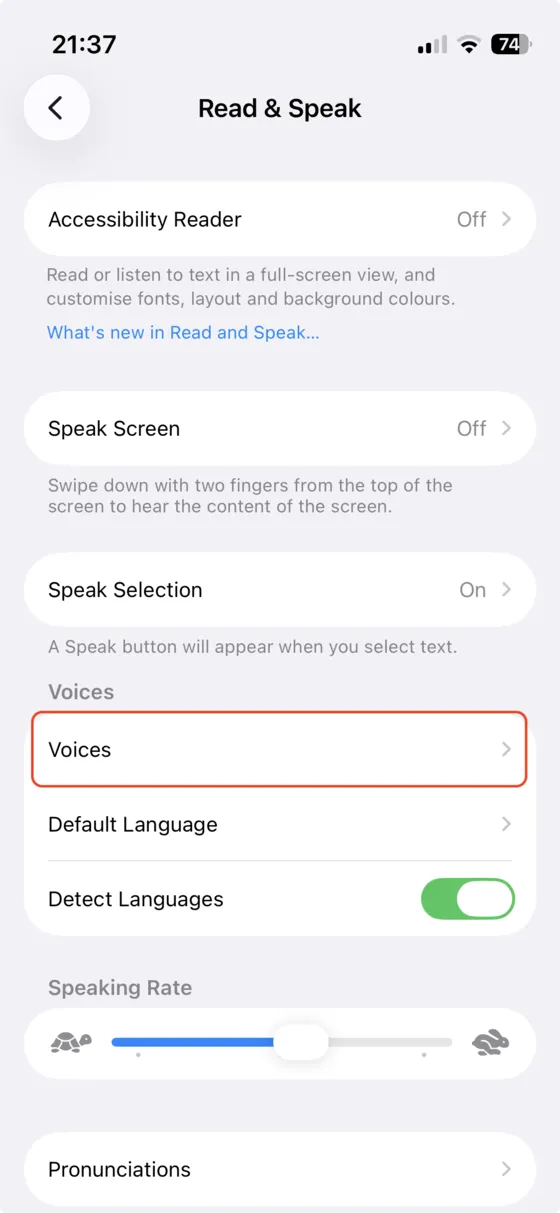
-
4
Pick your language
Select the language you use in Vroom GPS, for example English or French.
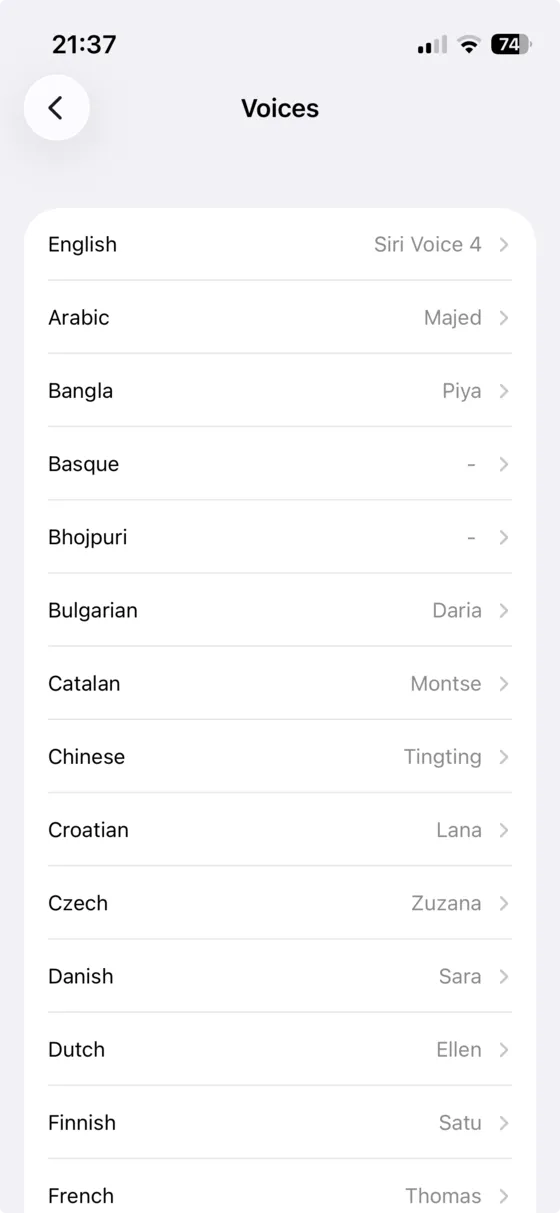
-
5
Show the voices
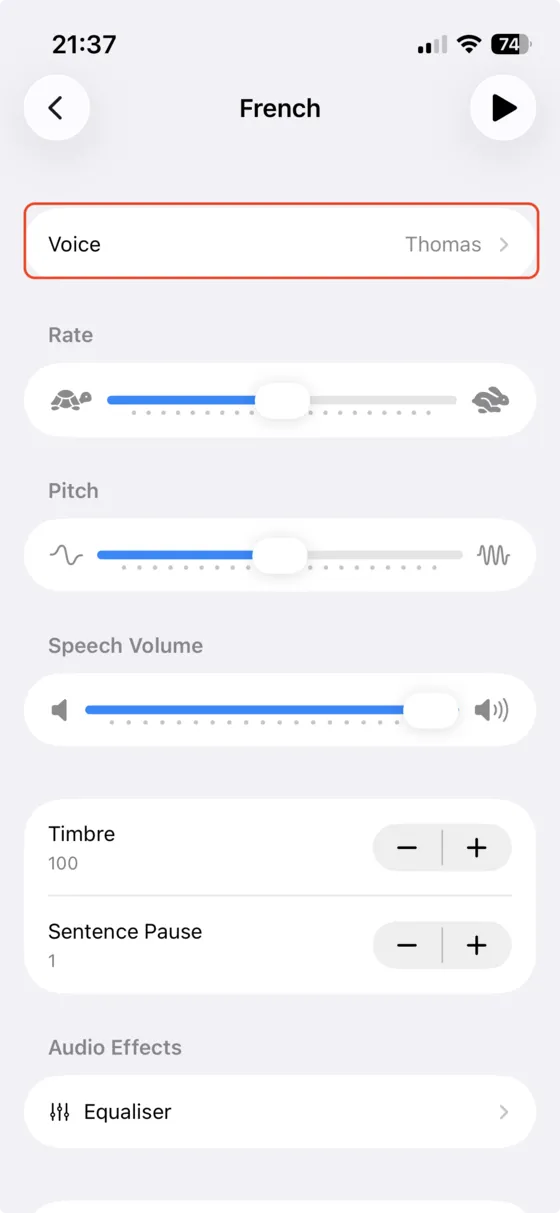
Tap Voice to see every voice available for that language.
-
6
Download a Premium voice
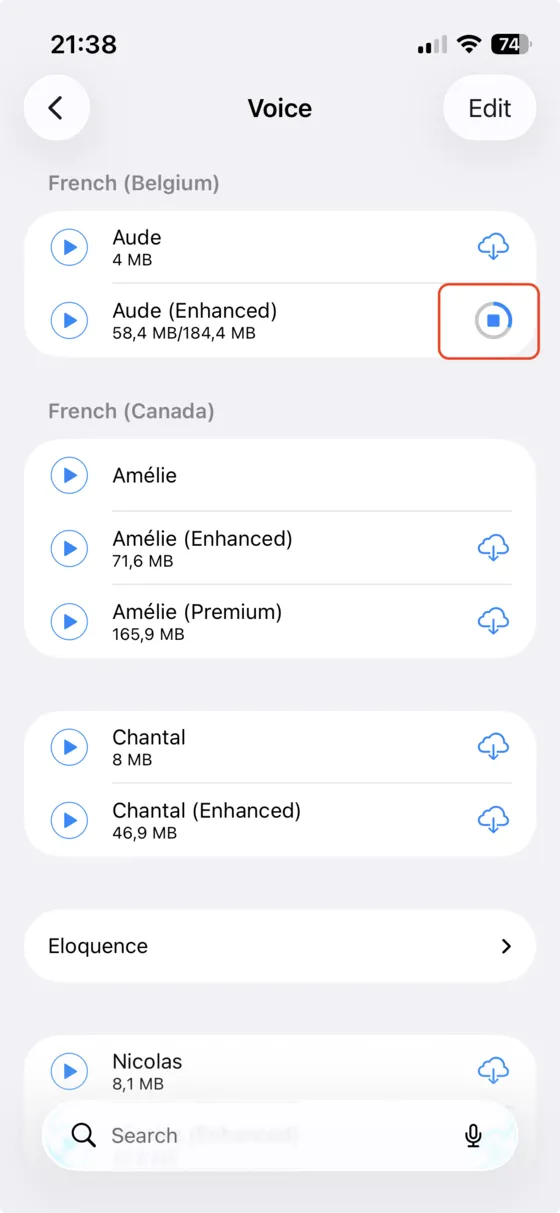
Choose a voice marked (Premium) or (Enhanced) and tap the cloud icon to download it. The play button lets you listen to it first.
Tip: Premium voices sound the most natural. Enhanced voices are a good balance between quality and storage space. Siri voices are not available to apps like Vroom GPS.
-
7
Select it in Vroom GPS
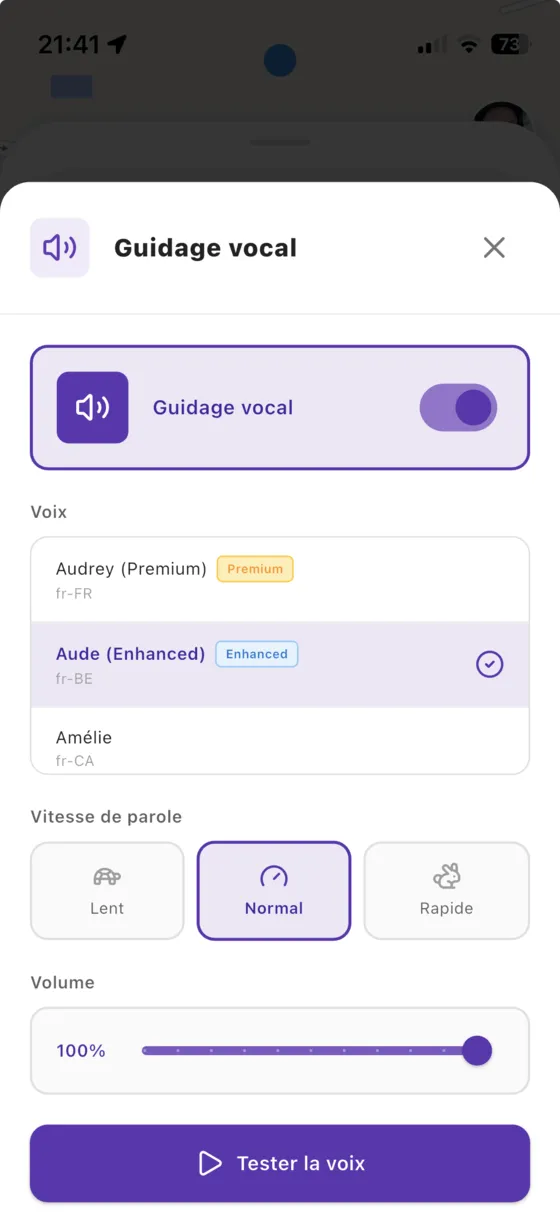
Go back to Vroom GPS and open the Voice guidance setting. The new voice shows up in the list: select it, then tap Test voice. If it doesn't show up, fully close the app and open it again.
Not onVroom GPS yet?
Get the free app: voice guidance, speed cameras, curvy roads and CarPlay, no subscription.