Your screenyour way
More or fewer instructions, a route progress bar at the bottom, the top or the left: the bike screen is set up from your phone.
Break-in
Tested with Vroom GPS v2.2.3
Step by step ↓Followthe guide
Every setting shows right away in the preview, before you even hit the road.
-
1
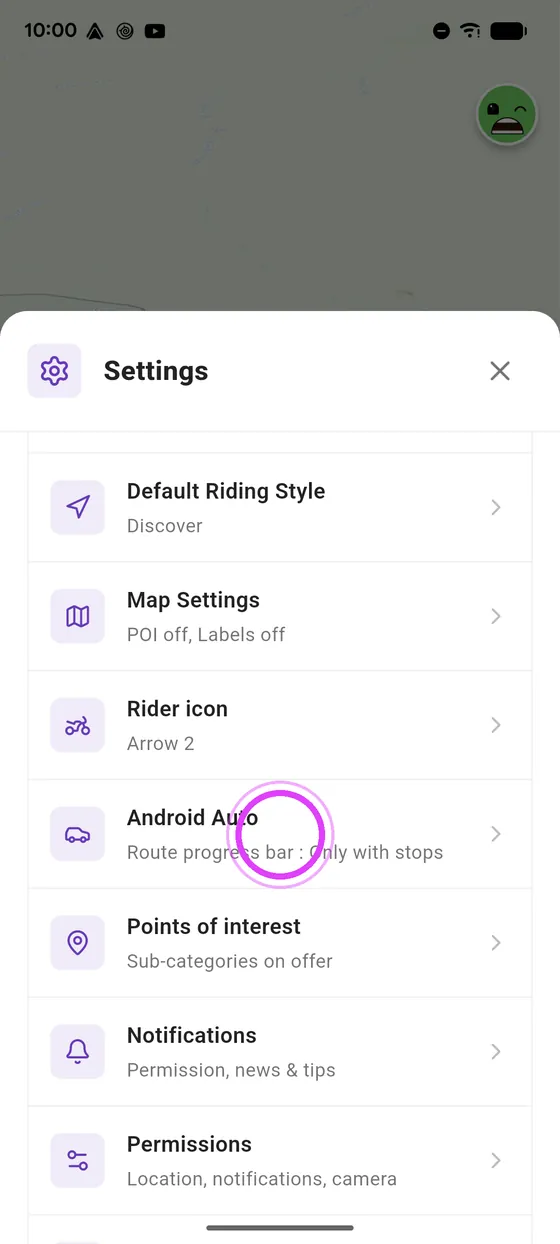
Open the Android Auto settings
In your phone settings, tap Android Auto.
-
2
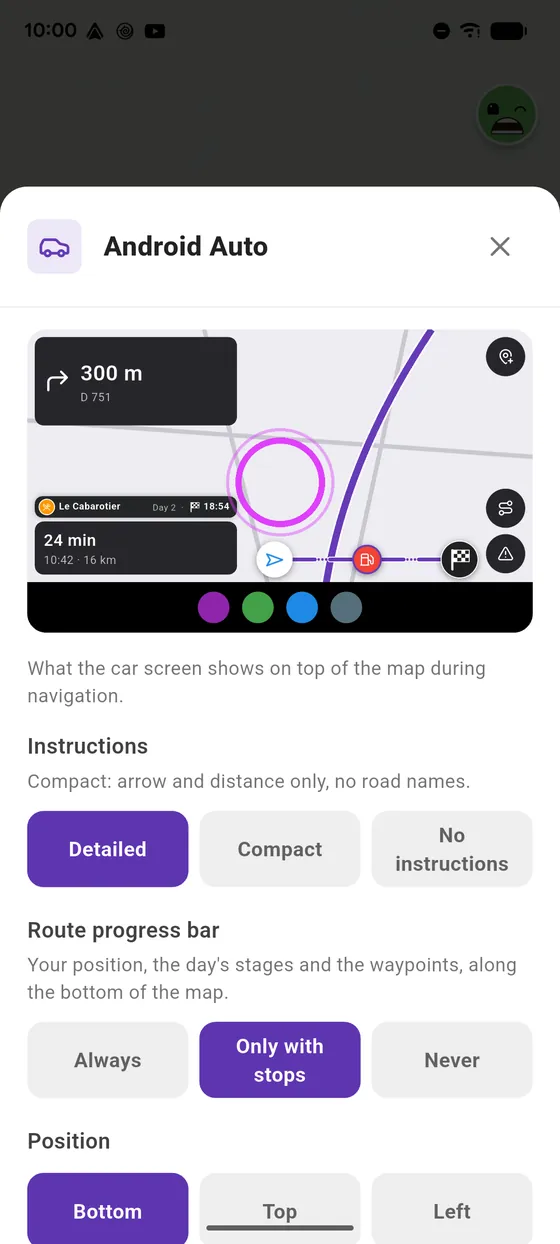
The preview
At the top, a preview of the bike screen: every setting shows there right away.
-
3
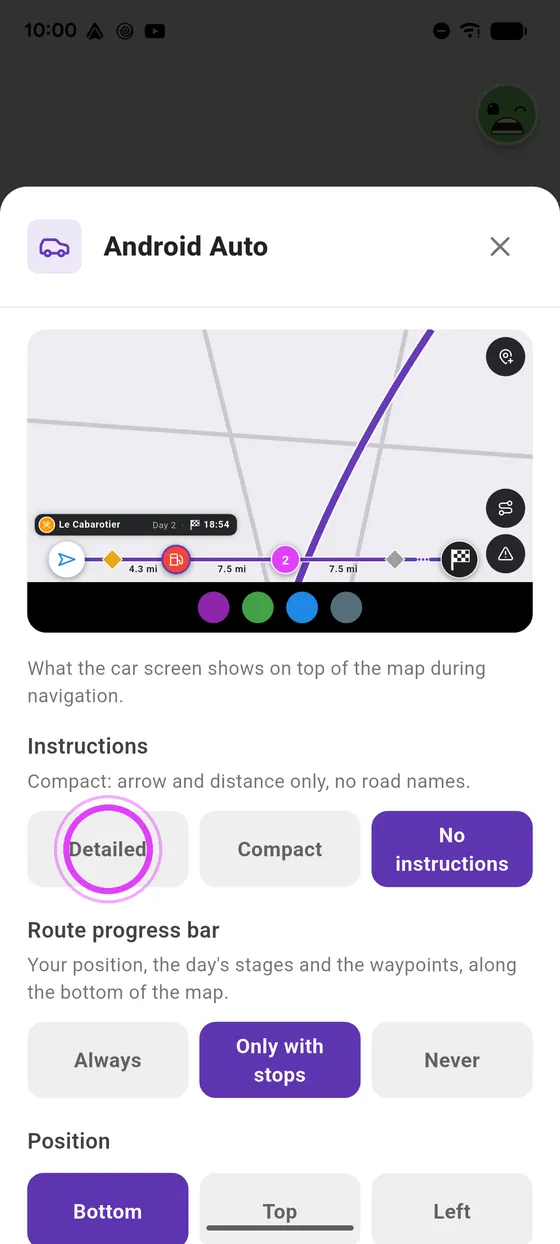
Instructions
Detailed instructions, compact ones with just the arrow and the distance, or none: the map alone.
-
4
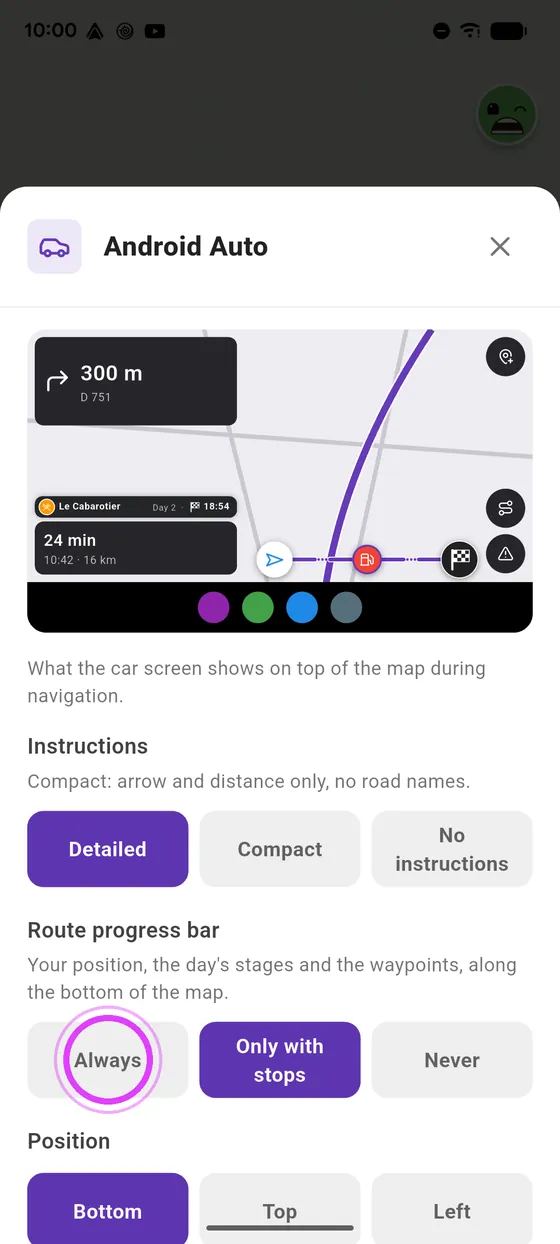
The progress bar
The route progress bar: always, only when there are stops, or never.
-
5
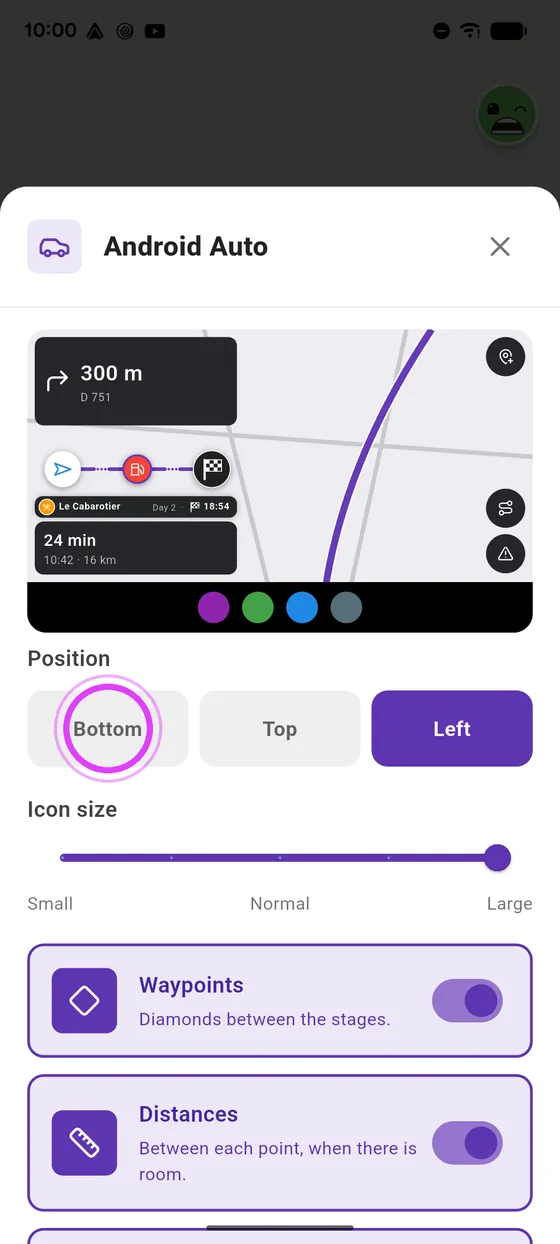
Its position
Put it at the bottom, at the top, or on the left, above the arrival time.
-
6
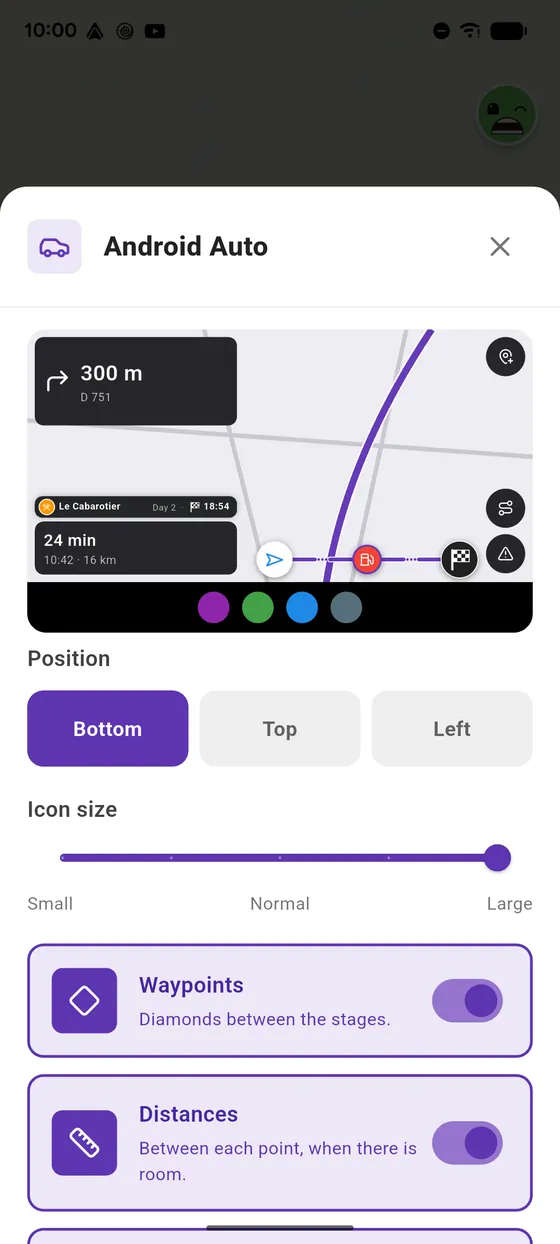
Icon size
Set the size of its icons.
-
7
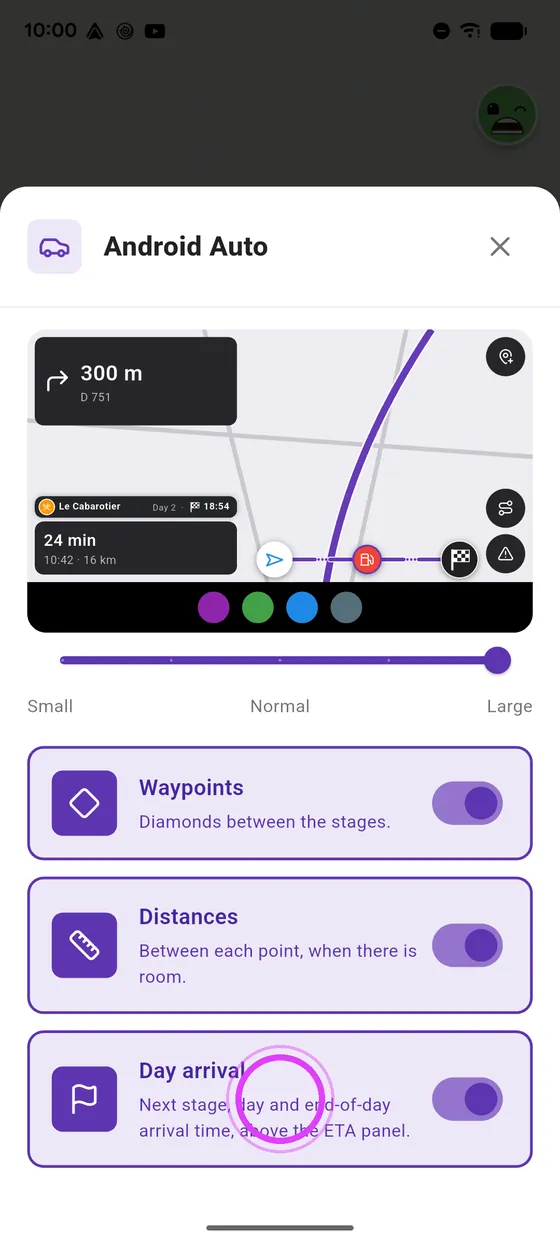
And more
Waypoint diamonds, distances, and the day arrival on a road trip.
-
8
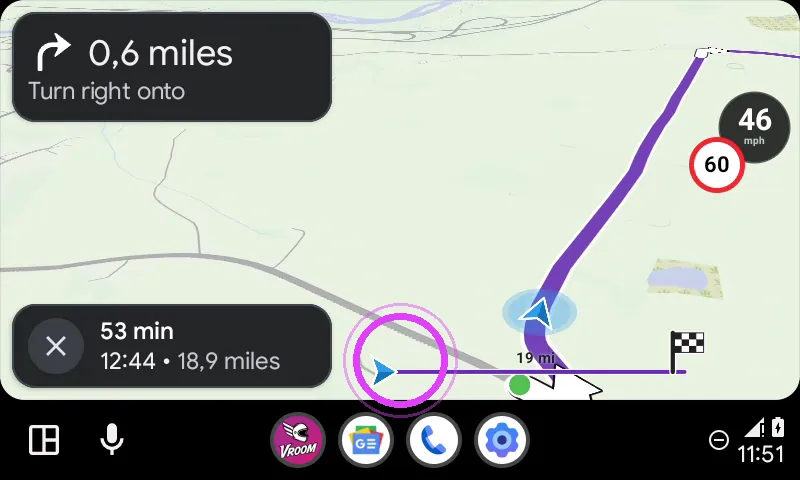
On the bike
On the bike screen: detailed instructions and the progress bar at the bottom.
-
9
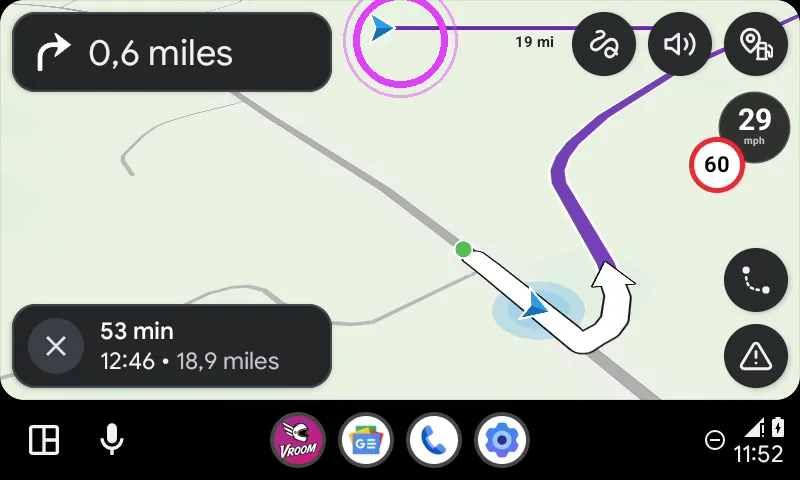
Compact, at the top
Compact with the bar at the top: the arrow, the distance, and the whole map.
-
10
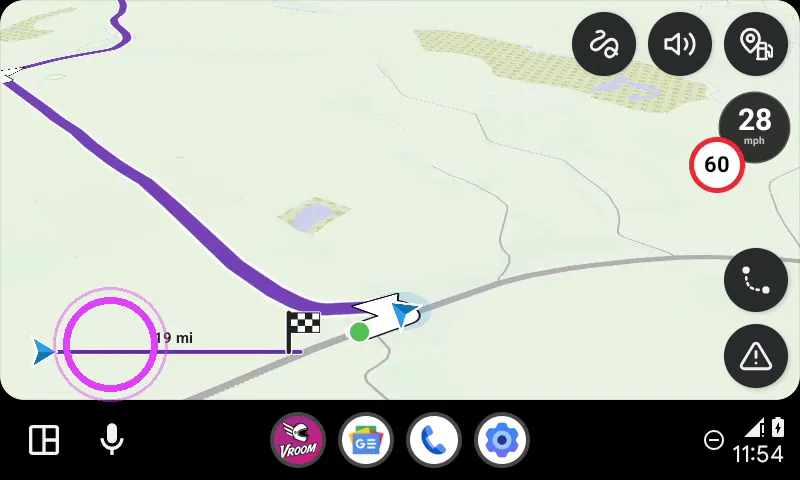
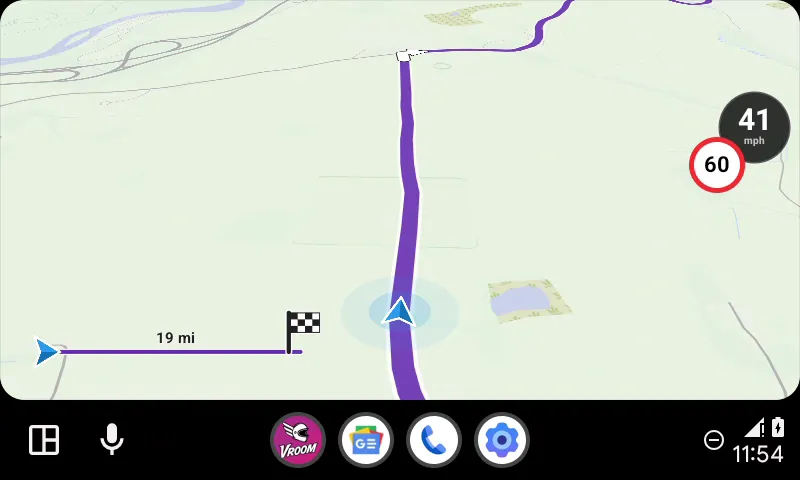
The map alone
No instructions, the bar on the left: just the map, voice guidance tells you where to turn.
-
11
Enjoy the ride
Set up your screen, and enjoy the ride!
← Vroom GPS guidesNext guide: Route preview on Android Auto: riding style and routes →
Not onVroom GPS yet?
Get the free app: voice guidance, speed cameras, curvy roads and CarPlay, no subscription.