Guide · Map
Your mapyour way
Light, dark or automatic theme, 3D buildings, relief, points of interest, road labels, satellite: set up the map the way you like it.
Step by step ↓
Step by step
Followthe guide
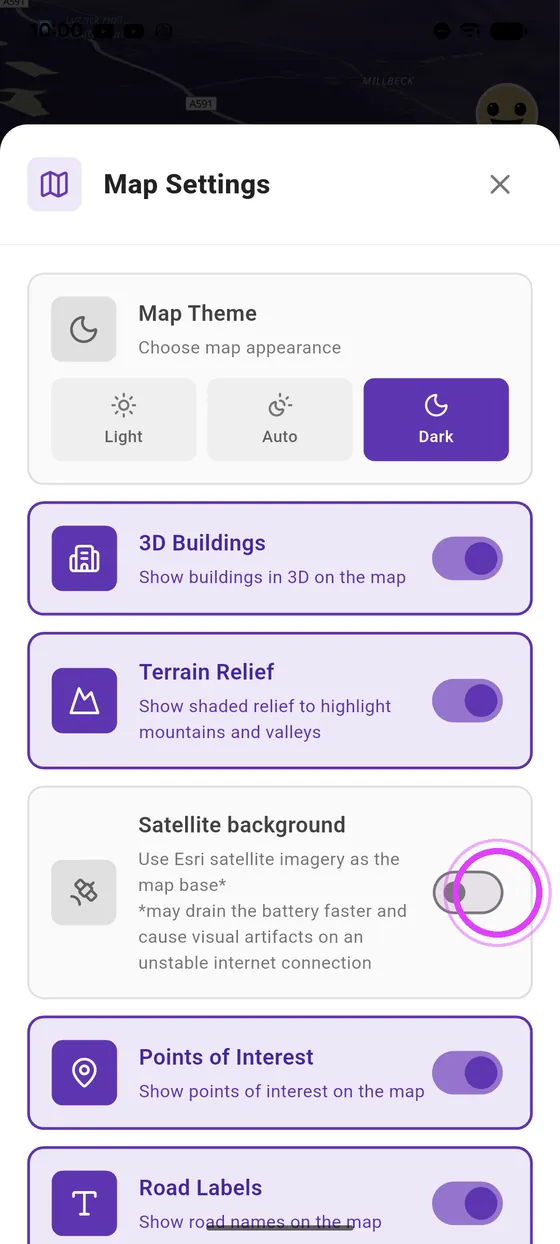
Satellite imagery uses more battery and data: keep it for planning your rides.
-
1
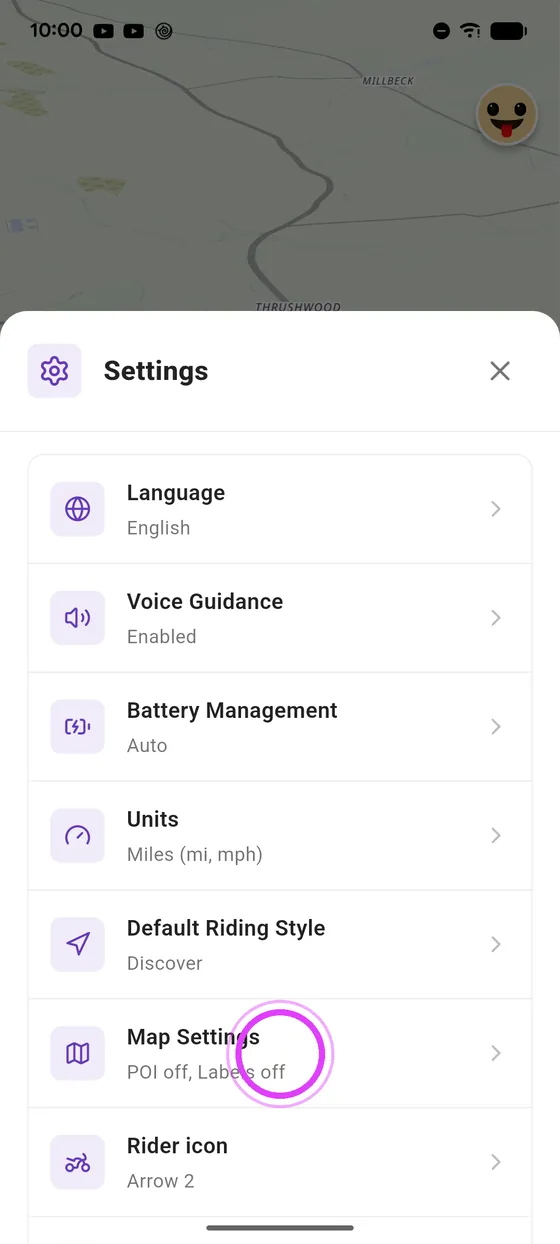
Open map settings
In settings, tap Map Settings.
-
2
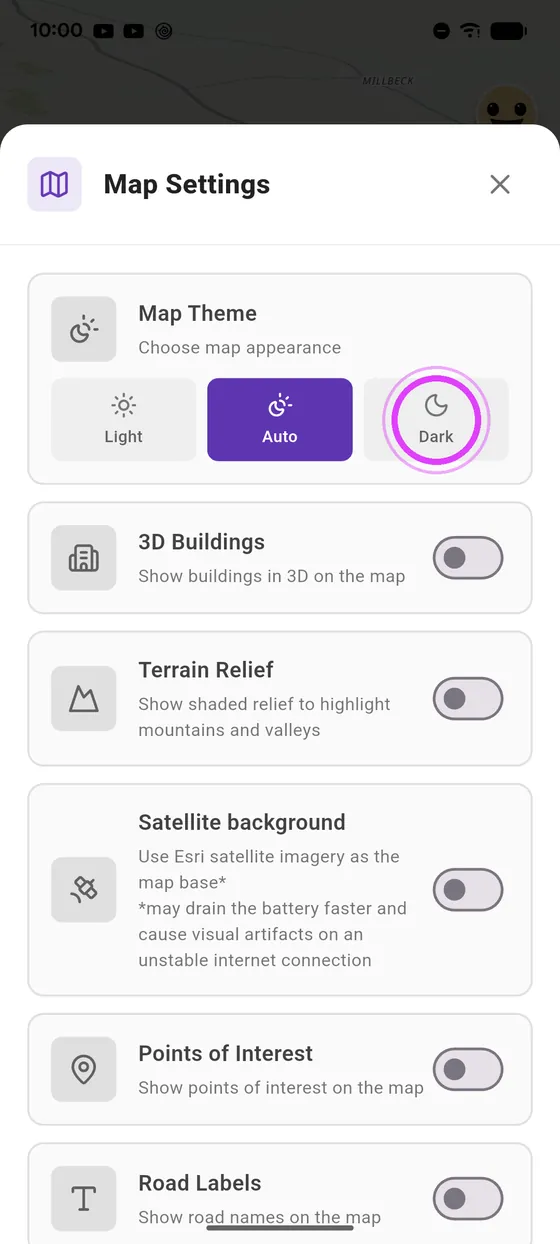
Dark theme
Switch the map to dark, light, or automatic theme.
-
3
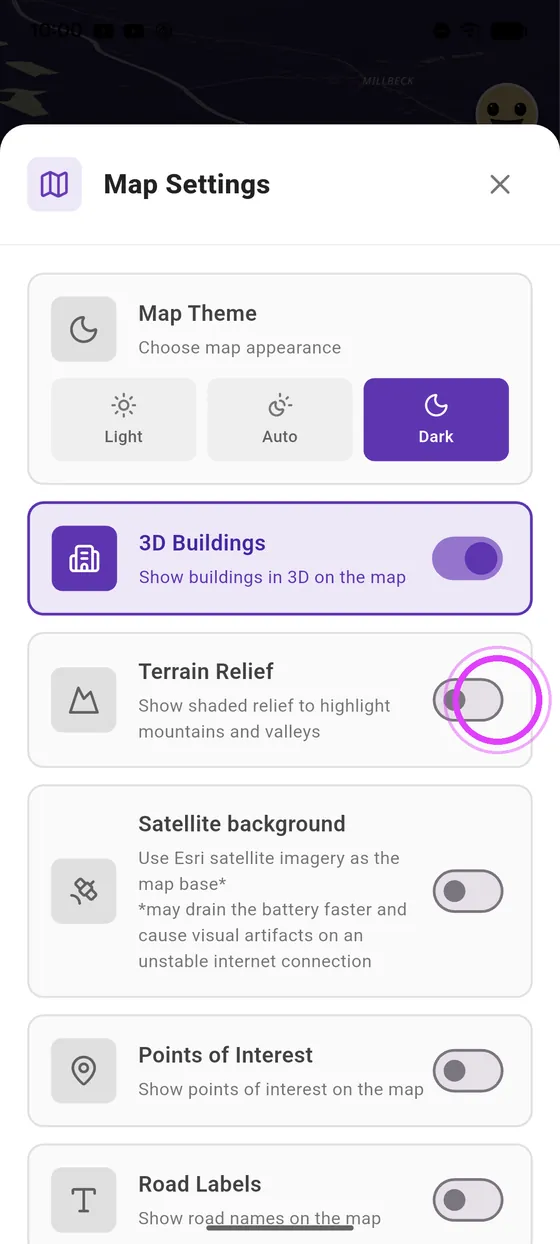
3D buildings and relief
Add 3D buildings, and terrain relief.
-
4
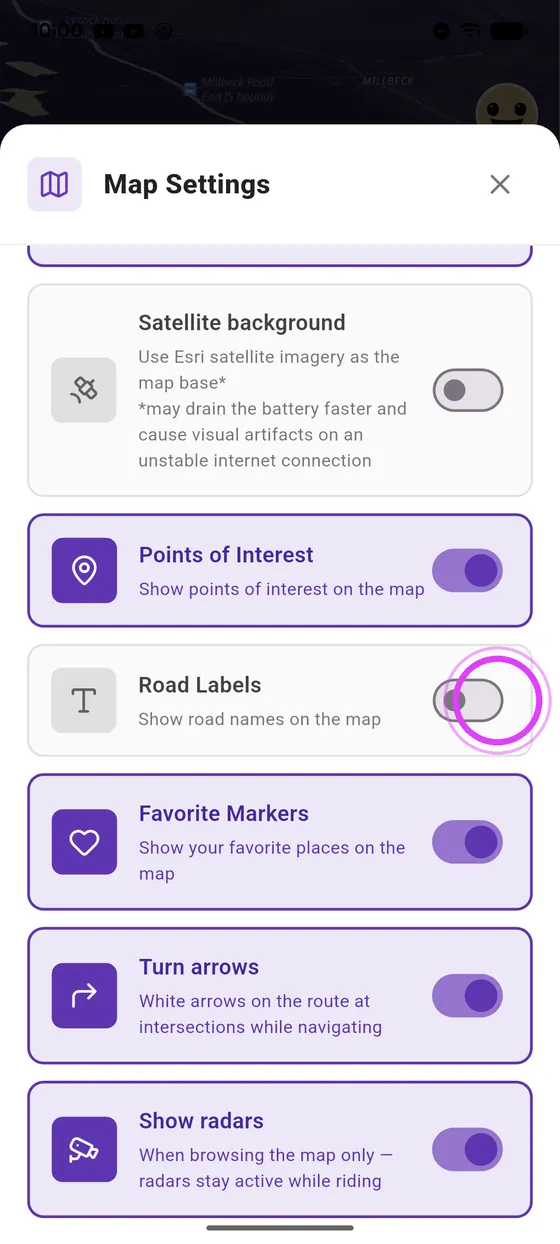
Points of interest and road labels
Show points of interest and road labels too.
-
5
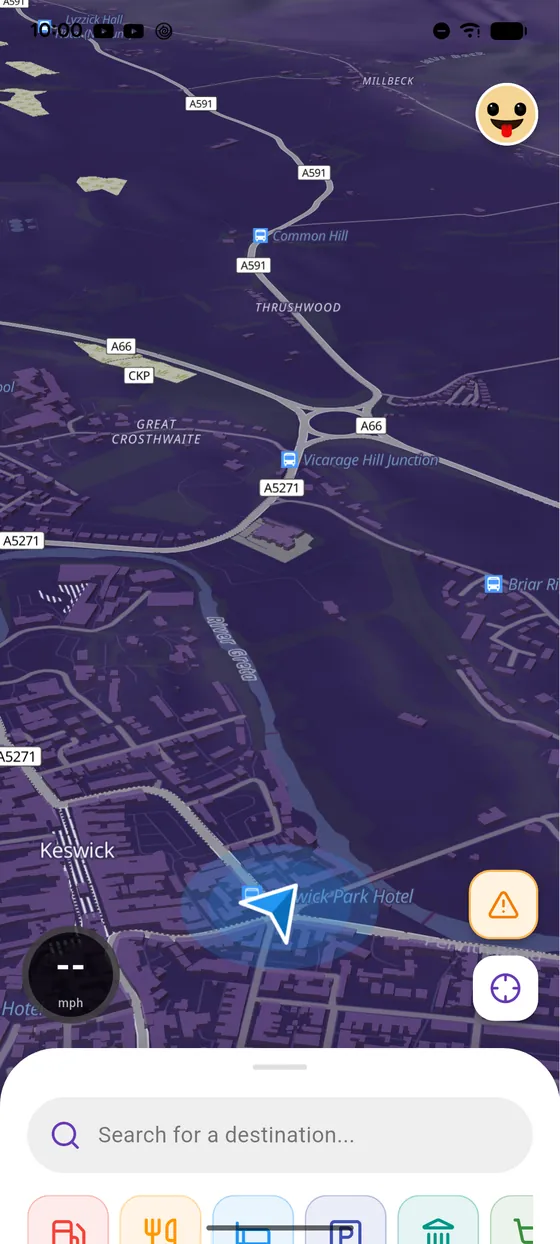
The result on the map
And here's the result on the map.
-
6
Satellite background
To plan your rides, switch to satellite background.
-
7
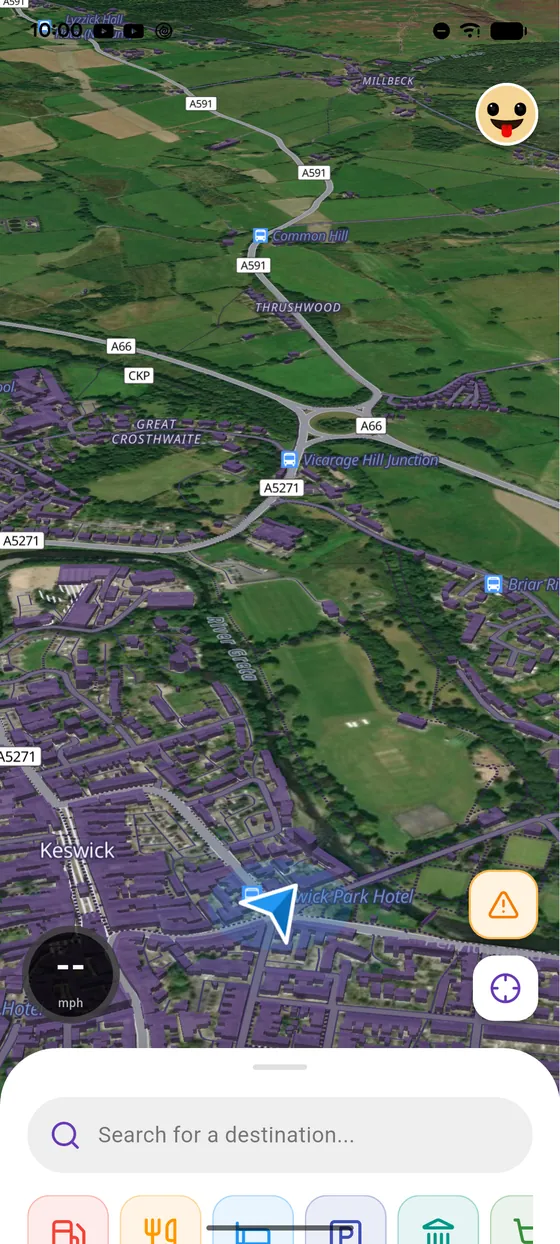
Enjoy your map
Your map is ready!
Not onVroom GPS yet?
Get the free app: voice guidance, speed cameras, curvy roads and CarPlay, no subscription.