Guide · Crew
Ridingtogether
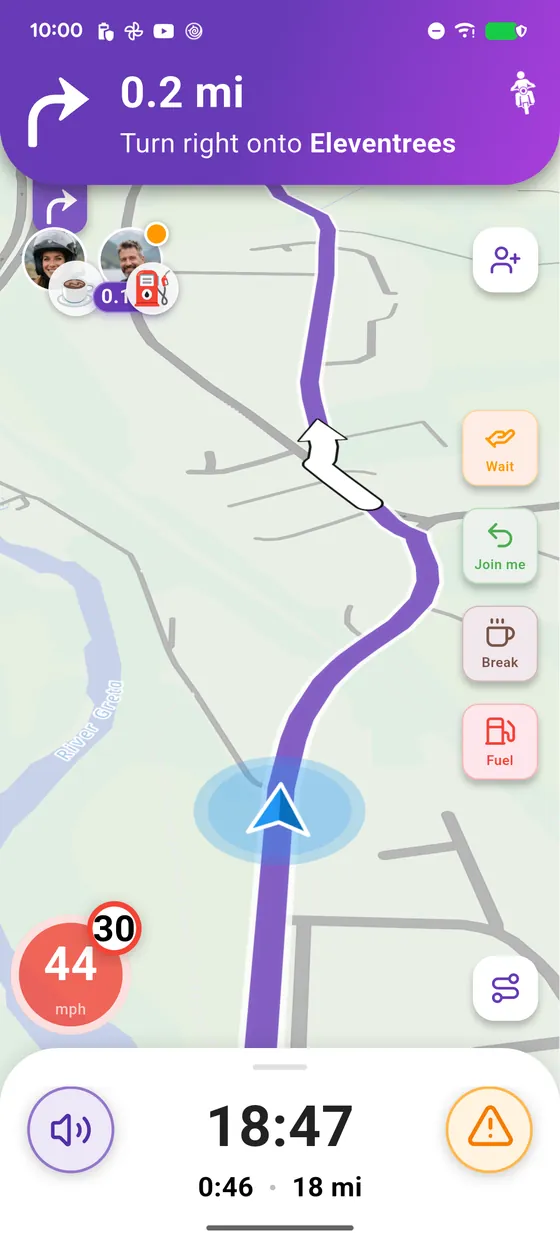
On a group ride you always know where the others are: their distance at the top of the screen, and one tap to ask them to wait.
Cruising
Tested with Vroom GPS v2.1.21
Step by step ↓
Step by step
Followthe guide
Messages show on screen and are read out loud: no need to look at your phone.
-
1
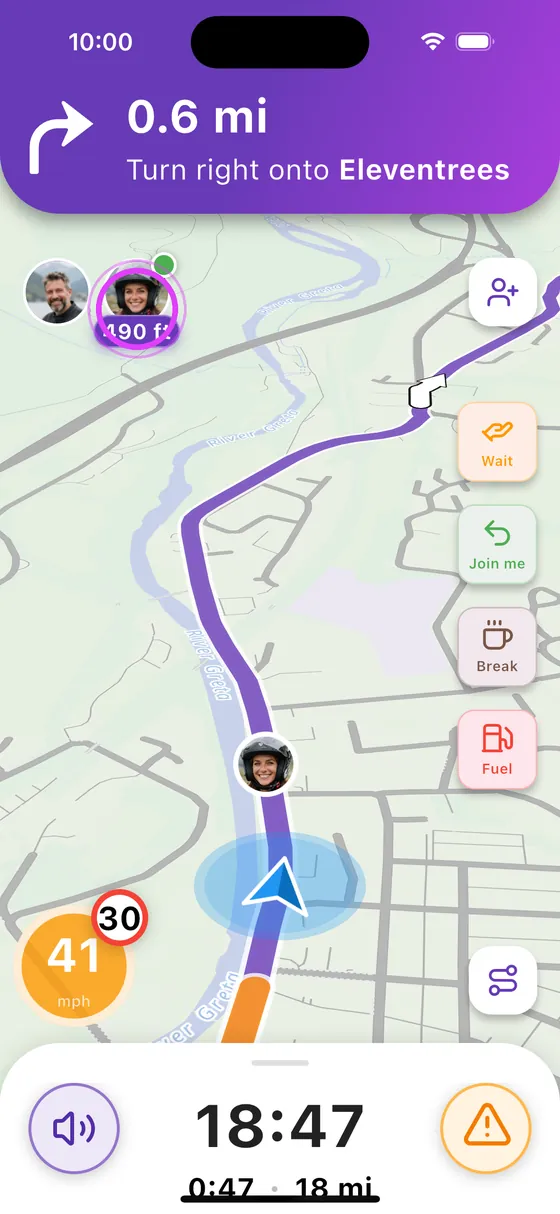
Where is your friend?
Top left: your friend, and the distance between you.
-
2
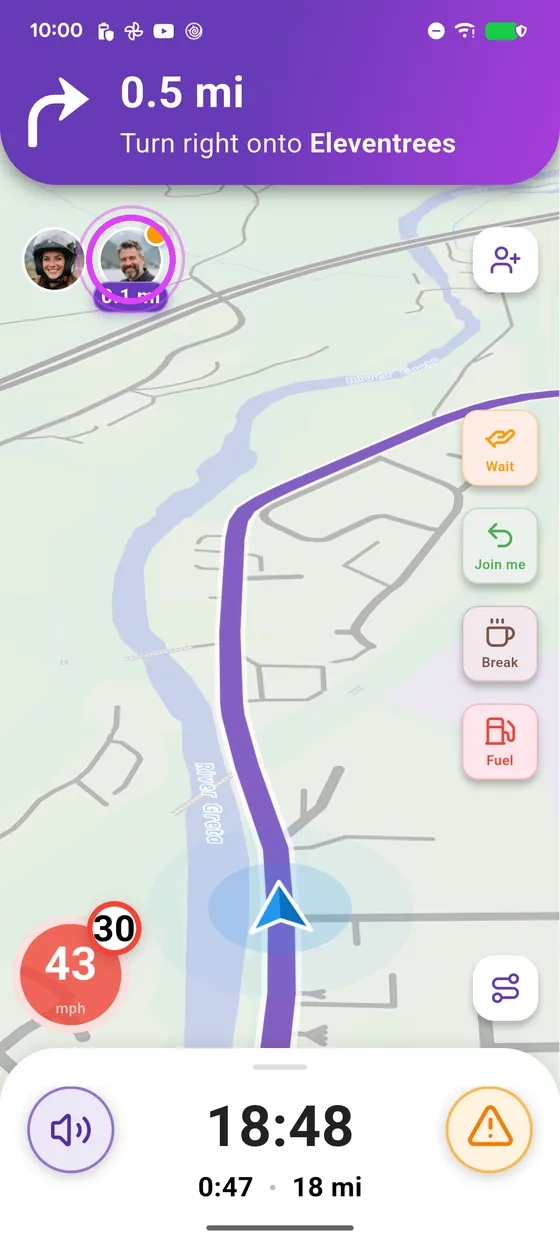
Zoom on them
Tap their avatar to zoom on them.
-
3
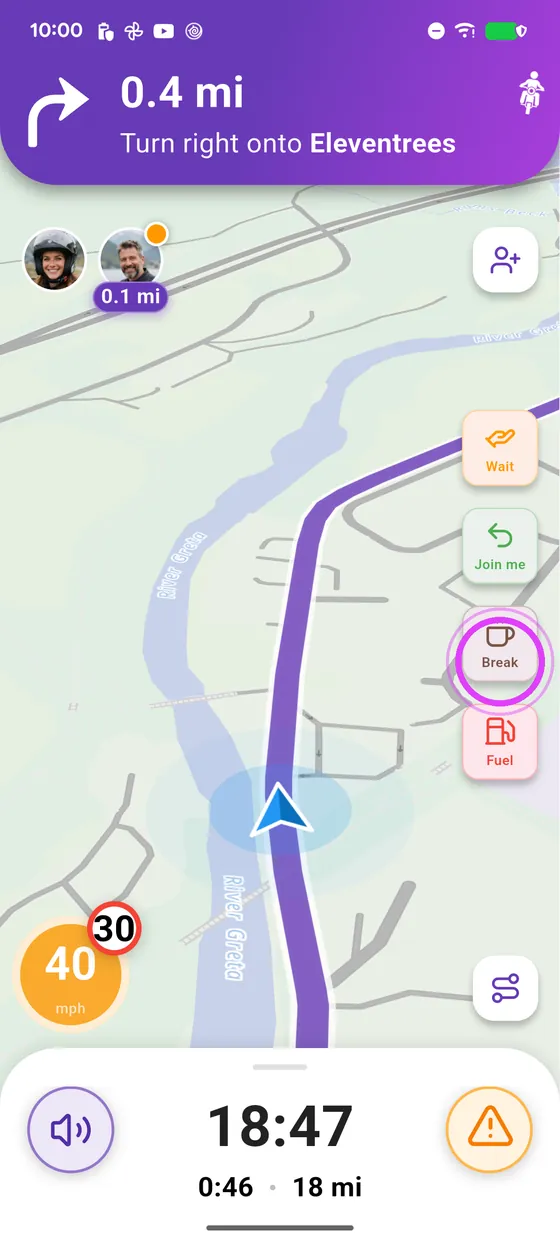
Need a break?
Need a break? Tap the coffee icon: everyone is told.
-
4
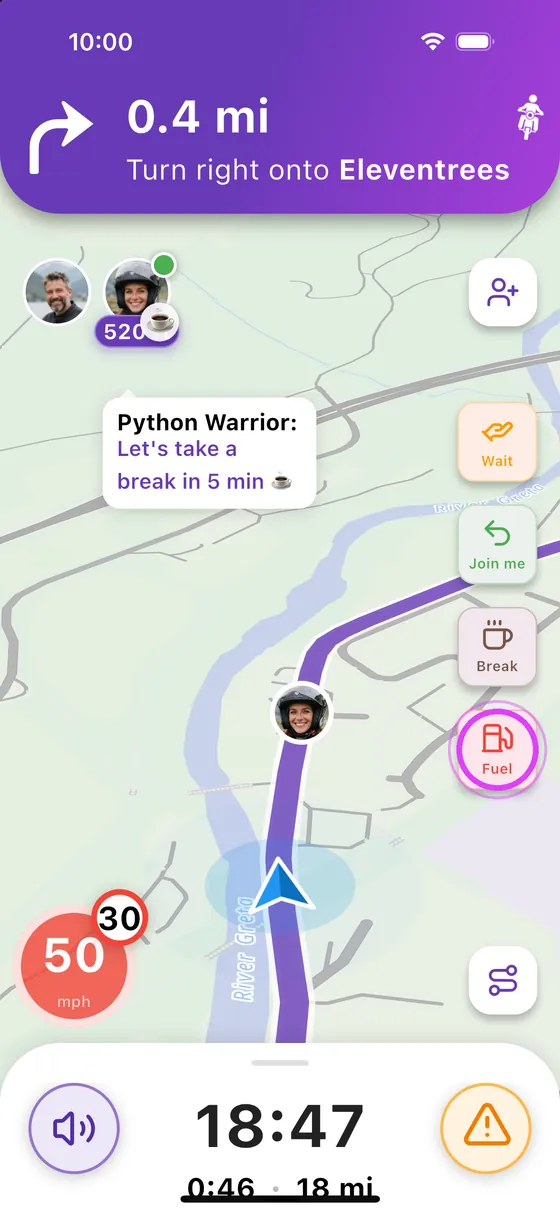
Need fuel?
Need fuel? Tap the fuel icon, and the whole crew knows.
-
5
Ride together
And you ride together, phones safely on their mounts.
← Vroom GPS guidesNext guide: Go for a ride with your crew →
Not onVroom GPS yet?
Get the free app: voice guidance, speed cameras, curvy roads and CarPlay, no subscription.