Guide · Crew
A ridewith your crew
Where, when, who: in three screens your ride is planned and your whole crew gets the invitation.
Cruising
Tested with Vroom GPS v2.1.20
Step by step ↓
Step by step
Followthe guide
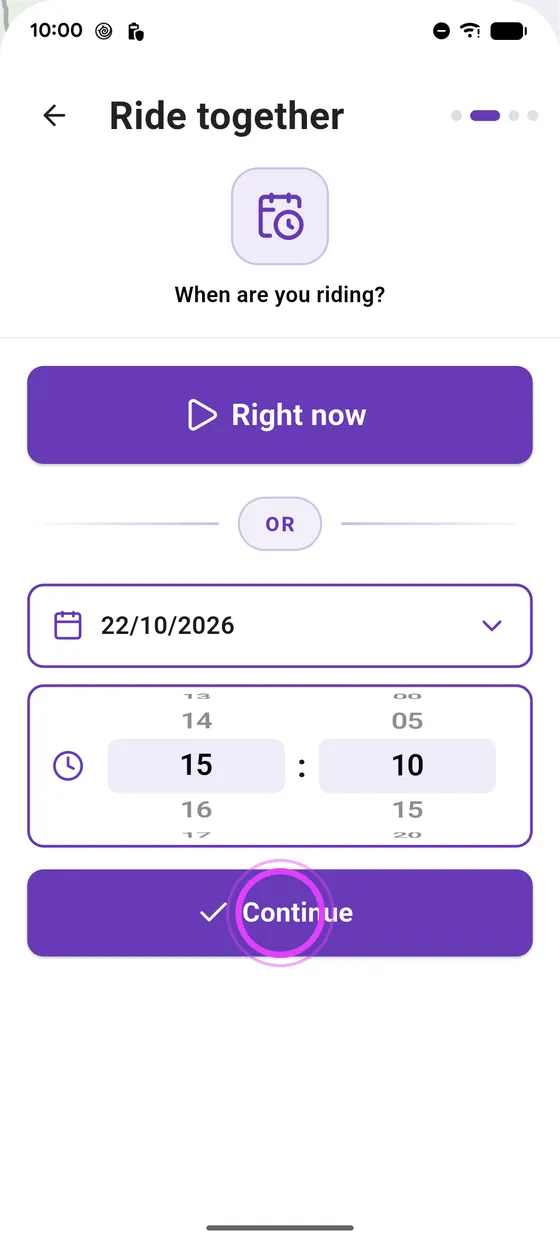
Choose Now to leave straight away: you can then also invite a rider outside the crew with a one-day link.
-
1
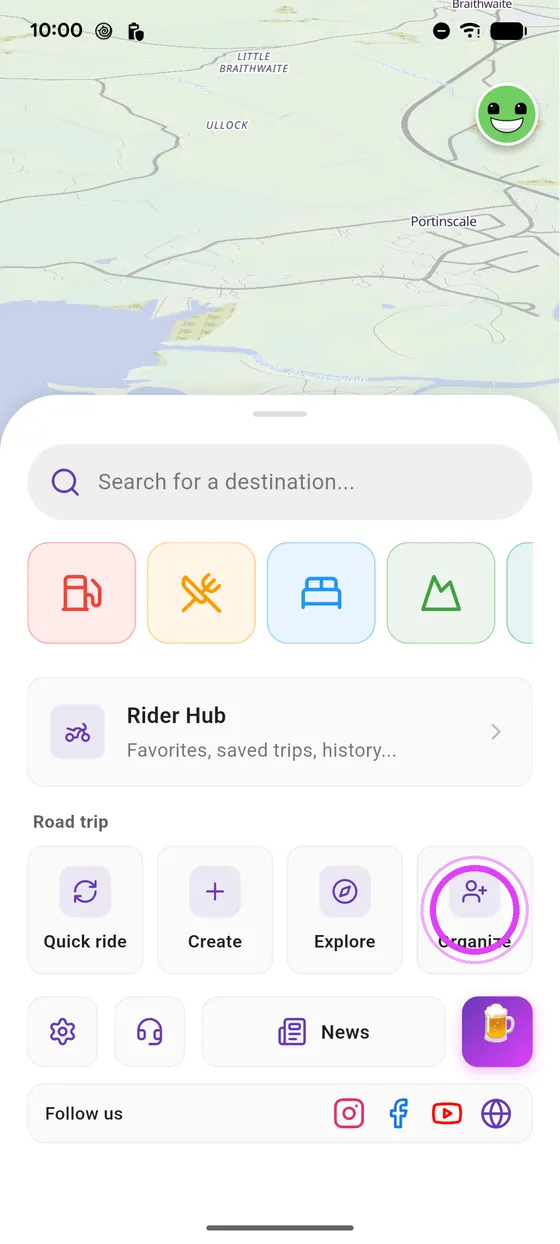
Tap Organise
On the home screen, tap Organise.
-
2
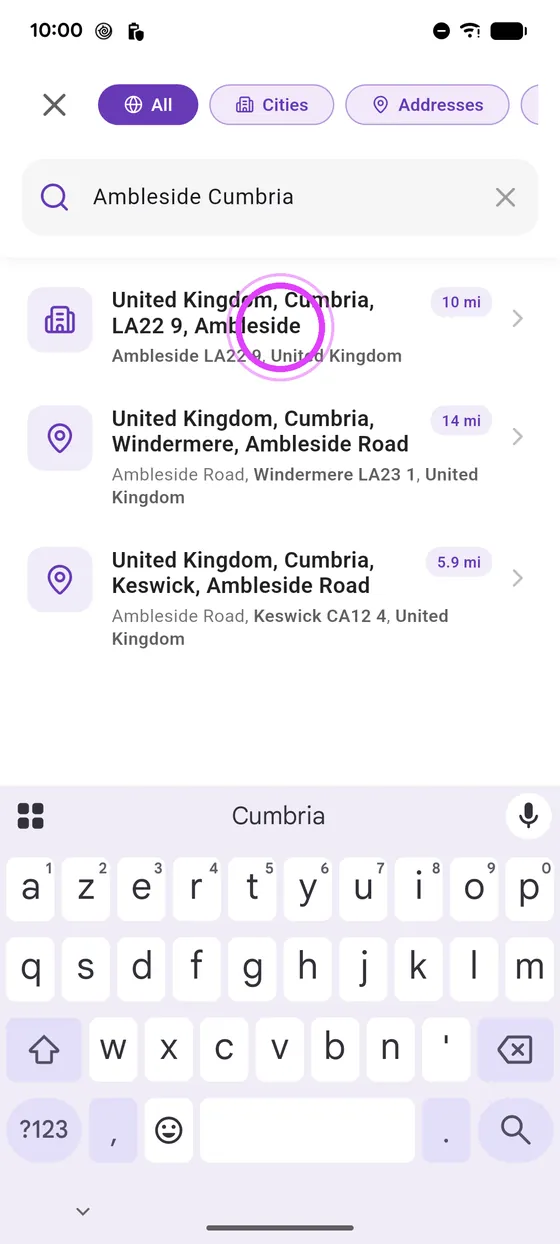
Where?
Pick the destination, or one of your road trips.
-
3
When?
Tap Schedule, pick the day and time, then Continue.
-
4
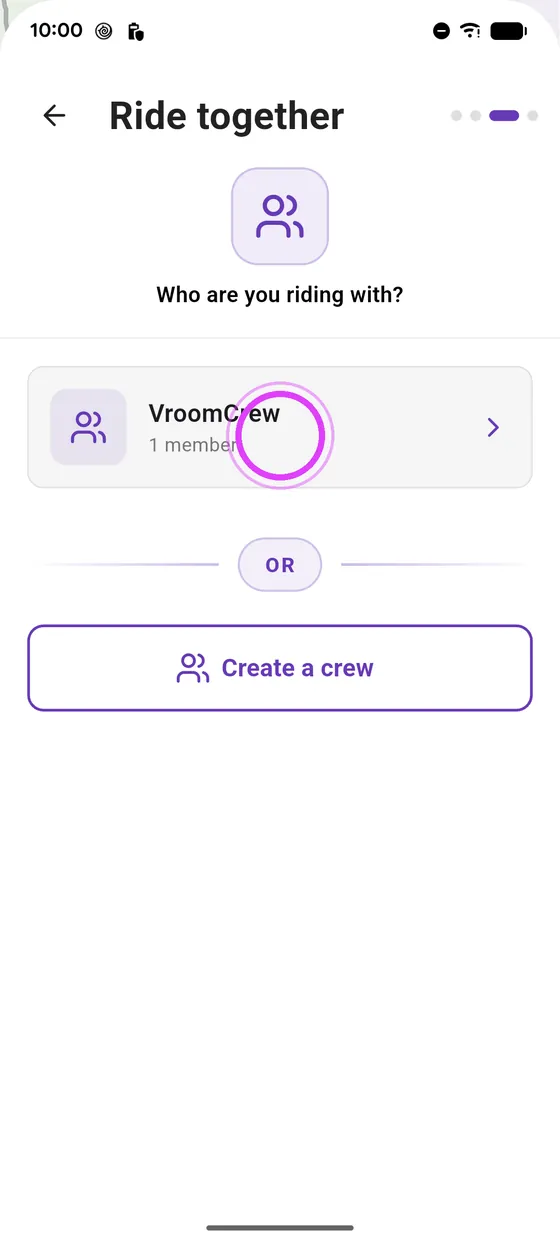
Who with?
Pick your crew.
-
5
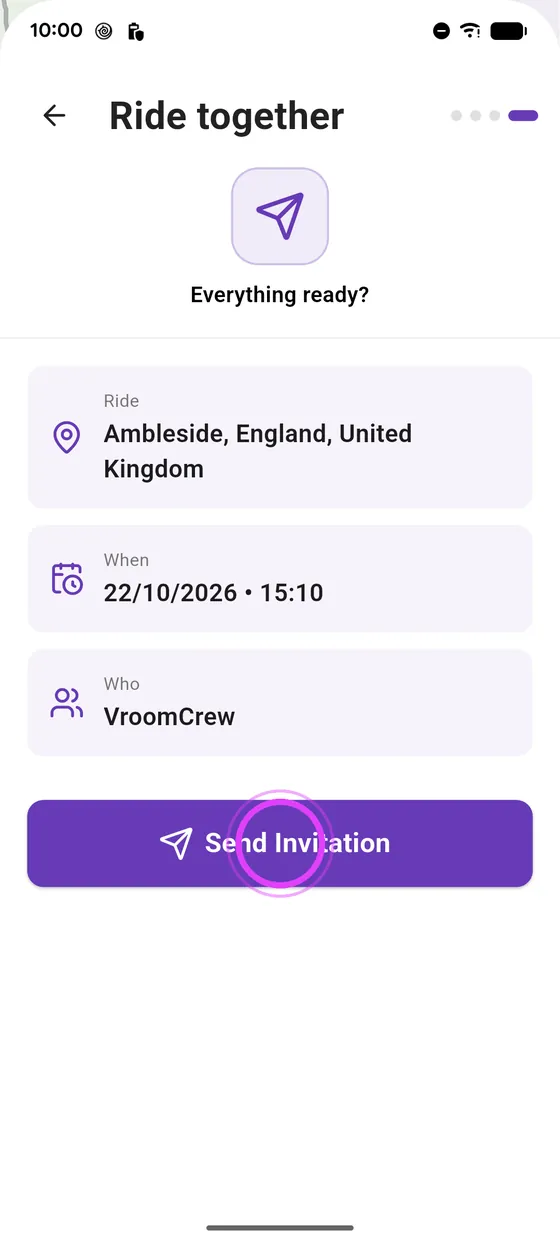
Send the invitation
Check the summary, and send the invitation.
-
6
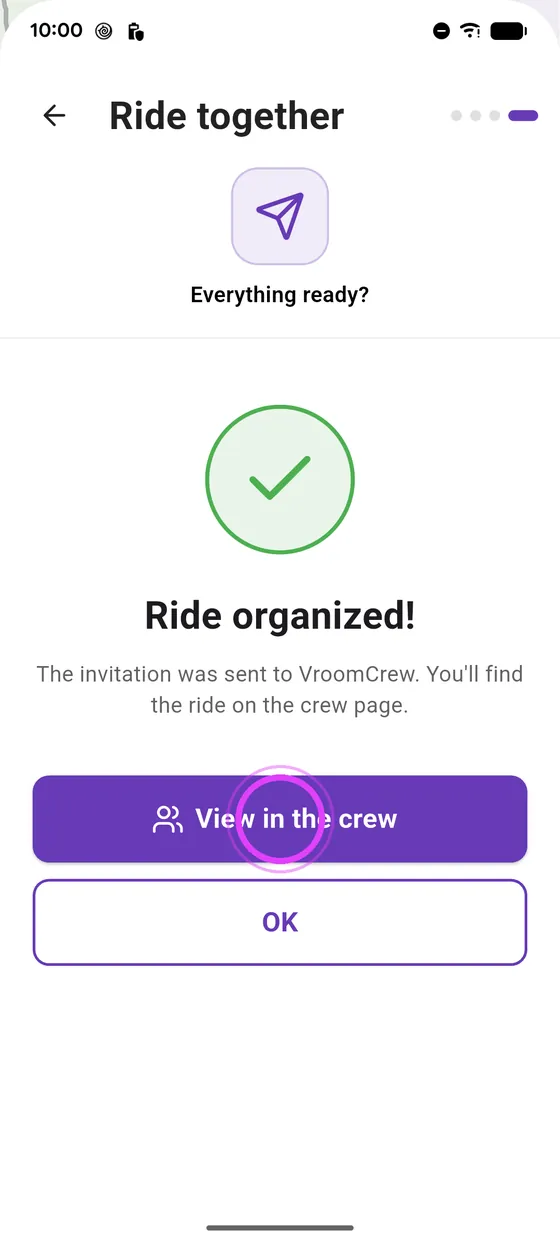
The whole crew knows
Your crew is notified: the ride shows up on the crew page.
-
7
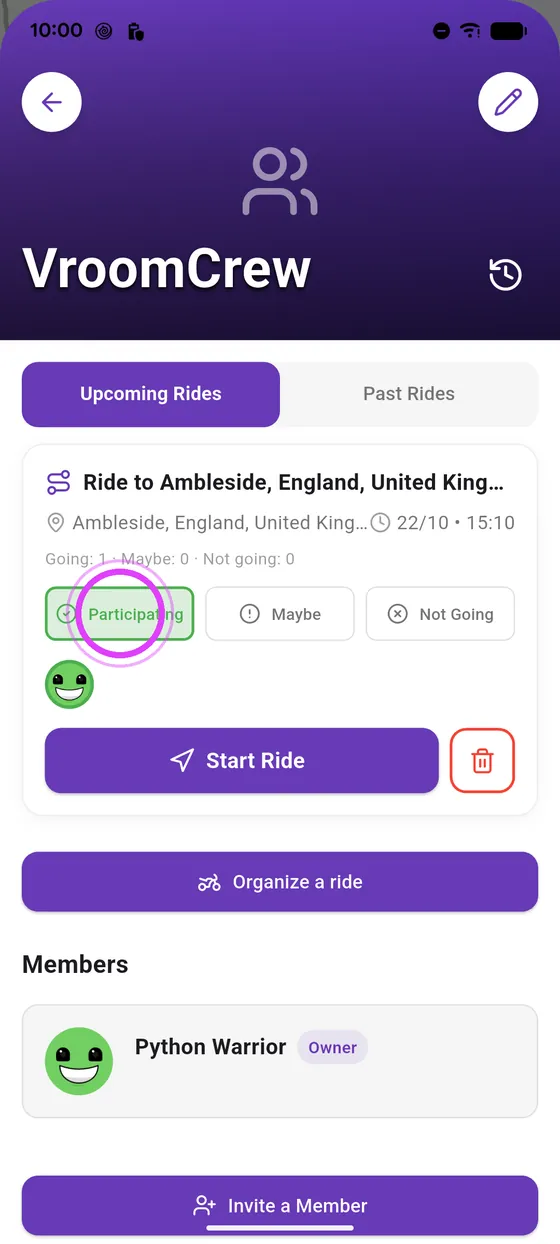
Everyone replies
Everyone replies: going, maybe, or not. On the day, start the ride.
← Vroom GPS guidesNext guide: Riding together: distance, zoom on a friend and quick messages →
Not onVroom GPS yet?
Get the free app: voice guidance, speed cameras, curvy roads and CarPlay, no subscription.