Guide · Android Auto
The companionscreen
The map is on the car screen, your phone becomes your remote.
Cruising
Tested with Vroom GPS v2.1.22
Step by step ↓
Step by step
Followthe guide
Group riders, quick messages, alerts and stops: all within thumb reach.
-
1
Your riders
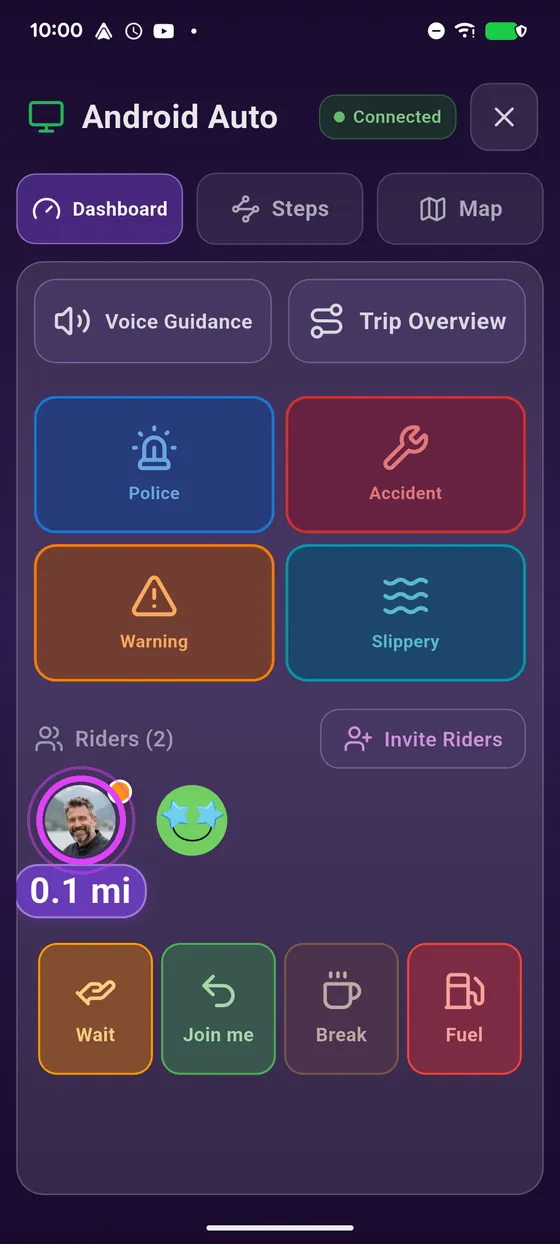
At the bottom: the riders on your trip and how far they are.
-
2
Where are they?
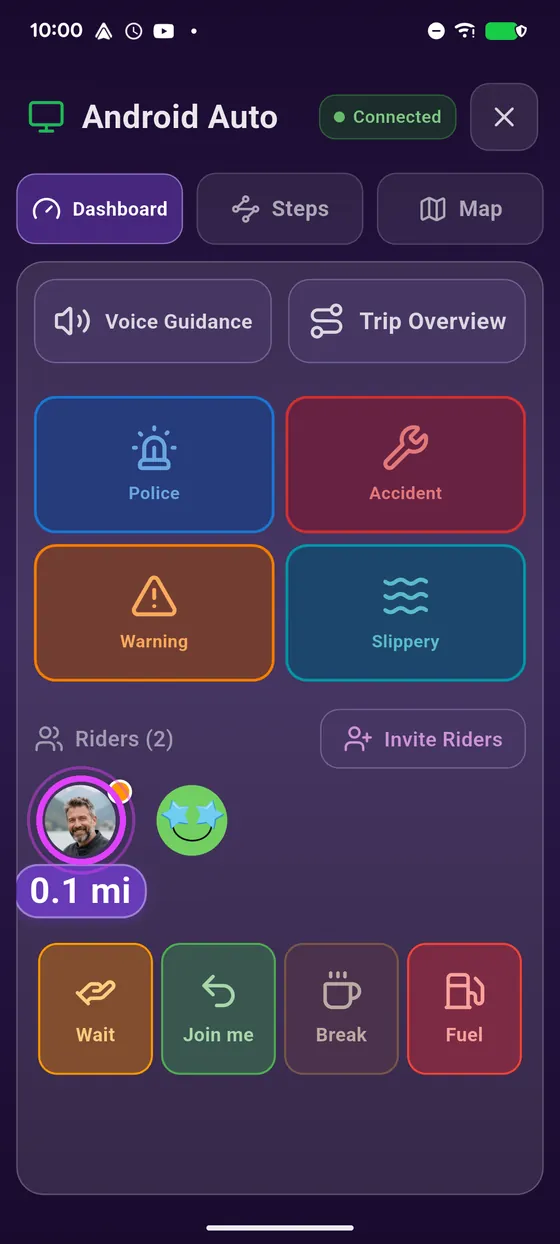
Tap a rider: the car screen centres on them.
-
3
A quick message
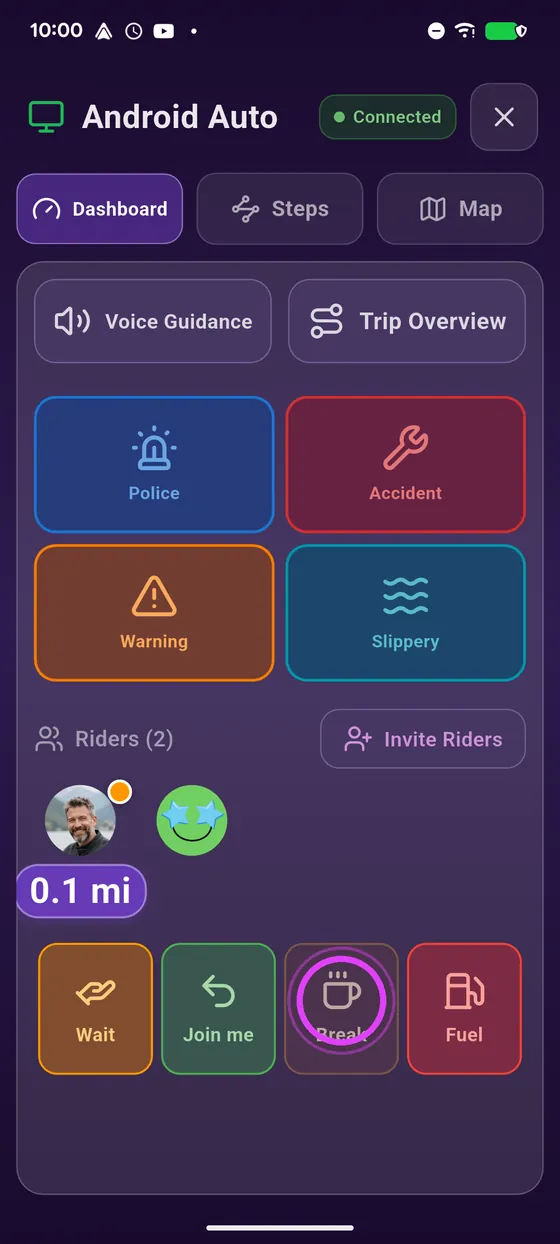
Need a break? Tap Break: your friend knows right away.
-
4
A hazard?
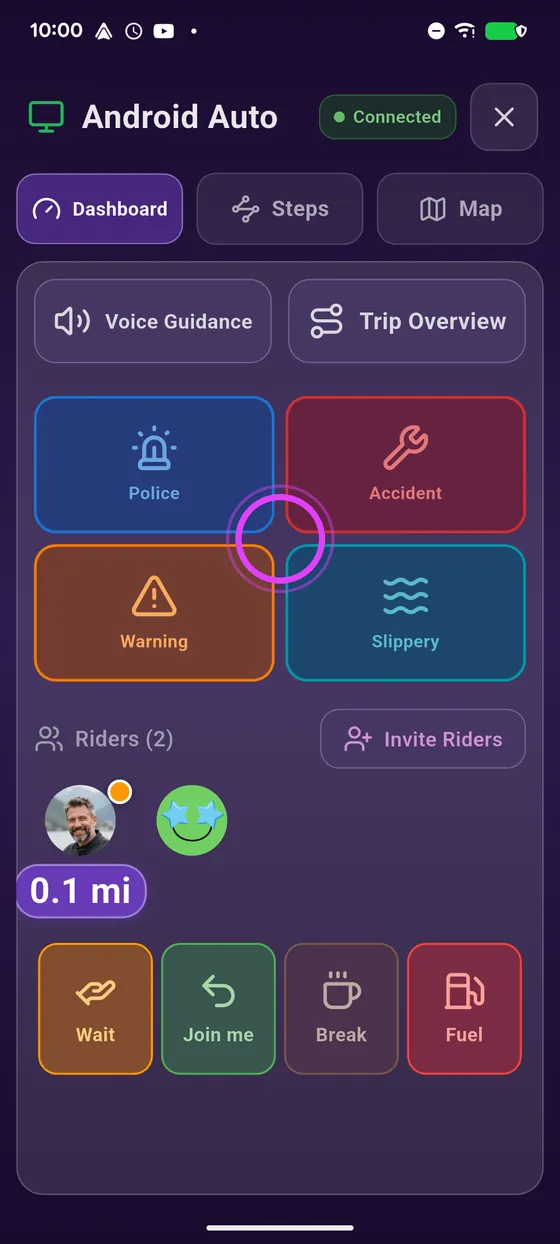
A hazard on the road? Report it with one tap, no hunting on the map.
-
5
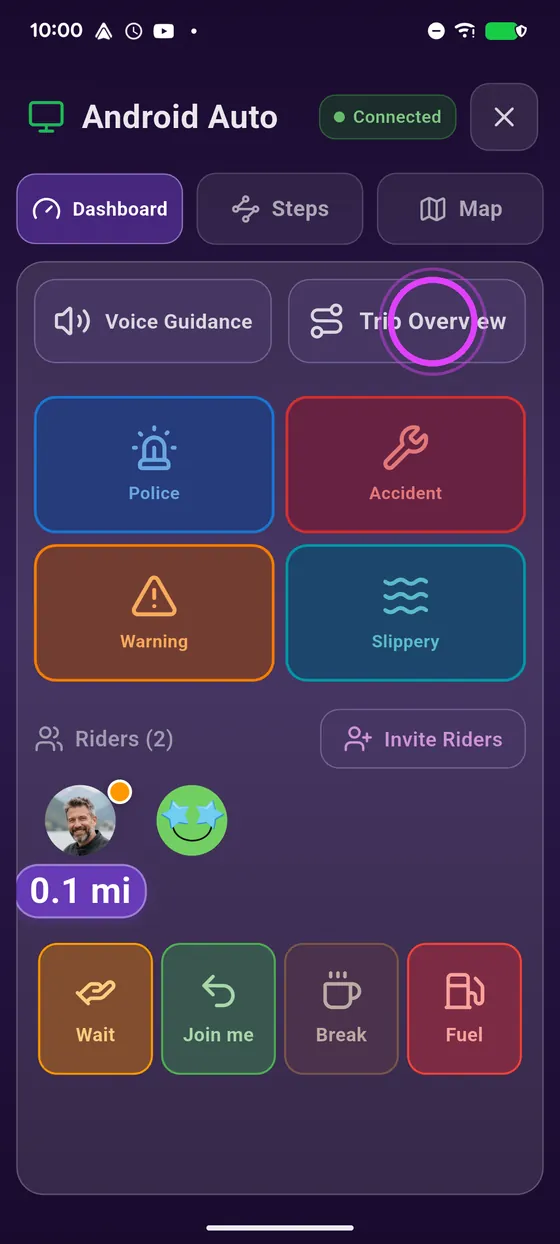
The whole route
Route overview: the car shows your whole route, then comes back to you.
-
6
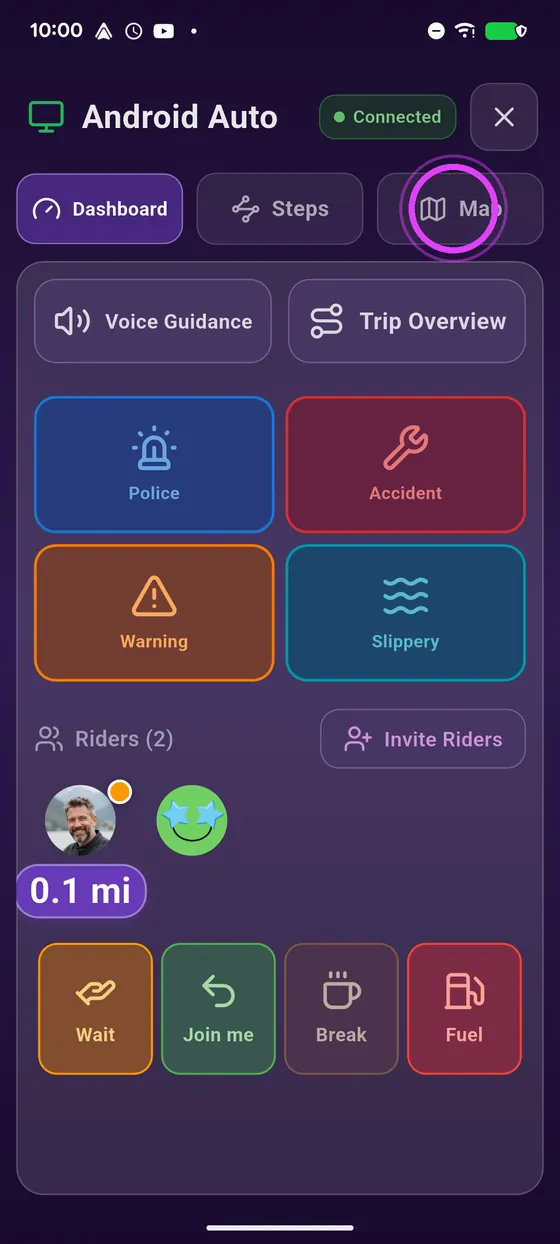
The map too
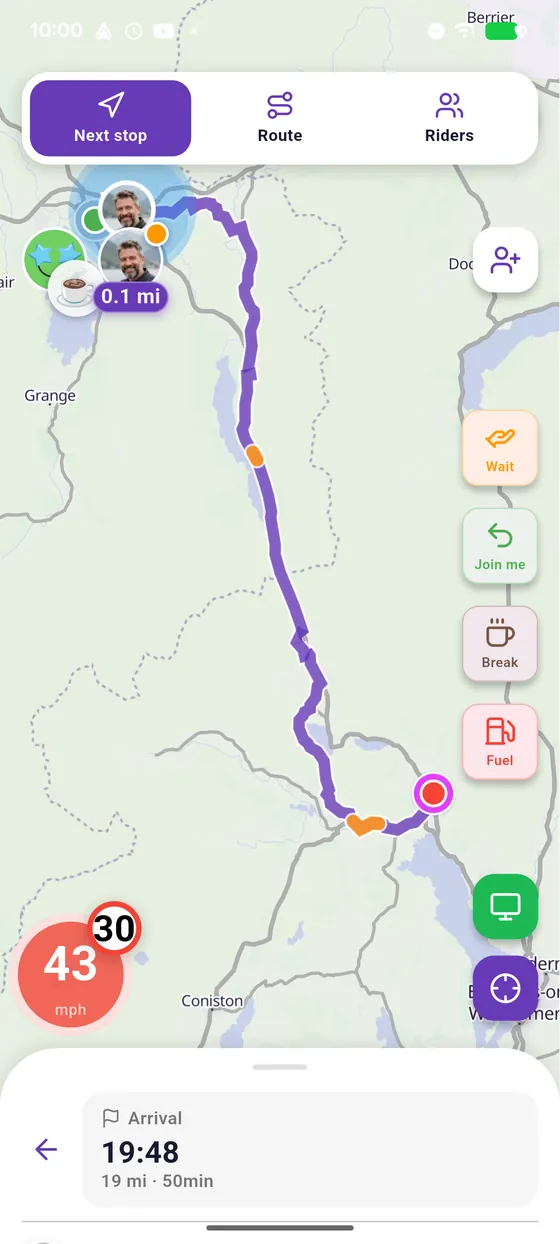
Want the map on your phone too? Tap Map.
-
7
Enjoy the ride
Enjoy the ride together!
← Vroom GPS guidesNext guide: Long press on the map: Street View and go there →
Not onVroom GPS yet?
Get the free app: voice guidance, speed cameras, curvy roads and CarPlay, no subscription.