Guide · Editor
Rider viewthe best roads
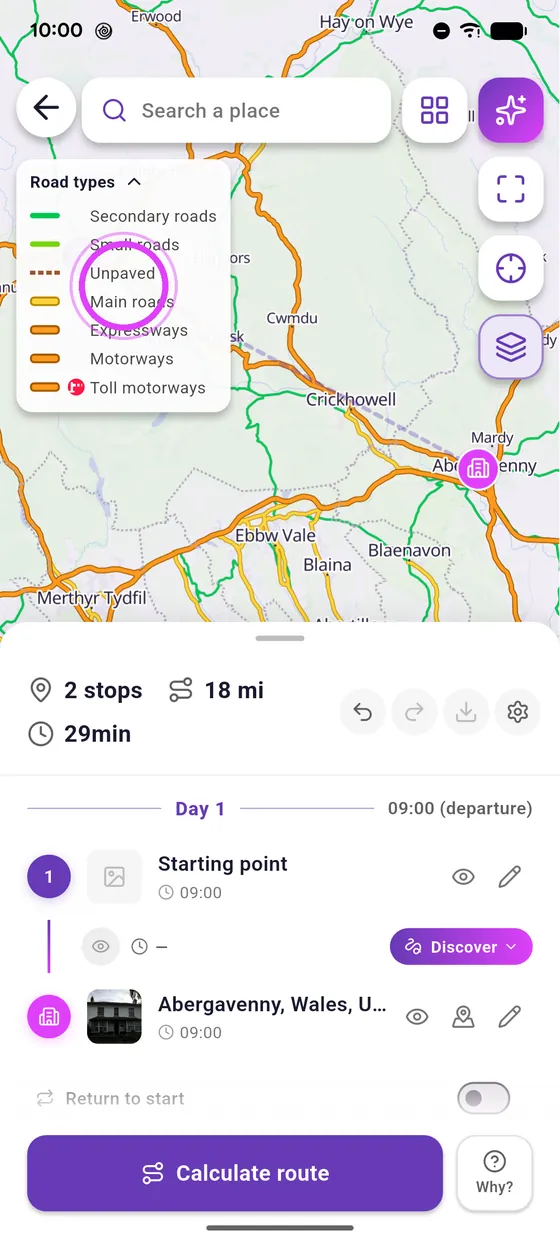
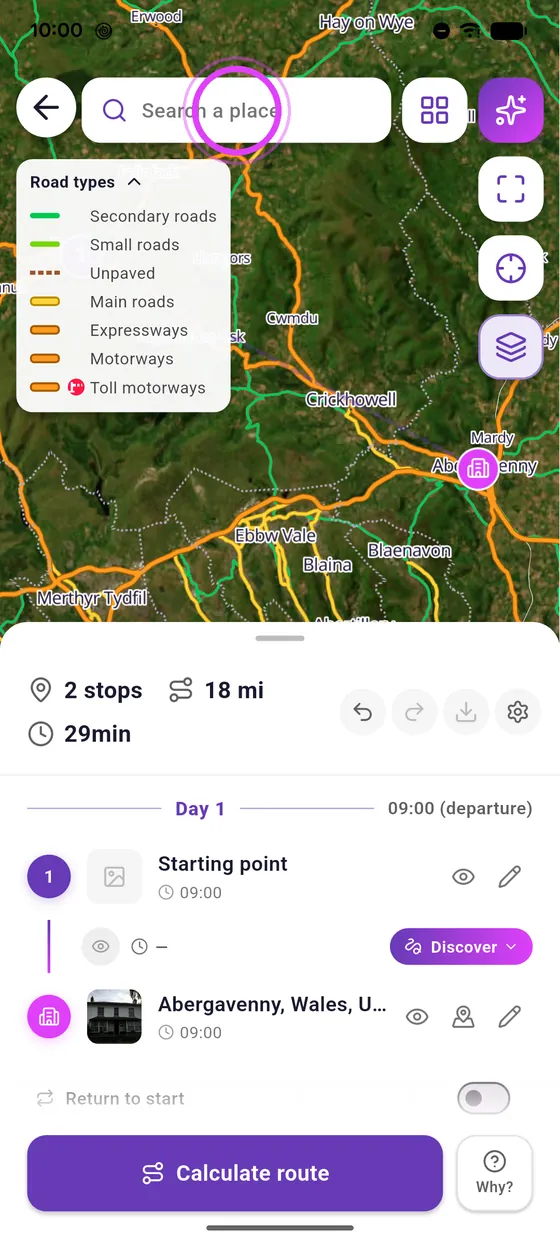
Where are the small twisty roads? Rider view colours them on the editor map: green for riding roads, orange for the ones to avoid.
Knee down
Tested with Vroom GPS v2.1.14
Step by step ↓
Step by step
Followthe guide
Rider view stays on from one session to the next: switch it off in the same menu when you no longer need it.
-
1
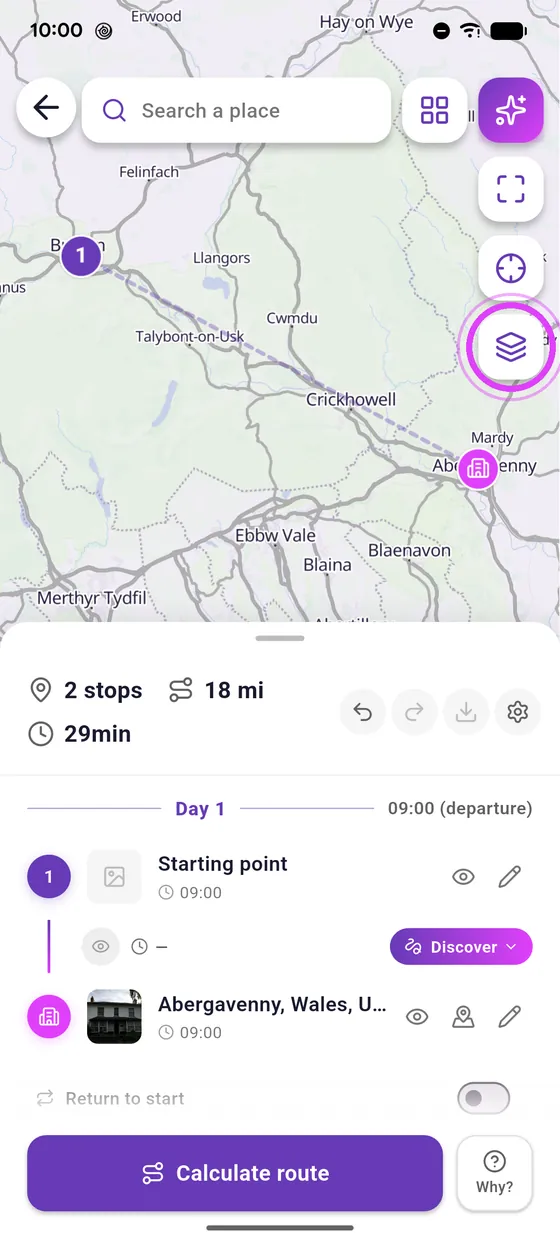
Open the layers
In the editor, tap the layers button.
-
2
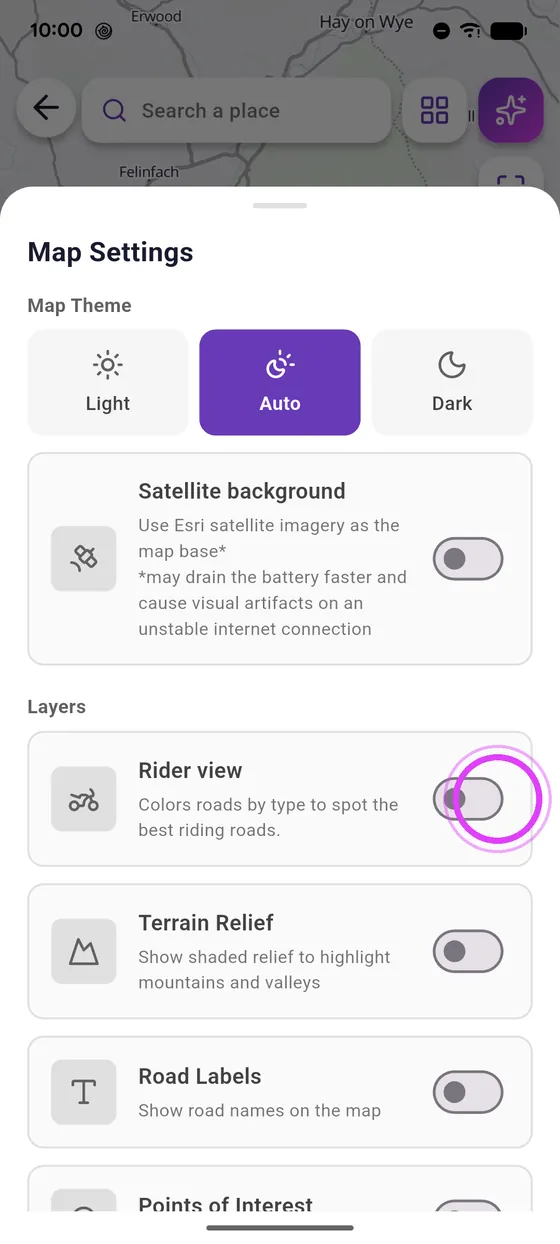
Turn on Rider view
Turn on Rider view.
-
3
Green: ride it
Green: small and secondary roads. Orange: main roads and motorways.
-
4
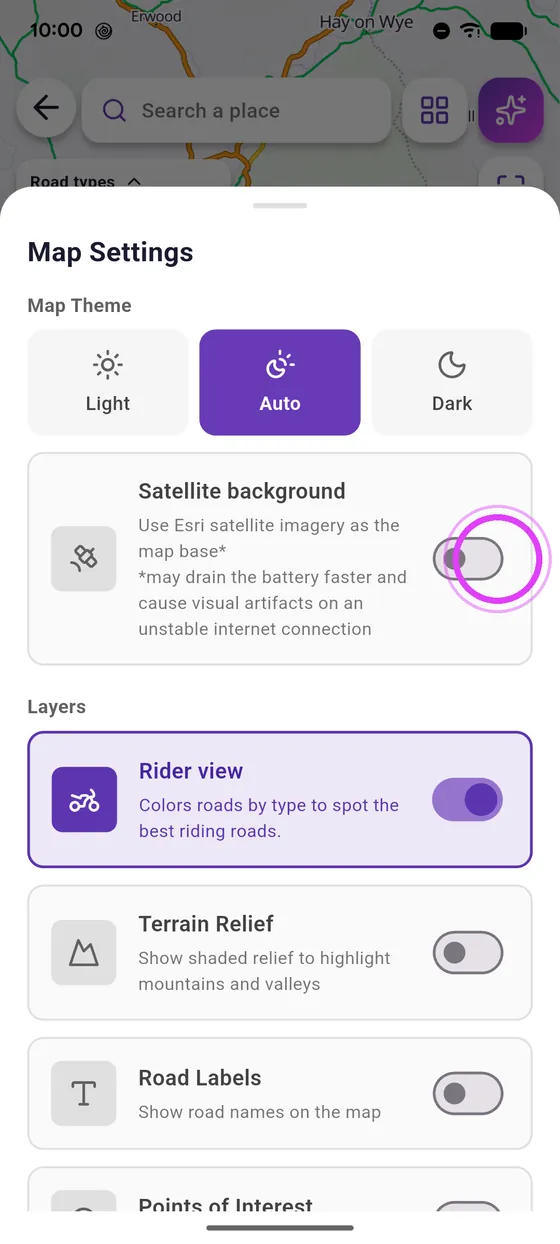
Add satellite
Add the satellite background to see the terrain.
-
5
Plan your route
Now just plan your route along the best ones.
Not onVroom GPS yet?
Get the free app: voice guidance, speed cameras, curvy roads and CarPlay, no subscription.