Guide · Settings
Clear the cachein 10 seconds
Map not showing properly, or the app feels slow? Clearing the cache gives a clean start, without losing any of your rides.
Tested with Vroom GPS v2.1.8
Step by step ↓
Step by step
Followthe guide
The cache already clears itself after 7 days: only clear it when something is wrong.
-
1
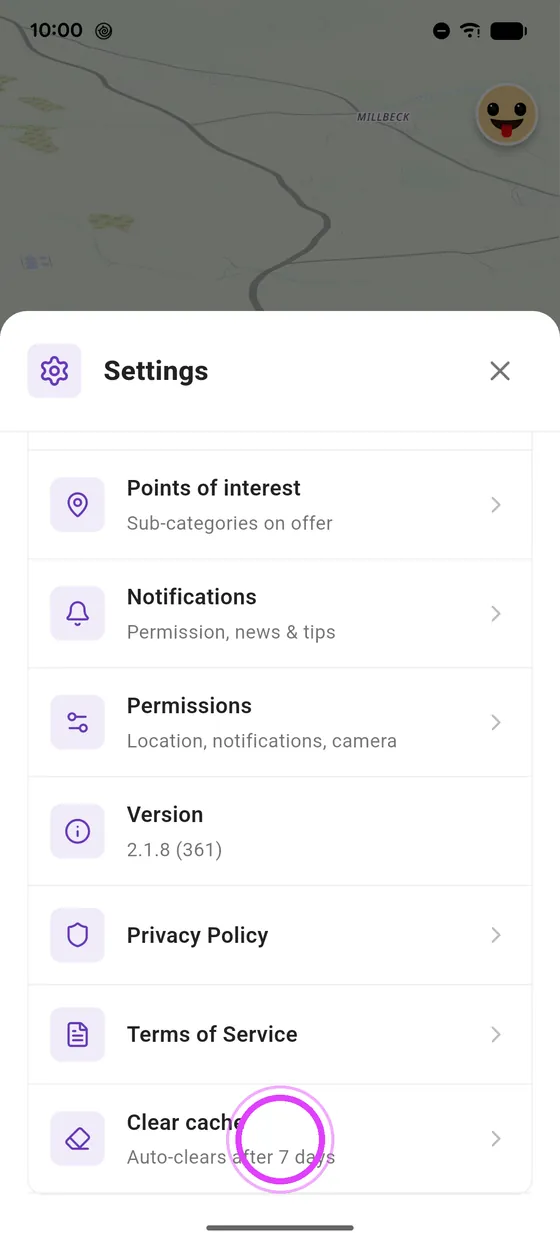
Clear cache
At the bottom of settings, tap Clear cache.
-
2
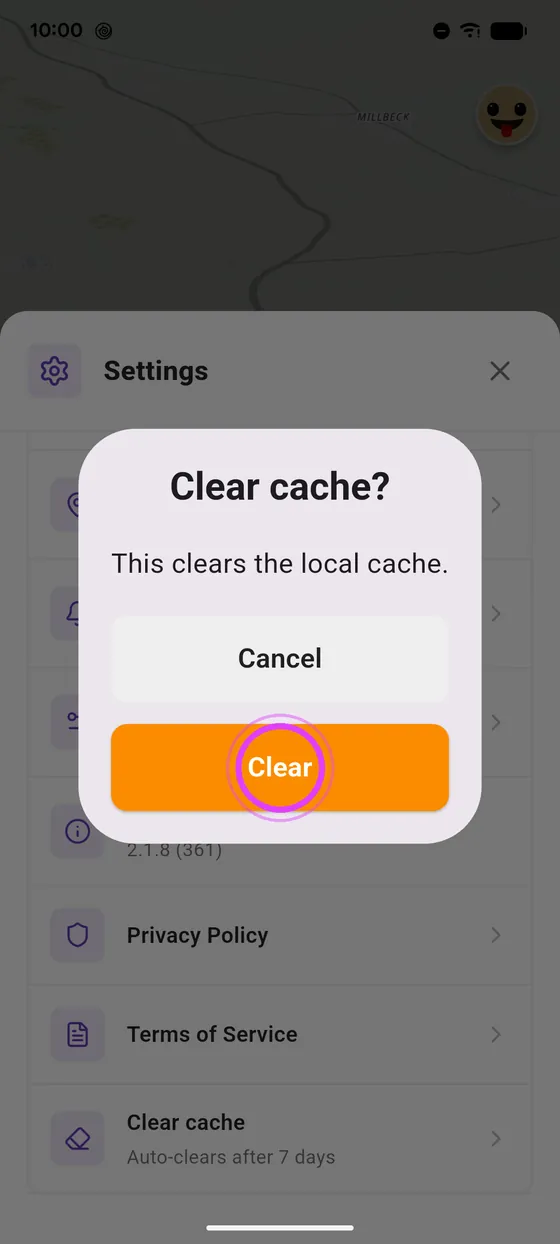
Confirm
Confirm: your rides and favourites stay safe.
Not onVroom GPS yet?
Get the free app: voice guidance, speed cameras, curvy roads and CarPlay, no subscription.