Guide · Android Auto
Your ridefrom the car screen
Your phone stays in your pocket: everything starts from the car screen.
Break-in
Tested with Vroom GPS v2.1.22
Step by step ↓
Step by step
Followthe guide
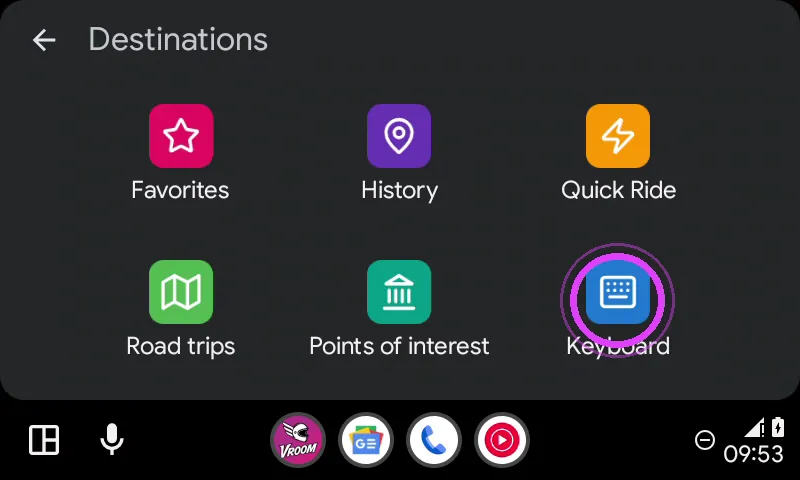
Favourites, history, saved road trips, points of interest or keyboard search: it is all behind the magnifier.
-
1
Tap the magnifier
Tap the magnifier: your favourites, your history… or the keyboard.
-
2
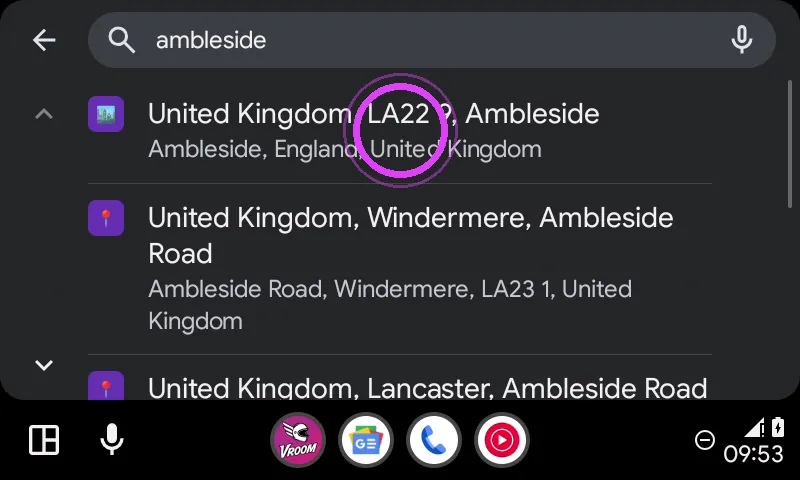
Type your destination
Type your destination and pick it in the list.
-
3
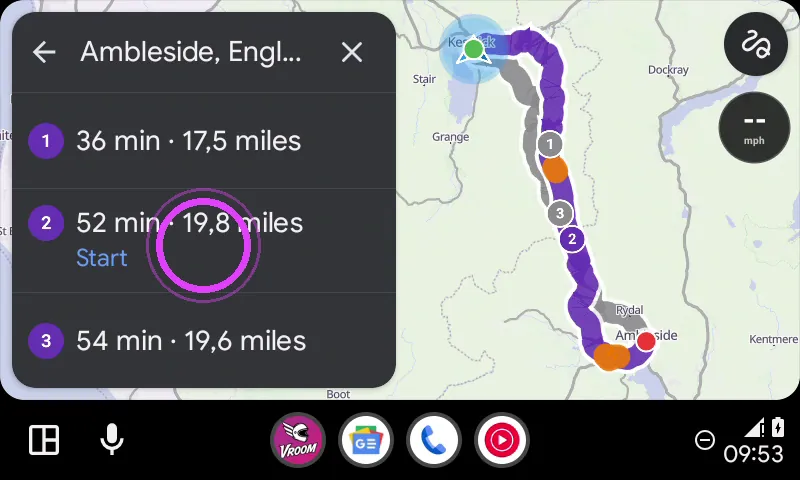
Start
The route preview shows up: tap Start.
-
4
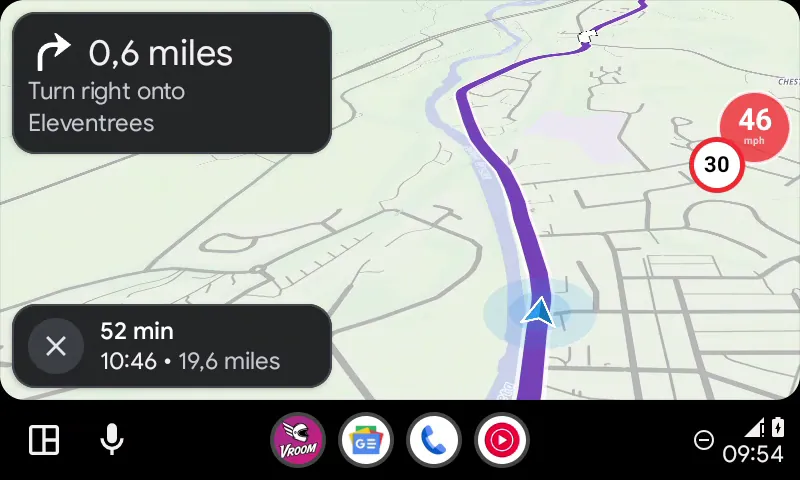
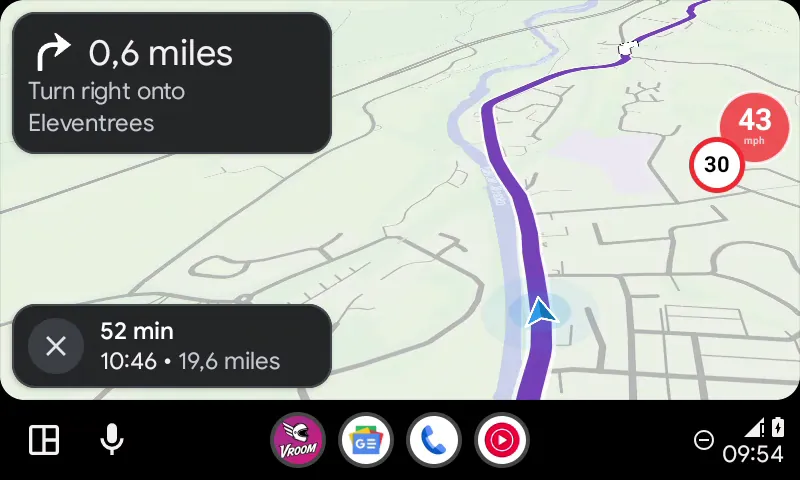
On your way
Navigation runs on the car, your phone can stay in your pocket.
-
5
Enjoy the ride
Enjoy the ride!
← Vroom GPS guidesNext guide: Add a fuel stop or a break from the car screen →
Not onVroom GPS yet?
Get the free app: voice guidance, speed cameras, curvy roads and CarPlay, no subscription.