Guide · Android Auto
No signalon the bike screen
No signal on the road? Your downloaded rides start from the bike screen.
Break-in
Tested with Vroom GPS v2.3.1
Step by step ↓
Step by step
Followthe guide
Download the ride on your phone first (cloud button in the preview). On the screen, the Offline badge stays on while there is no signal.
-
1
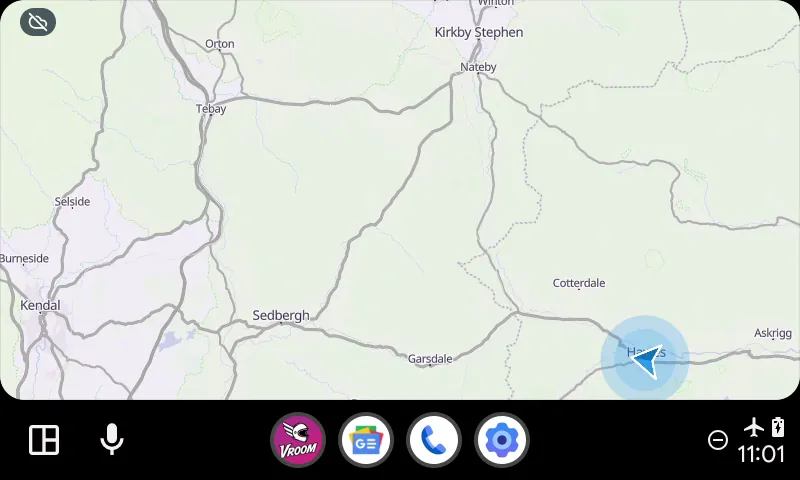
No signal
No signal: the Offline badge shows up on the bike screen.
-
2
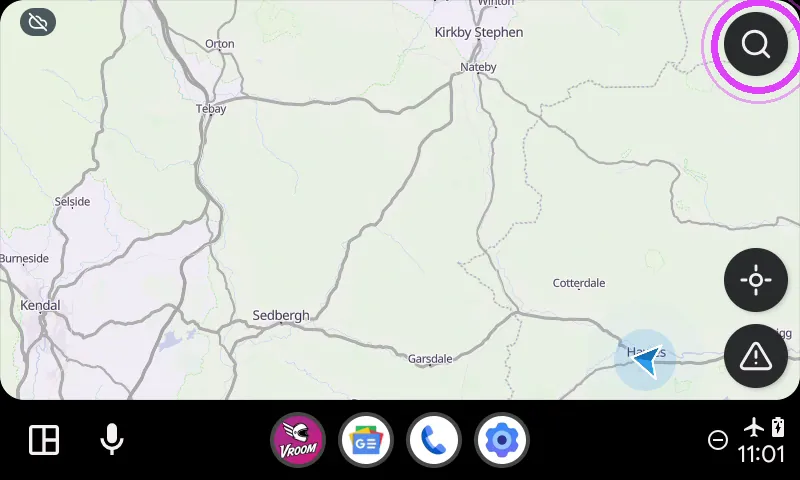
Tap the magnifier
Tap the magnifier.
-
3
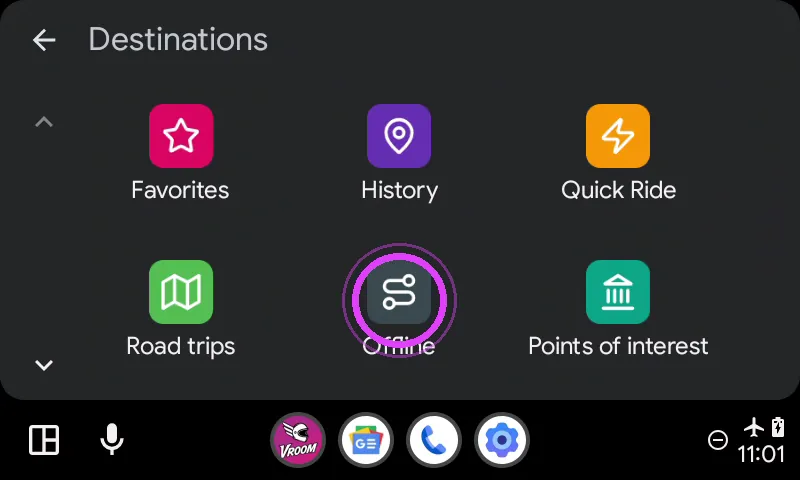
Offline
Open Offline, right after Road trips.
-
4
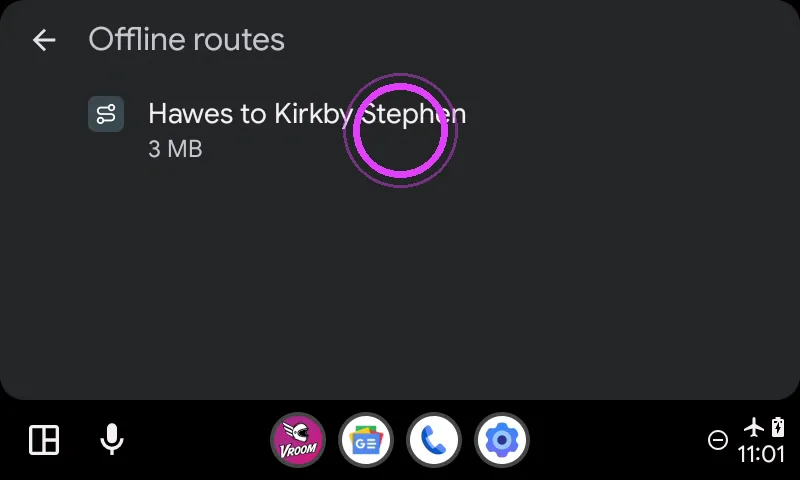
Pick your ride
Pick your ride: navigation starts, even without signal.
-
5
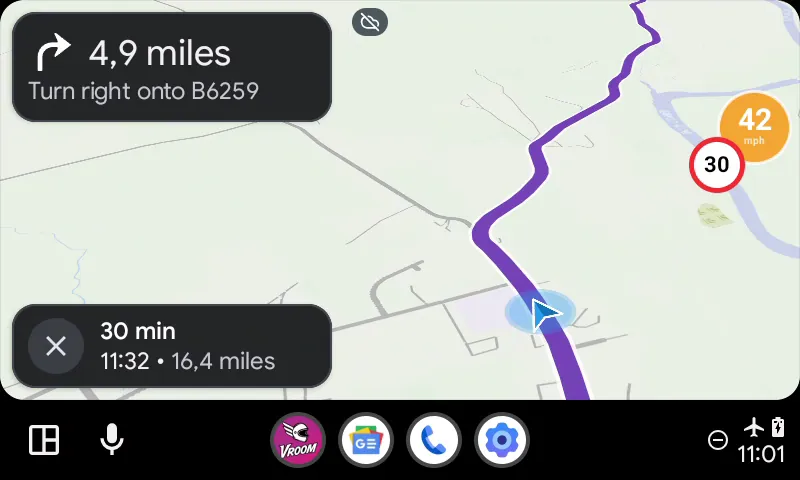
On your way
Guidance keeps going, offline.
← Vroom GPS guidesNext guide: Add and manage your favourites in Vroom GPS →
Not onVroom GPS yet?
Get the free app: voice guidance, speed cameras, curvy roads and CarPlay, no subscription.