Guide · Favourites
Your favouritesin one tap
Your home, your biker café, your favourite pass: one heart to keep them, always within reach.
Tested with Vroom GPS v2.1.8
Step by step ↓
Step by step
Followthe guide
Your favourites show on the map and at the top of search.
-
1
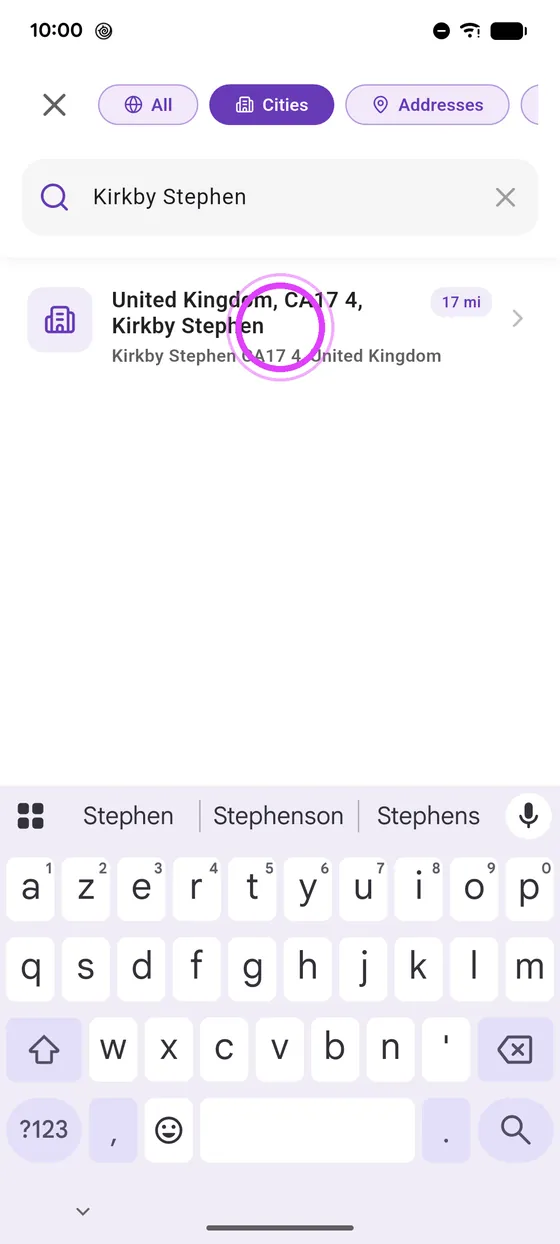
Find the place
Search for the place you want to keep.
-
2
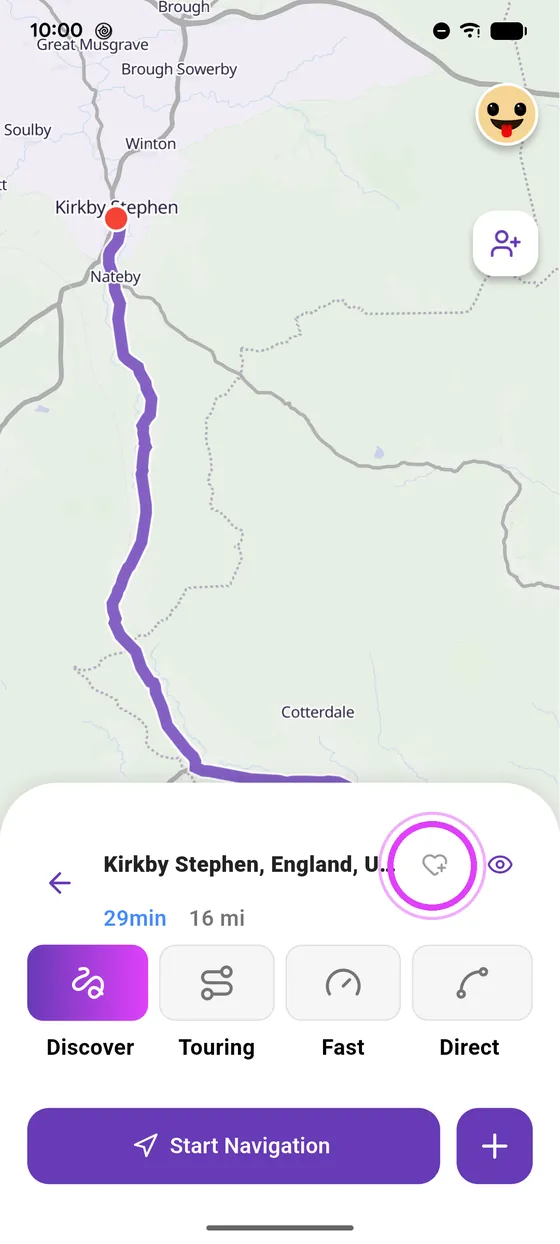
Tap the heart
Tap the heart: the place joins your favourites, and shows on the map.
-
3
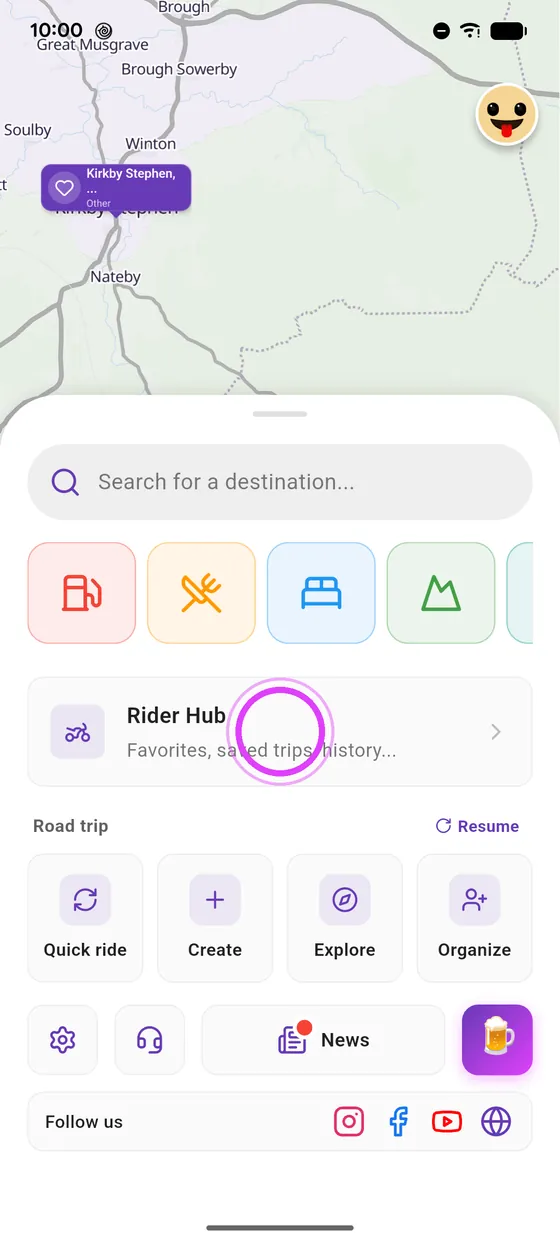
In Rider Hub
Find it in Rider Hub, under Favourites.
-
4
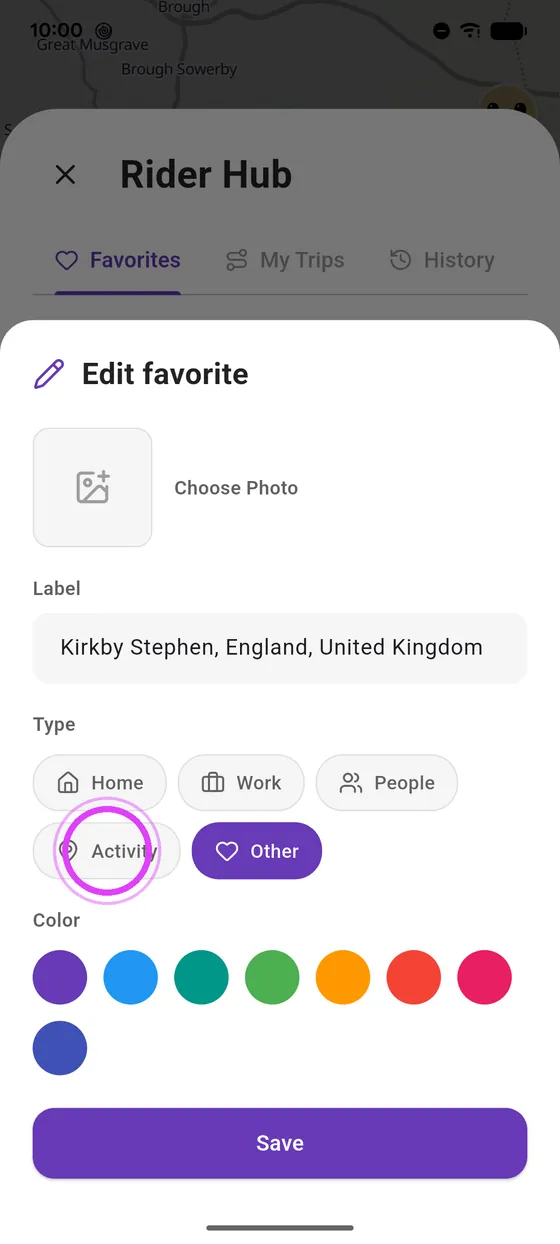
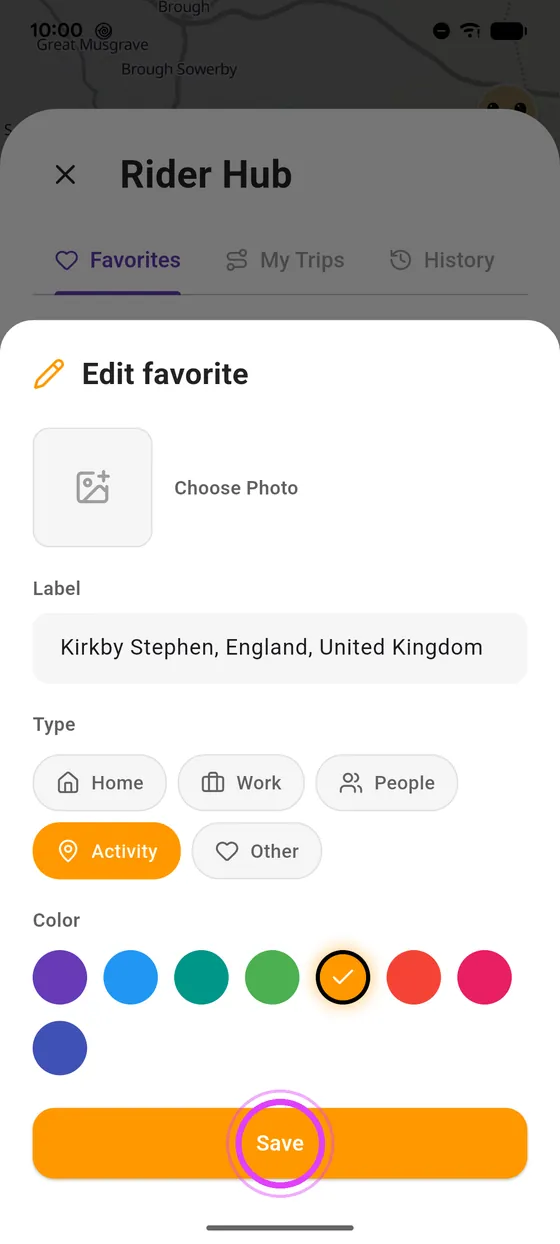
Customise it
Tap the pencil: pick a type, a colour, or add a photo.
-
5
Save
Save: your favourite waits for you on the map and in search.
Not onVroom GPS yet?
Get the free app: voice guidance, speed cameras, curvy roads and CarPlay, no subscription.