Guide · Crew
Invite a friendon your ride
No crew needed to ride together: a QR code, your friend scans it, and you are on the same ride.
Break-in
Tested with Vroom GPS v2.1.21
Step by step ↓
Step by step
Followthe guide
Invitations work between iPhone and Android. The link can also be sent by text, WhatsApp or email.
-
1
Invite your friend
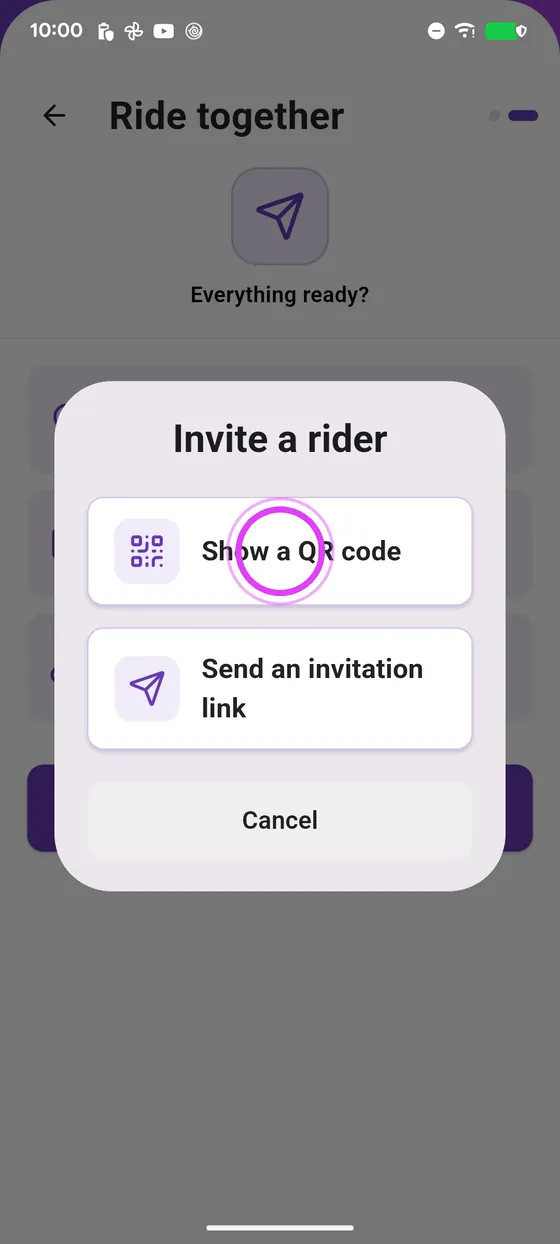
Tap Invite, Invite without a crew, then the QR code.
-
2
They accept
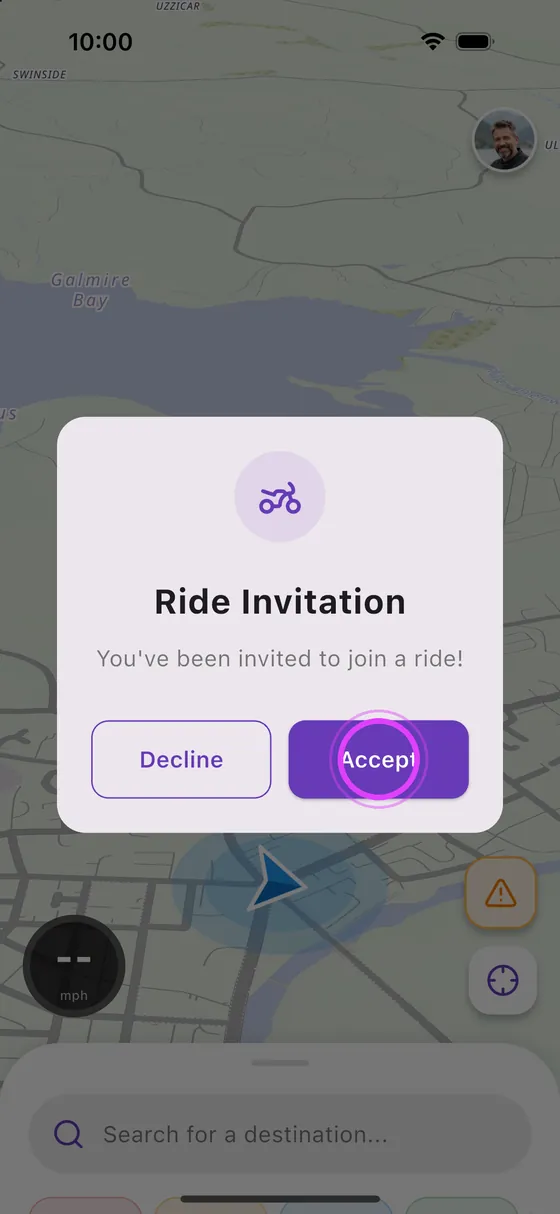
Your friend scans the code and accepts: they join your ride.
-
3
On the road together
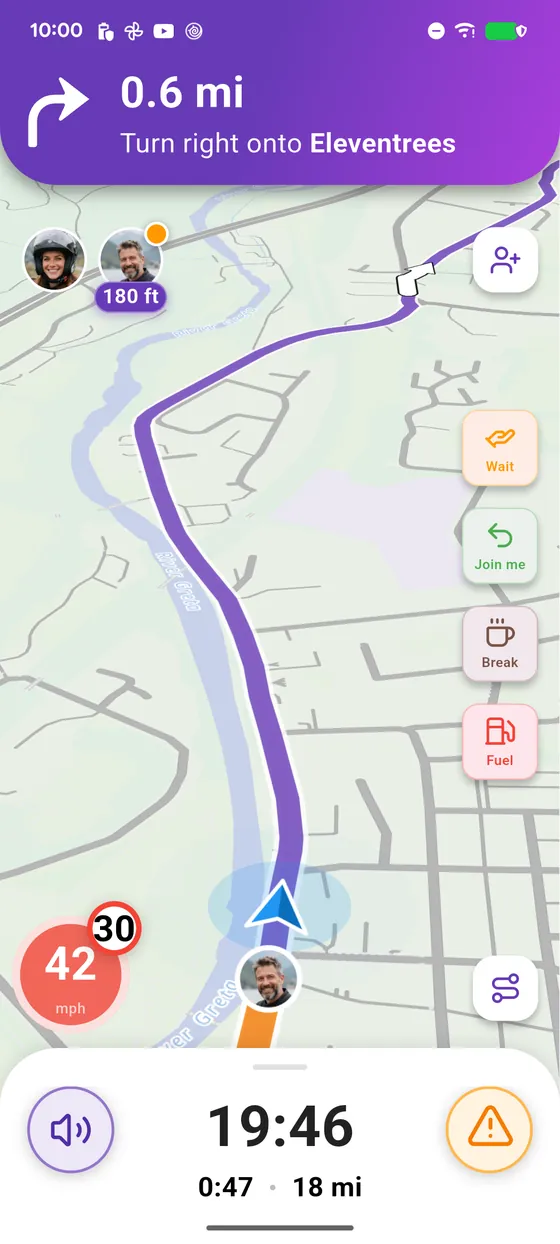
Off you go: each of you sees the other on the map, with the distance between you.
-
4
Enjoy the ride
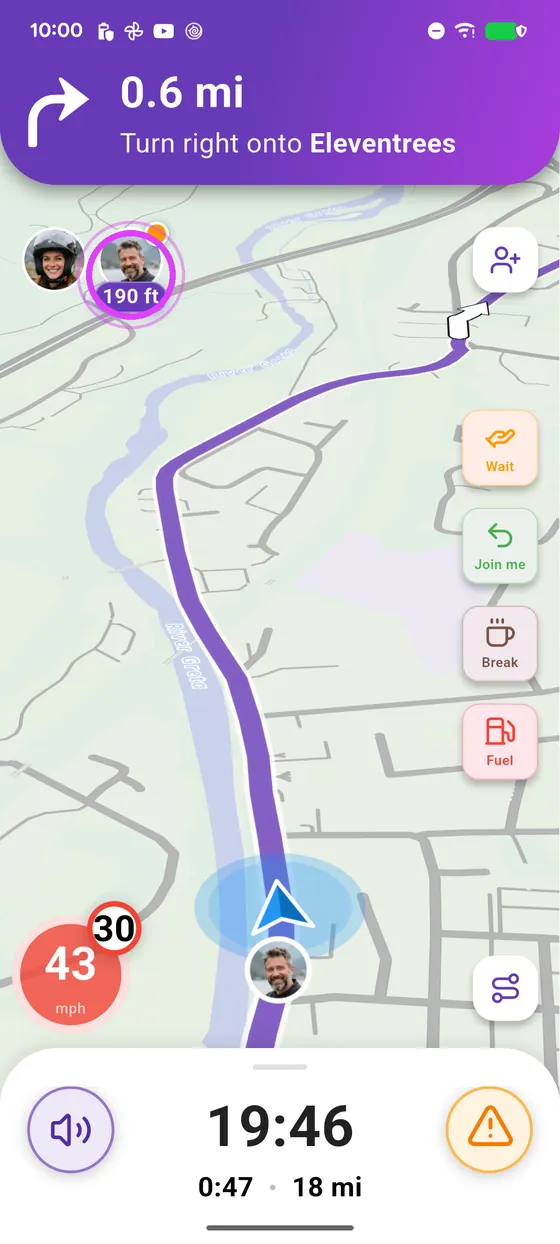
Enjoy the ride, together on the same route.
← Vroom GPS guidesNext guide: Get a friend to join your crew →
Not onVroom GPS yet?
Get the free app: voice guidance, speed cameras, curvy roads and CarPlay, no subscription.