Guide · Offline
A whole regionin your pocket
Heading out with no set route in a region with poor signal? Download the whole area.
Break-in
Tested with Vroom GPS v2.3.0
Step by step ↓
Step by step
Followthe guide
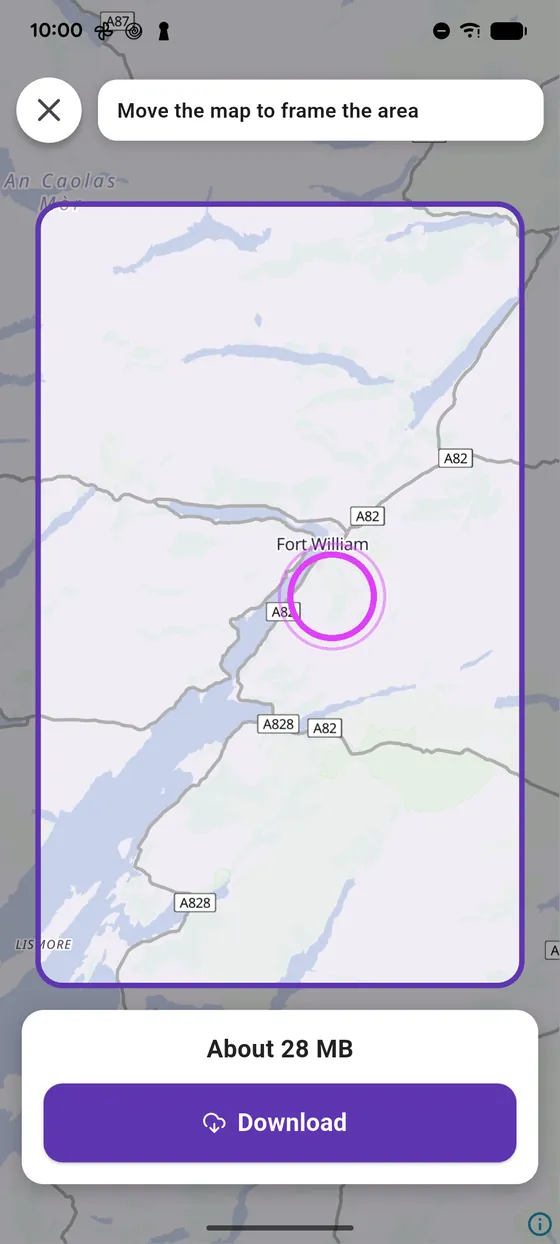
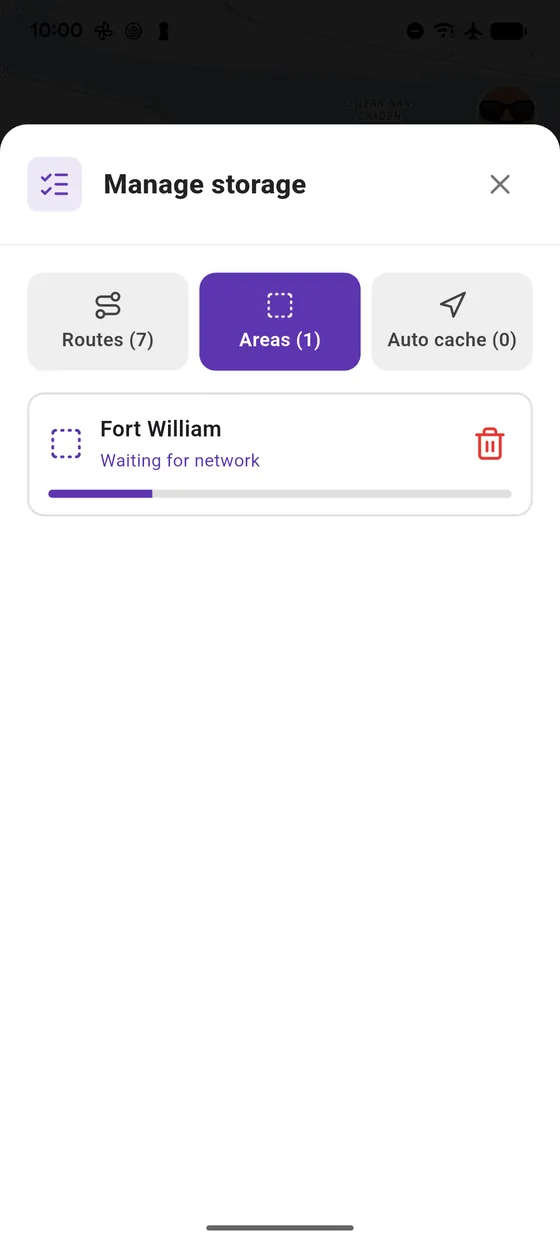
The estimated size shows while you frame it. If signal drops, the download waits and resumes on its own.
-
1
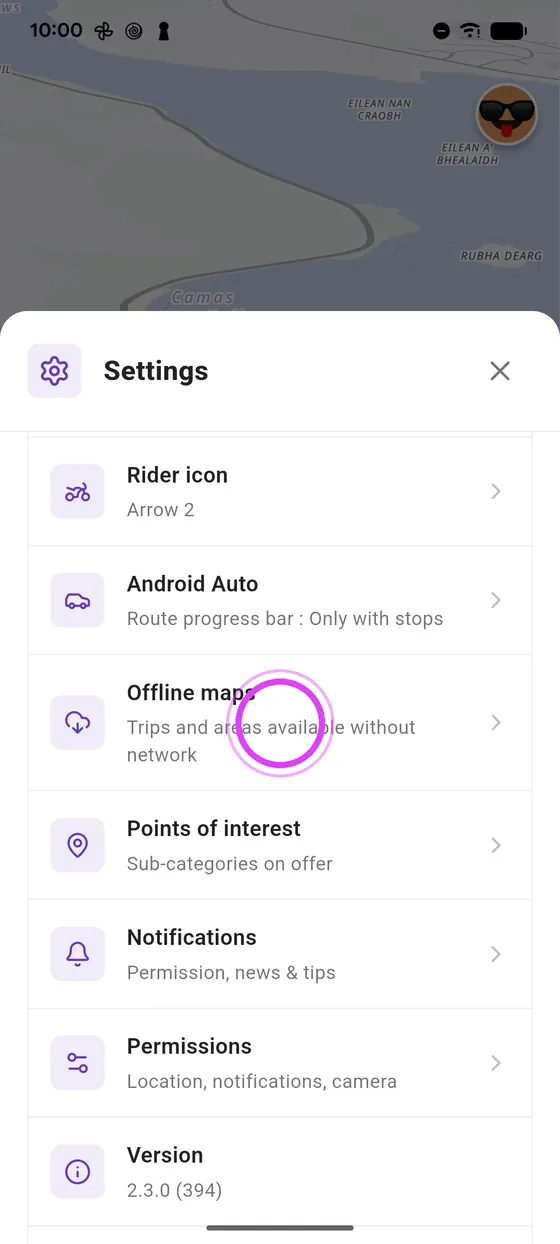
Offline maps
In settings, open Offline maps.
-
2
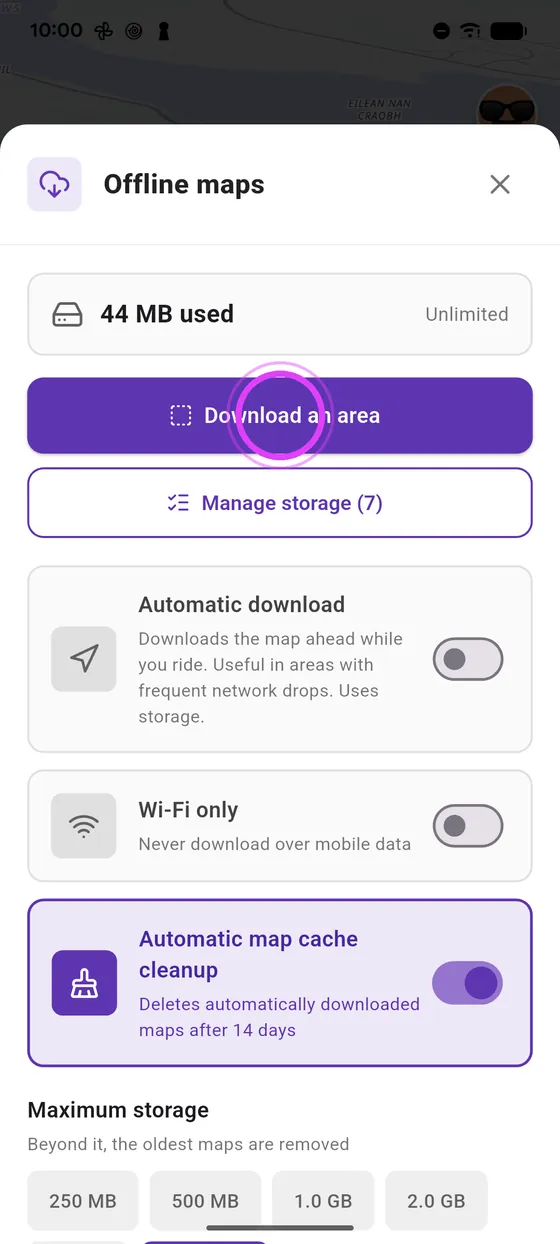
Download an area
Tap Download an area.
-
3
Frame the area
Move the map to frame the area: the estimated size shows at the bottom.
-
4
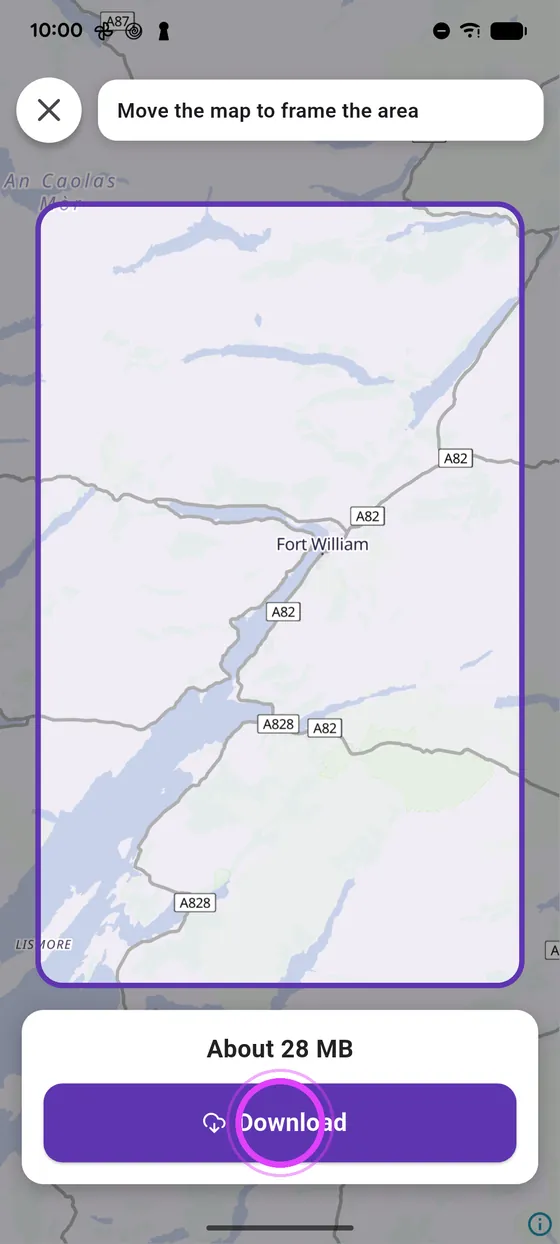
Download
Tap Download.
-
5
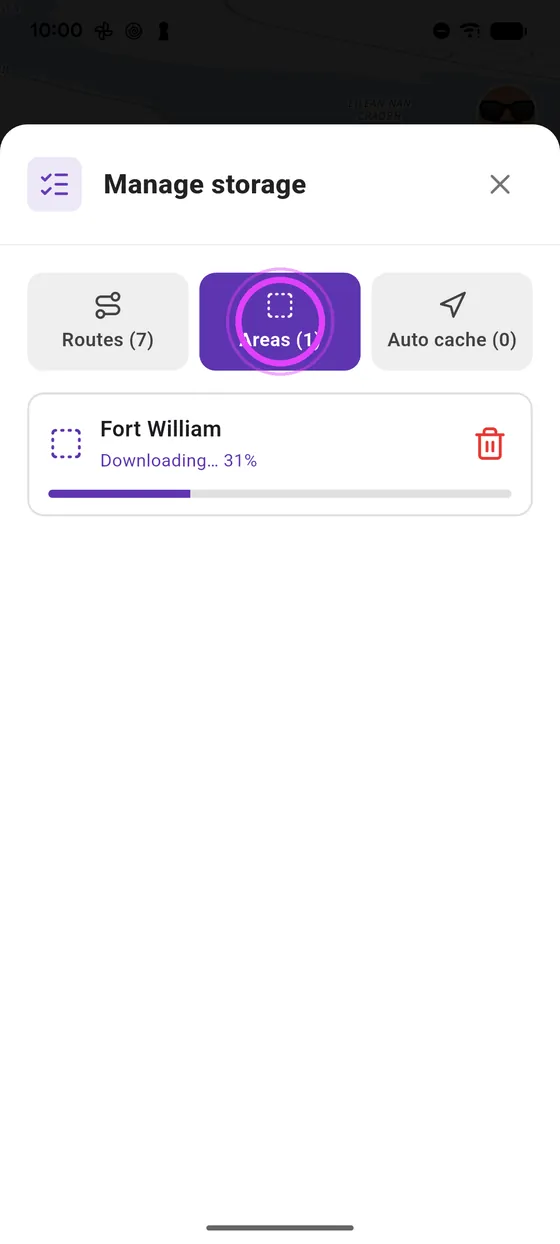
Follow the progress
In Manage storage, Areas tab, you follow the progress.
-
6
Signal drop
Signal drops? The download waits.
-
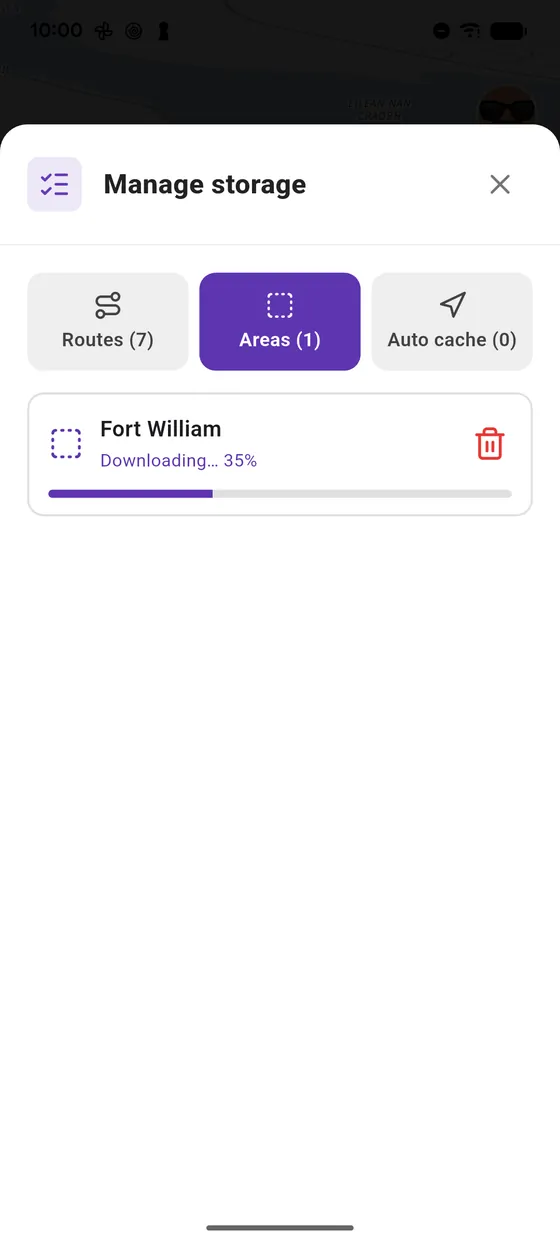
7
Resumes on its own
It resumes on its own as soon as signal returns.
Not onVroom GPS yet?
Get the free app: voice guidance, speed cameras, curvy roads and CarPlay, no subscription.