Guide · Offline
The mapdownloads itself
Often riding where signal is poor? Let Vroom download the map ahead, on its own.
Break-in
Tested with Vroom GPS v2.3.1
Step by step ↓
Step by step
Followthe guide
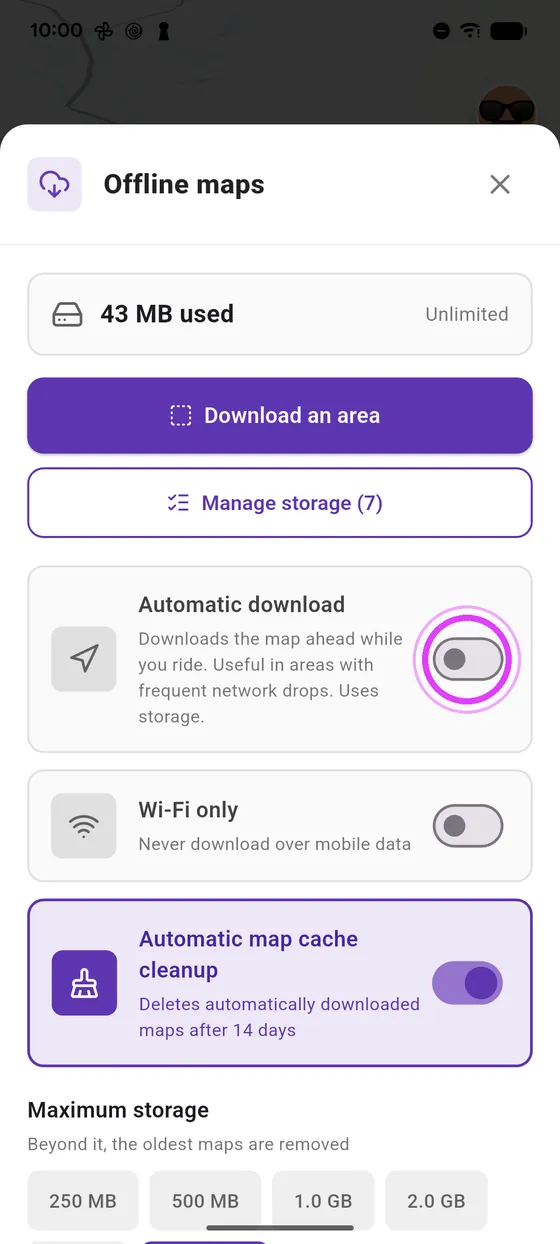
The option is off by default: it uses storage. Maps downloaded this way clear themselves after 14 days with automatic cleanup.
-
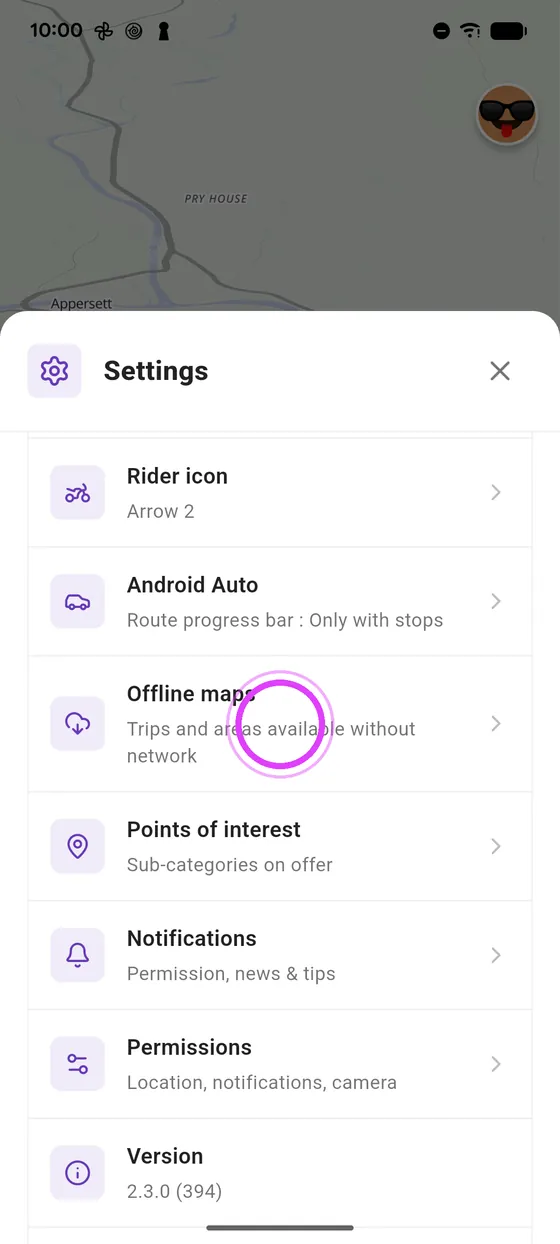
1
Offline maps
In settings, open Offline maps.
-
2
Automatic download
Turn on Automatic download: while you ride, the map downloads ahead.
-
3
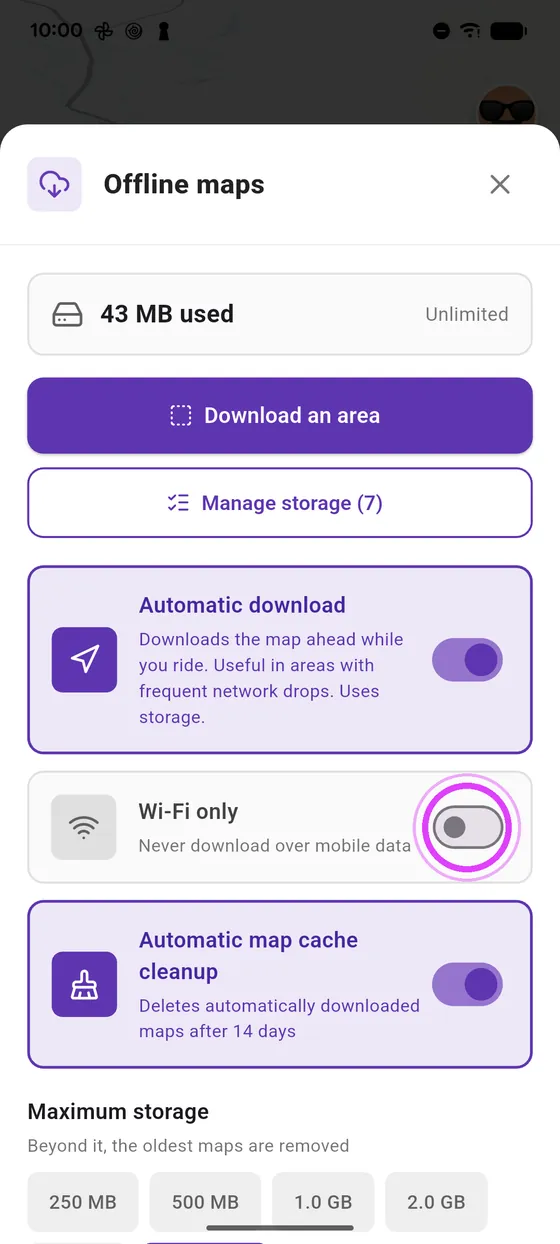
Wi-Fi only
With Wi-Fi only, nothing goes through your mobile data.
-
4
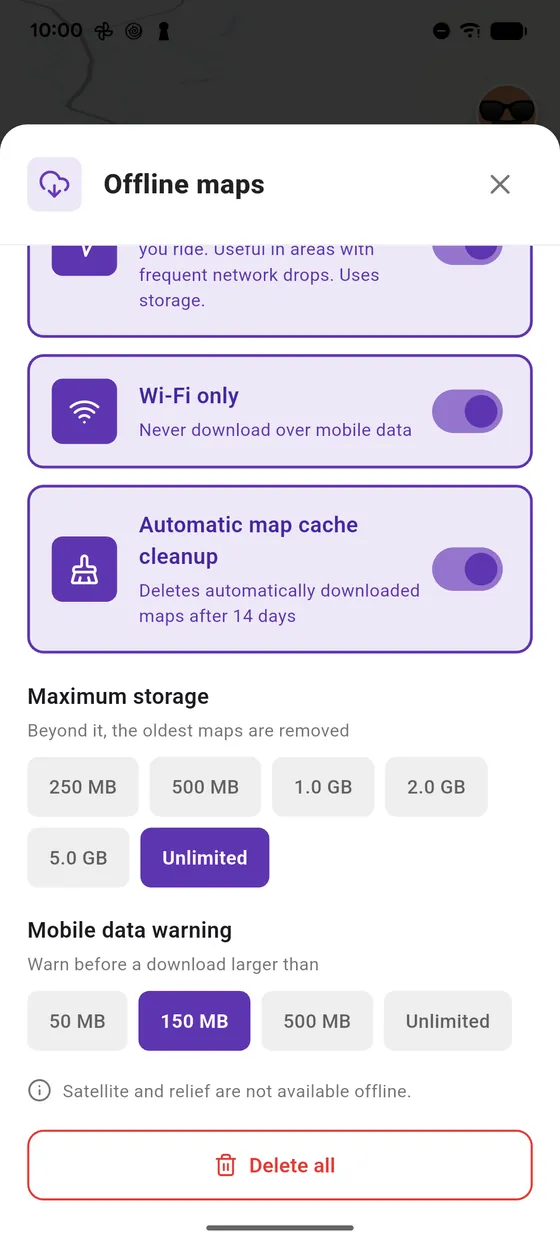
Mobile data warning
Otherwise, Vroom warns you before a big download on mobile data.
← Vroom GPS guidesNext guide: Download a road trip for offline use →
Not onVroom GPS yet?
Get the free app: voice guidance, speed cameras, curvy roads and CarPlay, no subscription.