Guide · Offline
Your road tripeven without signal
A road trip over several days, valleys with no signal? Download it before you leave.
Break-in
Tested with Vroom GPS v2.3.1
Step by step ↓
Step by step
Followthe guide
When you save a road trip found in Explore, Vroom also offers to use it offline, with the space it may take. The route of every stop is included: navigation starts even without signal.
-
1
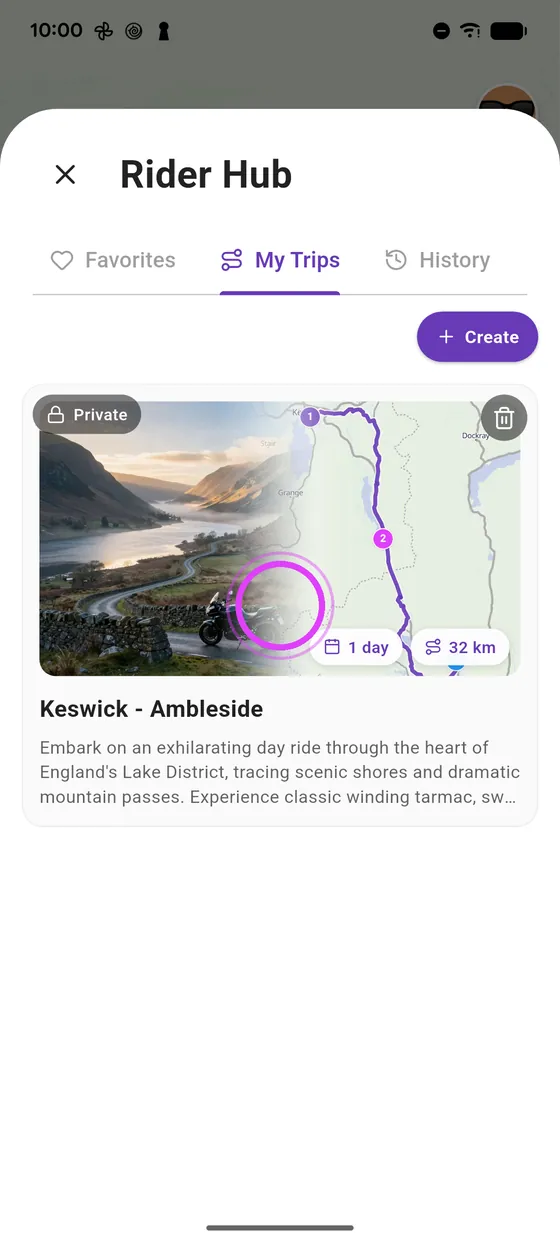
Open your road trip
In the Rider space, My trips tab, open your road trip.
-
2
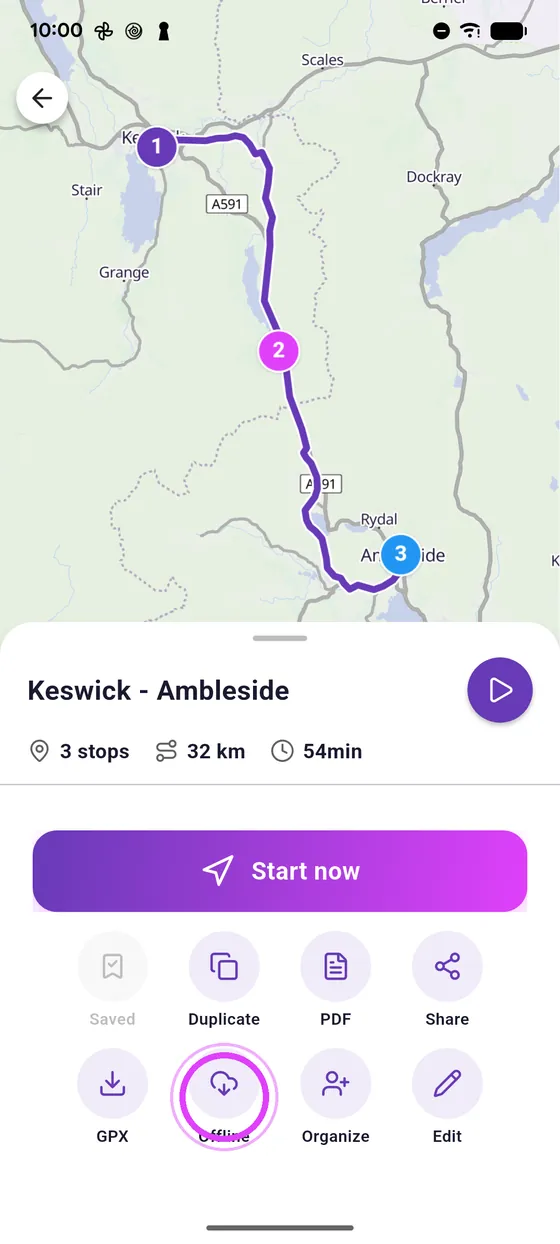
Tap Offline
At the bottom of the page, tap Offline: the road trip downloads.
-
3
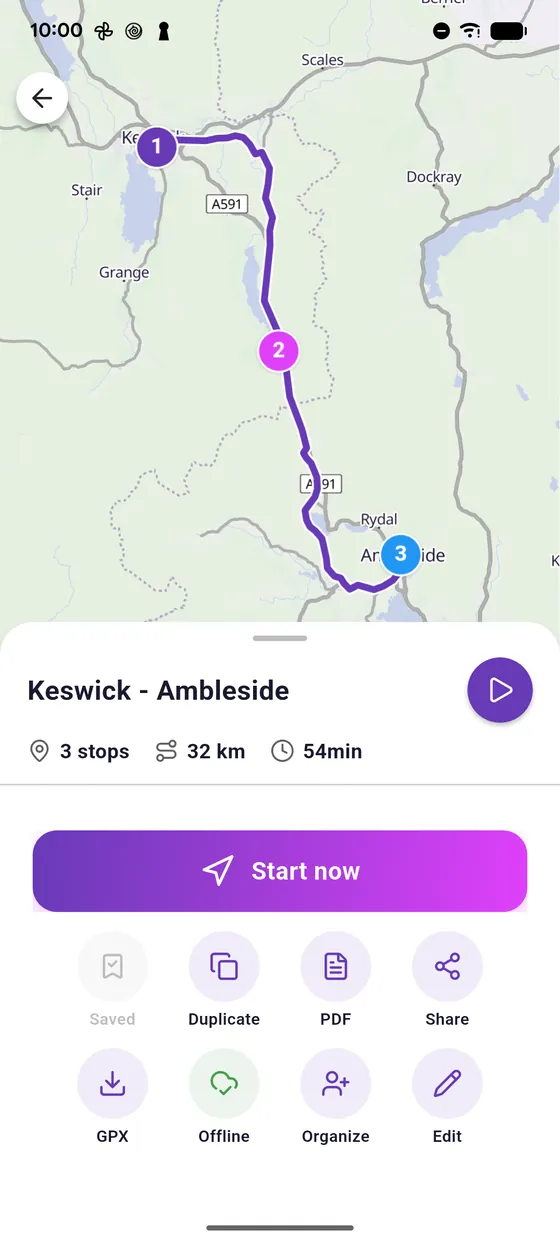
Green badge
The badge turns green: the map and the route of every stop are on your phone.
Not onVroom GPS yet?
Get the free app: voice guidance, speed cameras, curvy roads and CarPlay, no subscription.