Guide · Offline
Your rideeven without signal
A valley with no signal on your way? Download the ride before you leave: the map and the route stay on your phone.
Break-in
Tested with Vroom GPS v2.3.0
Step by step ↓
Step by step
Followthe guide
The download takes a few seconds on Wi-Fi. The ride is named after its start and end, for example "Keswick to Ambleside".
-
1
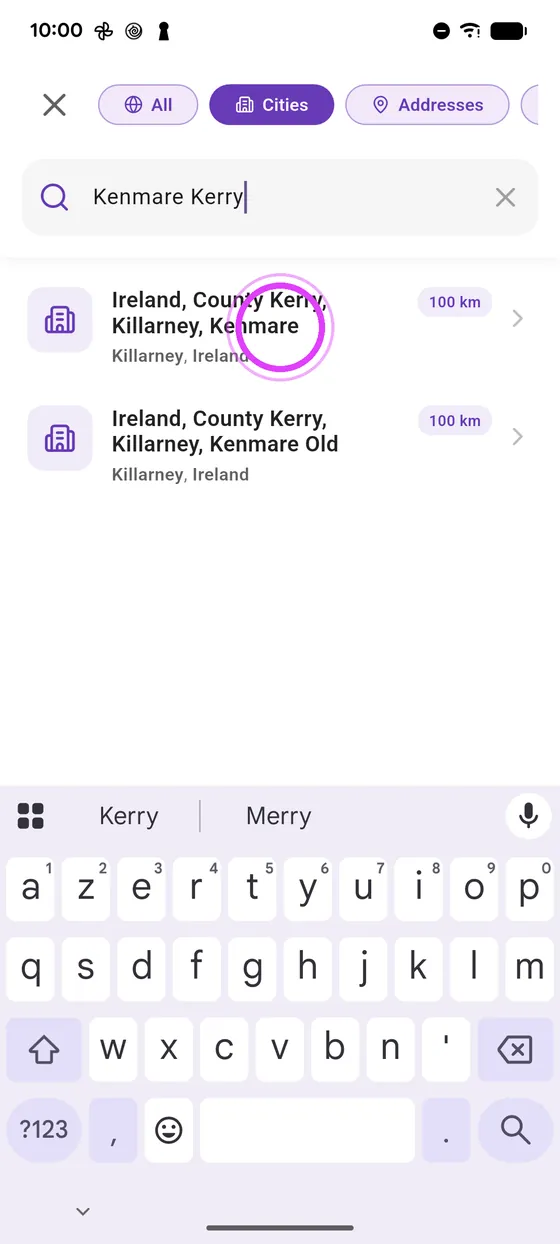
Pick your destination
Pick your destination in the search.
-
2
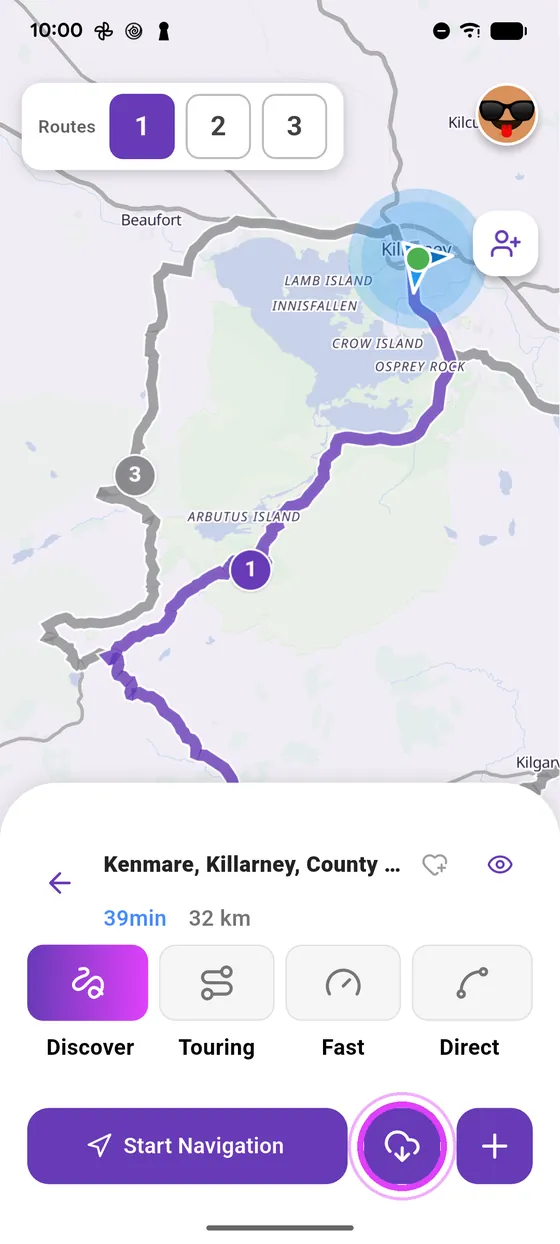
Tap the cloud
Tap the cloud, next to Start navigation: the ride downloads.
-
3
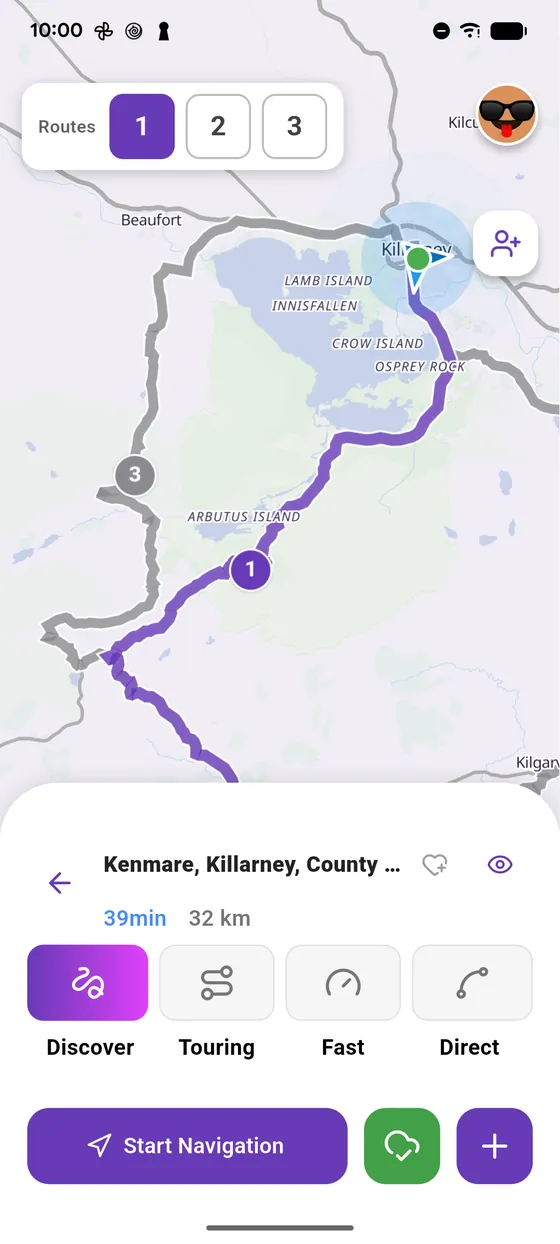
Ready offline
The button turns green: the map and the route are on your phone.
-
4
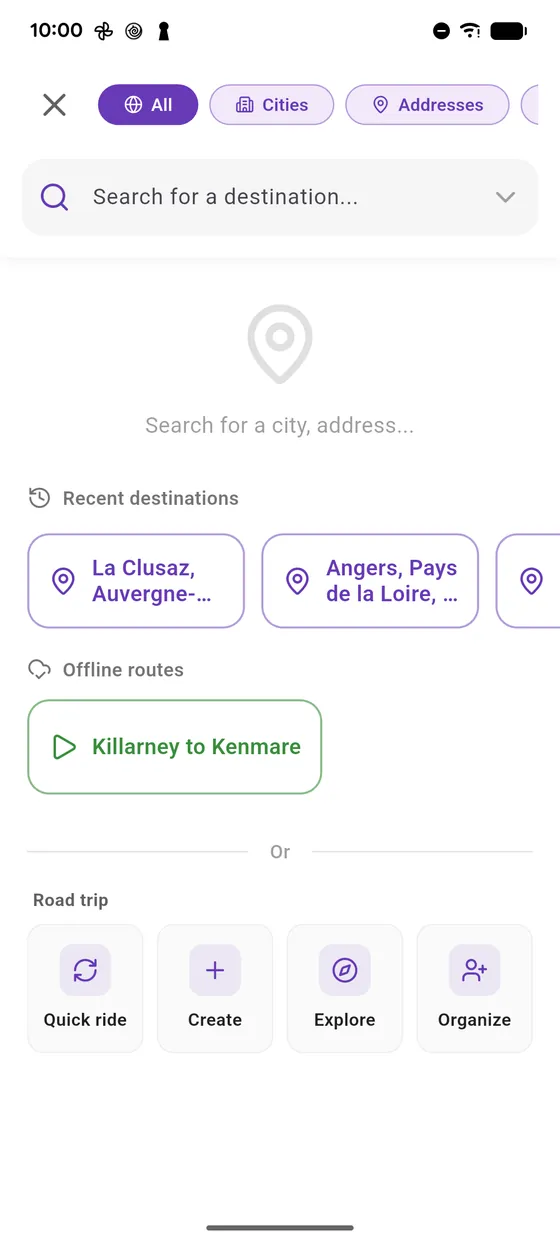
Find it again
You find it in the search, under Offline routes, named after its start and end.
← Vroom GPS guidesNext guide: Ride without signal with Vroom GPS →
Not onVroom GPS yet?
Get the free app: voice guidance, speed cameras, curvy roads and CarPlay, no subscription.