Ridewithout signal
No signal? Your downloaded ride still starts, and guidance keeps going.
Break-in
Tested with Vroom GPS v2.3.1
Step by step ↓Followthe guide
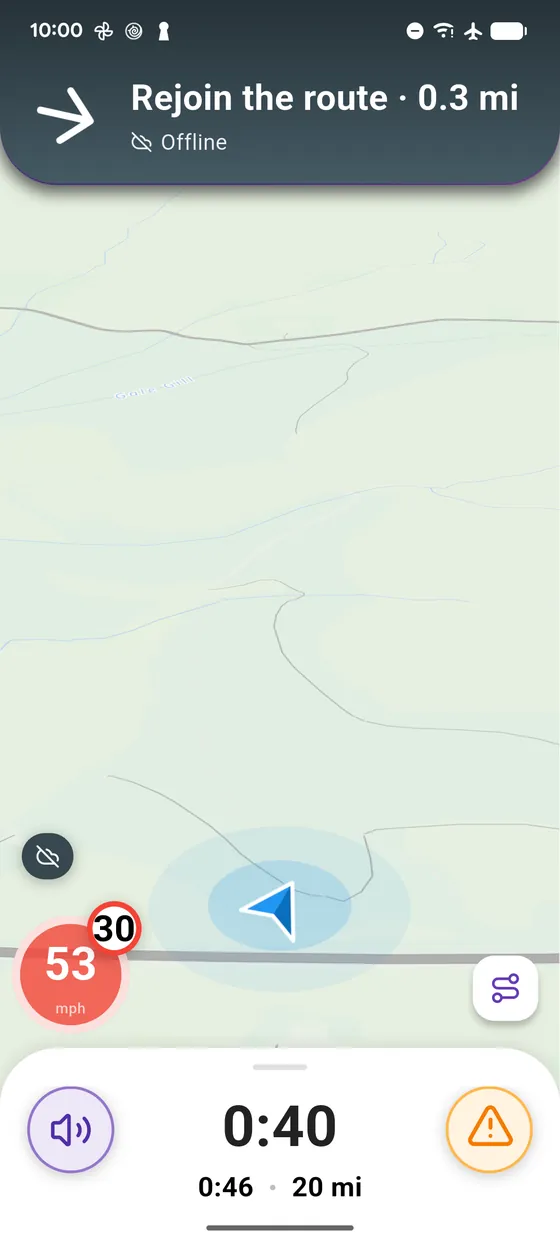
Offline, search, other riding styles and satellite are not available. If you leave the route, Vroom leads you back to it; full recalculation starts again as soon as signal returns.
-
1
No signal
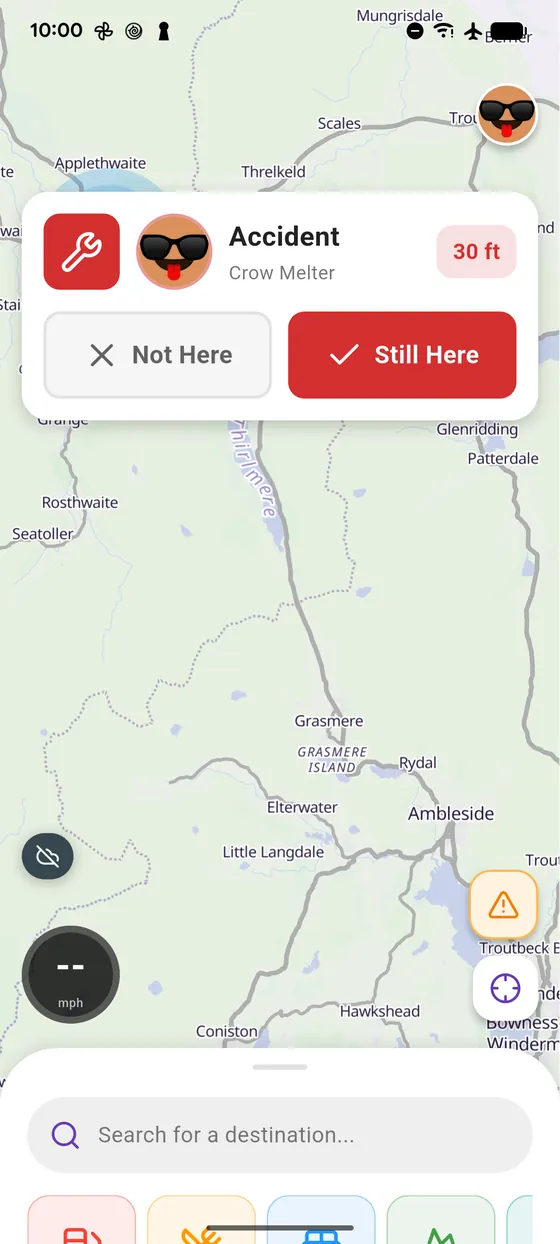
No signal: the Offline badge shows up on the map.
-
2
Rider space, Offline
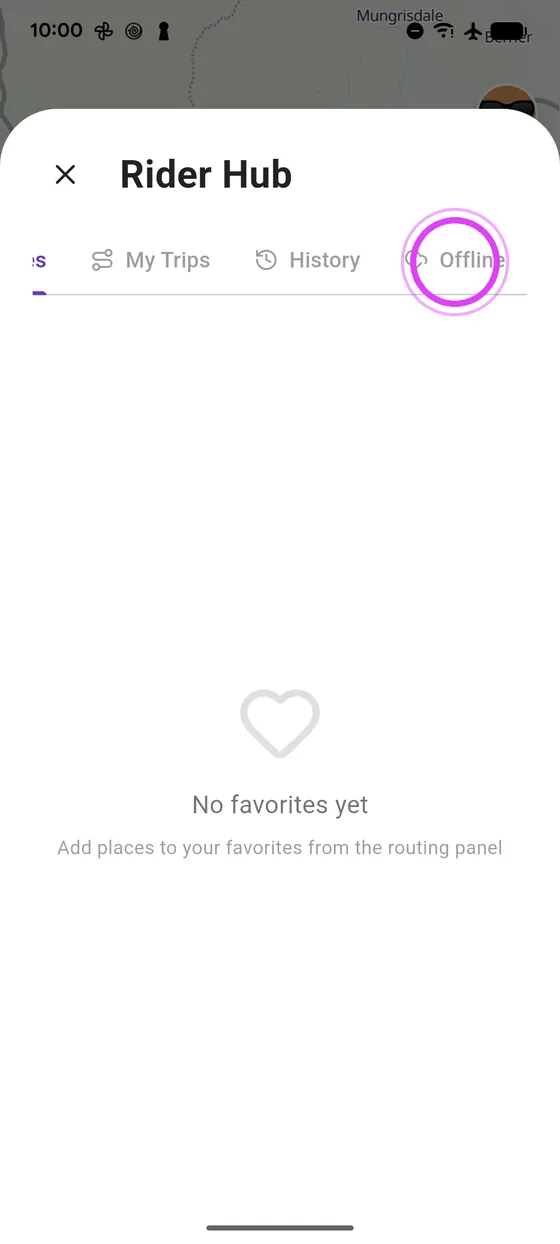
Open the Rider space, Offline tab: your downloaded rides.
-
3
Start it
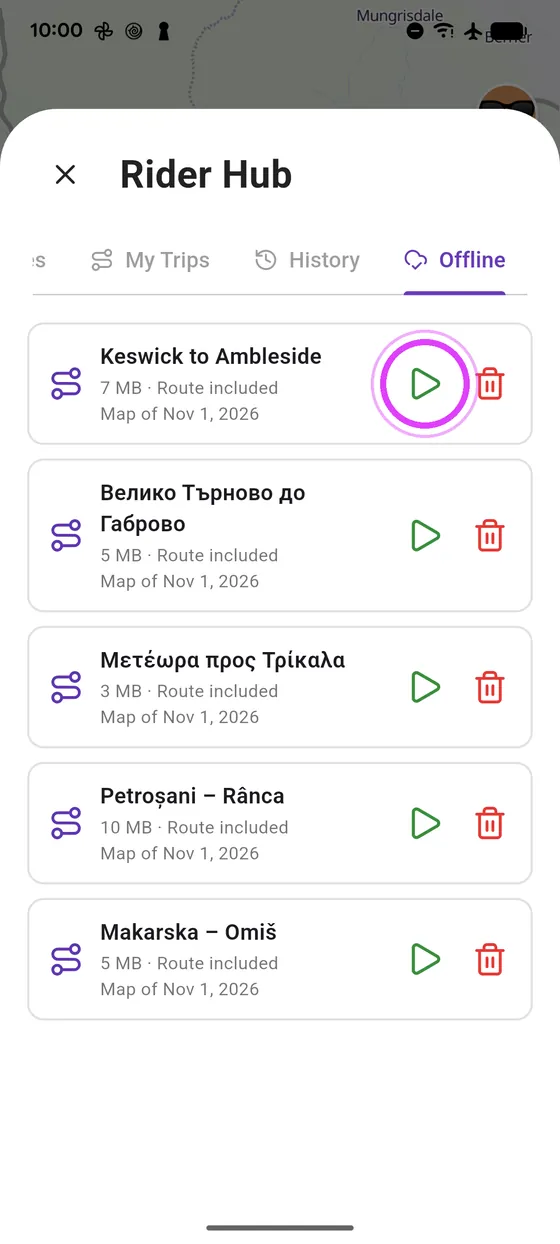
Tap play: navigation starts, without signal.
-
4
Rejoin the route
Off the route? Without signal there is no recalculation: Vroom shows you how to get back to it.
-
5
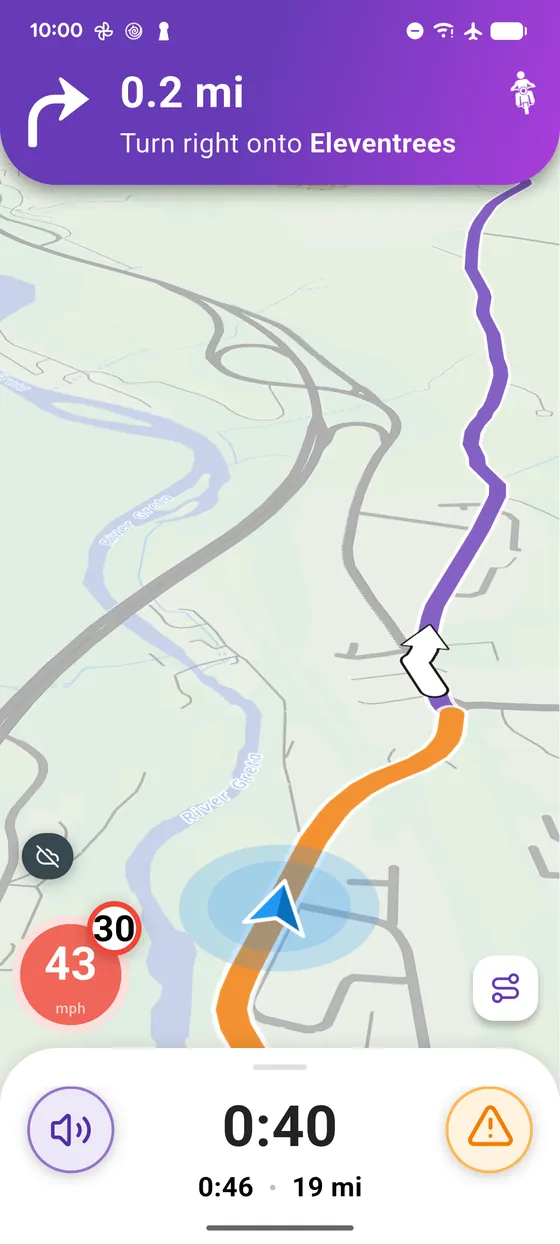
On your way
Guidance keeps going. While riding, the badge shrinks to the logo.
← Vroom GPS guidesNext guide: Download a map area for offline use →
Not onVroom GPS yet?
Get the free app: voice guidance, speed cameras, curvy roads and CarPlay, no subscription.