Guide · Navigation
Skipa stop
No time left for a stop? Ride straight to the next one, without stopping navigation.
Cruising
Available since Vroom GPS v1.21.2
Step by step ↓
Step by step
Followthe guide
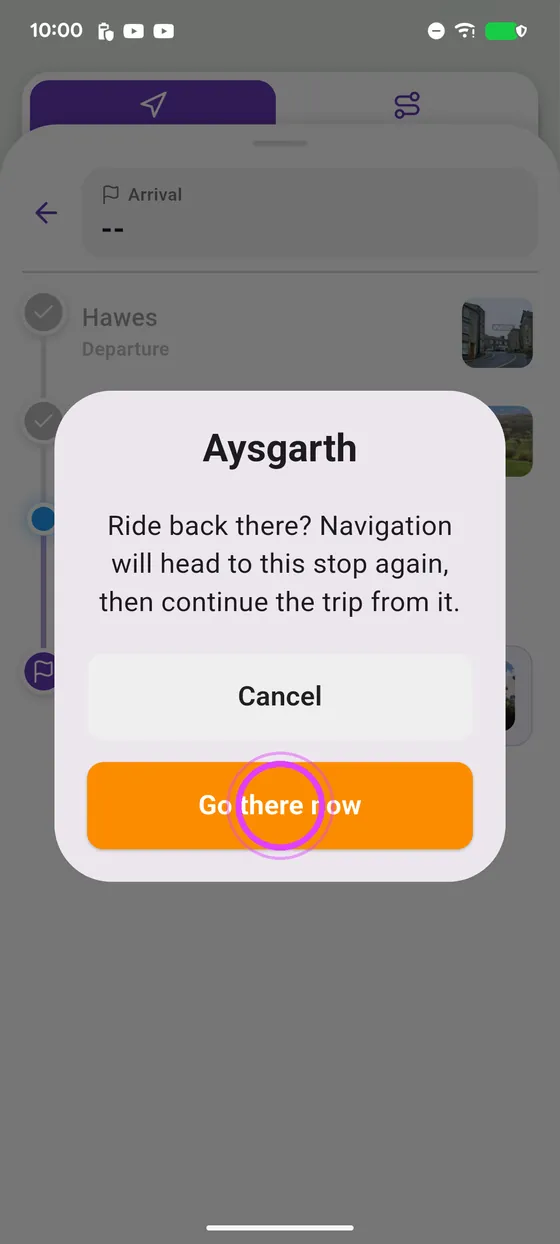
A stop you already passed is crossed out: tap it and “Go there now” to ride back to it, then the trip carries on from there.
-
1
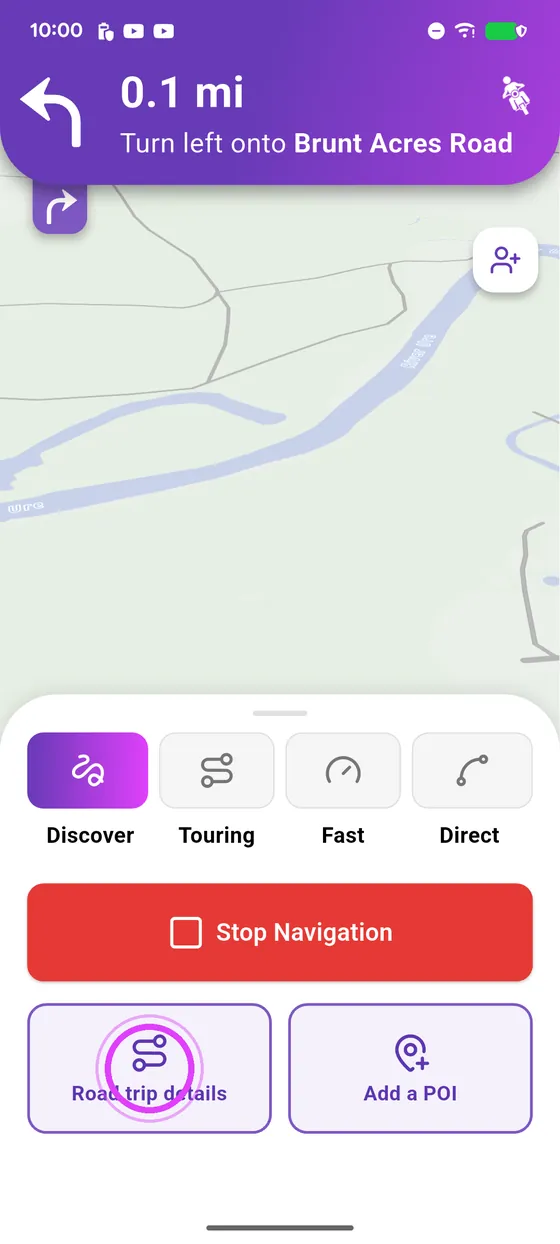
Road trip details
Pull up the bottom panel and tap Road trip details.
-
2
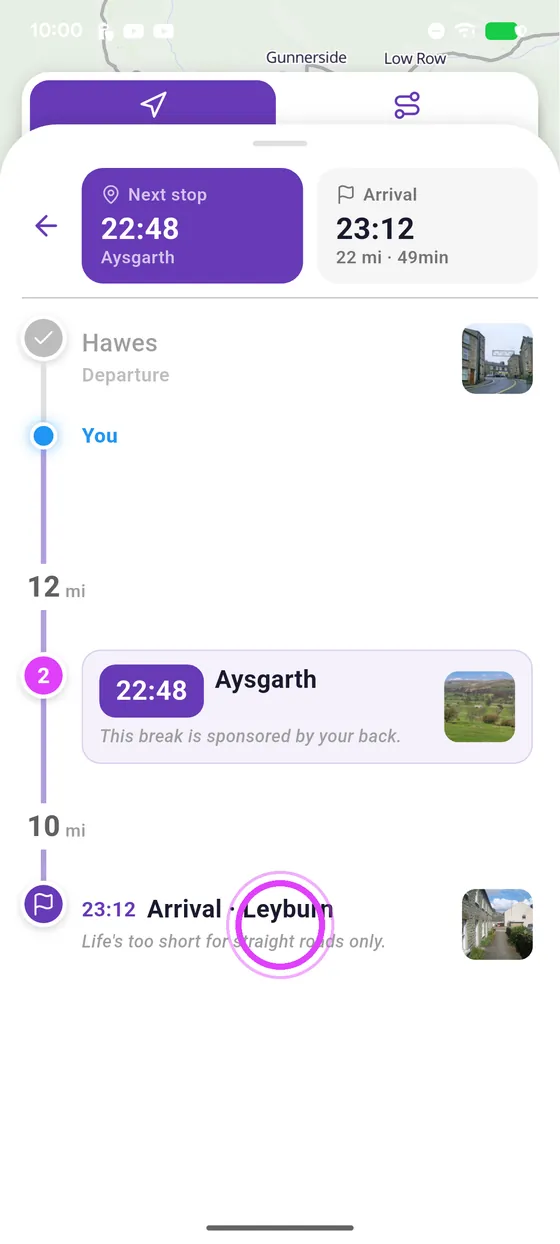
Tap a stop
All your stops are here: tap the one you want to ride to.
-
3
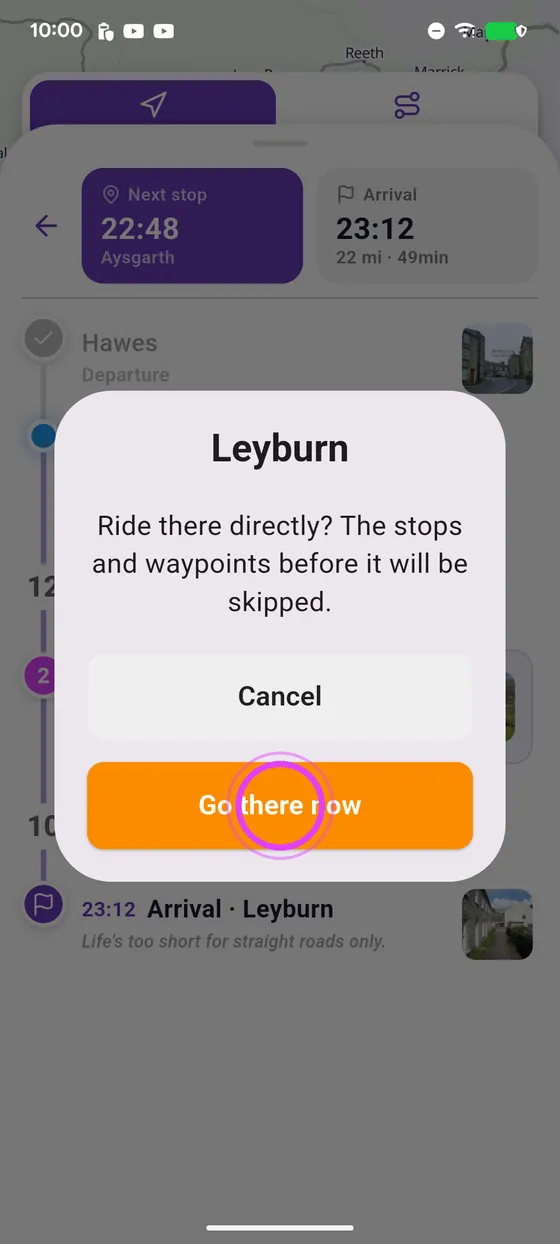
Go there now
Tap Go there now: the stops before it are skipped and guidance sets off.
-
4
Go back
A stop you passed is crossed out: tap it to ride back to it.
-
5
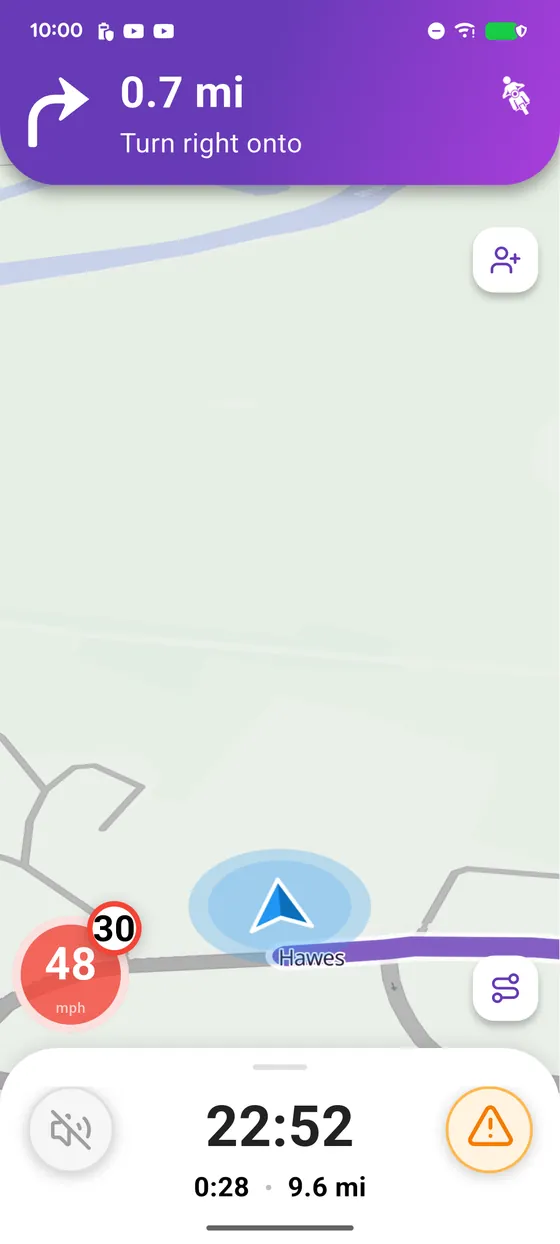
Enjoy the ride
Enjoy the ride!
← Vroom GPS guidesNext guide: Organise a motorcycle ride with your crew →
Not onVroom GPS yet?
Get the free app: voice guidance, speed cameras, curvy roads and CarPlay, no subscription.