Guide · Crew
Your crewin a minute
A crew is your riding gang in Vroom GPS: a name, your friends, and all your rides in one place.
Break-in
Tested with Vroom GPS v2.1.20
Step by step ↓
Step by step
Followthe guide
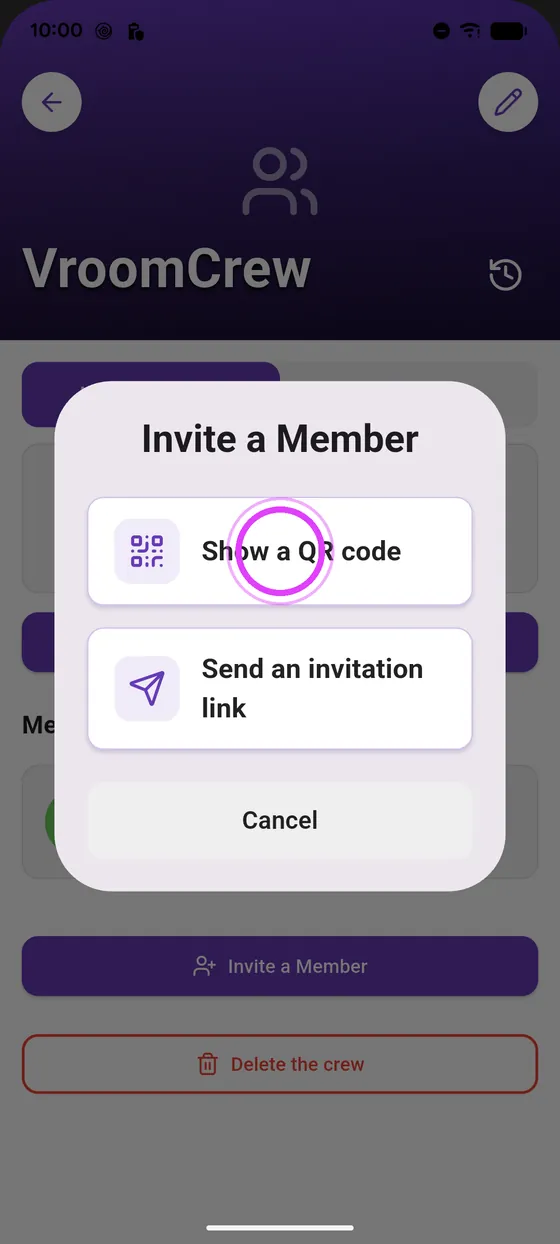
Send the invitation link by text, WhatsApp or email; the QR code is scanned straight from your phone.
-
1
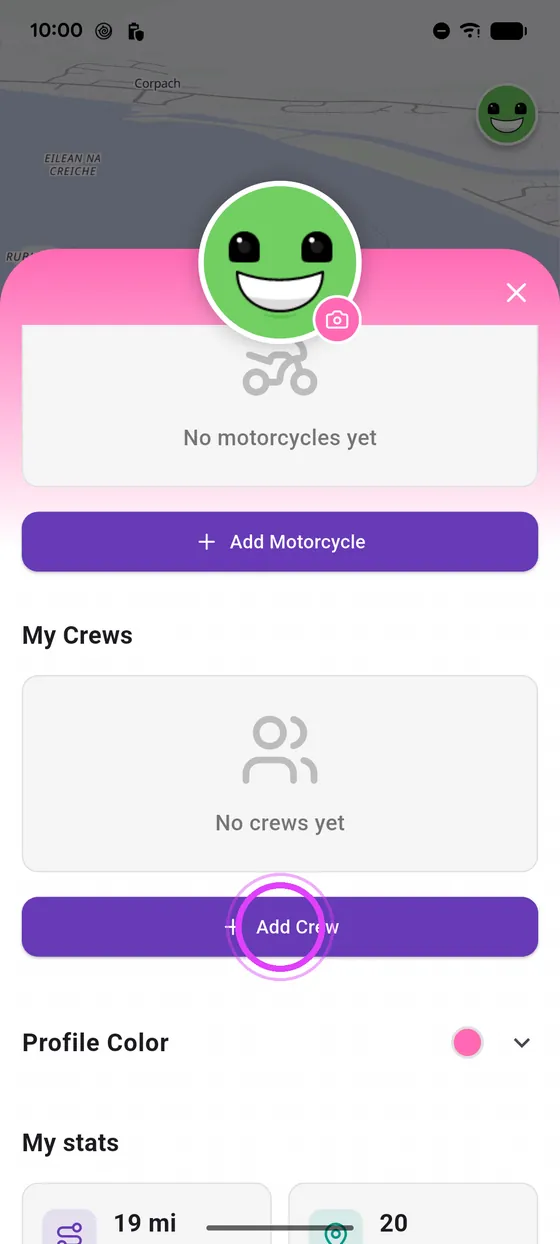
Open your profile
Tap your avatar, then Add a Crew.
-
2
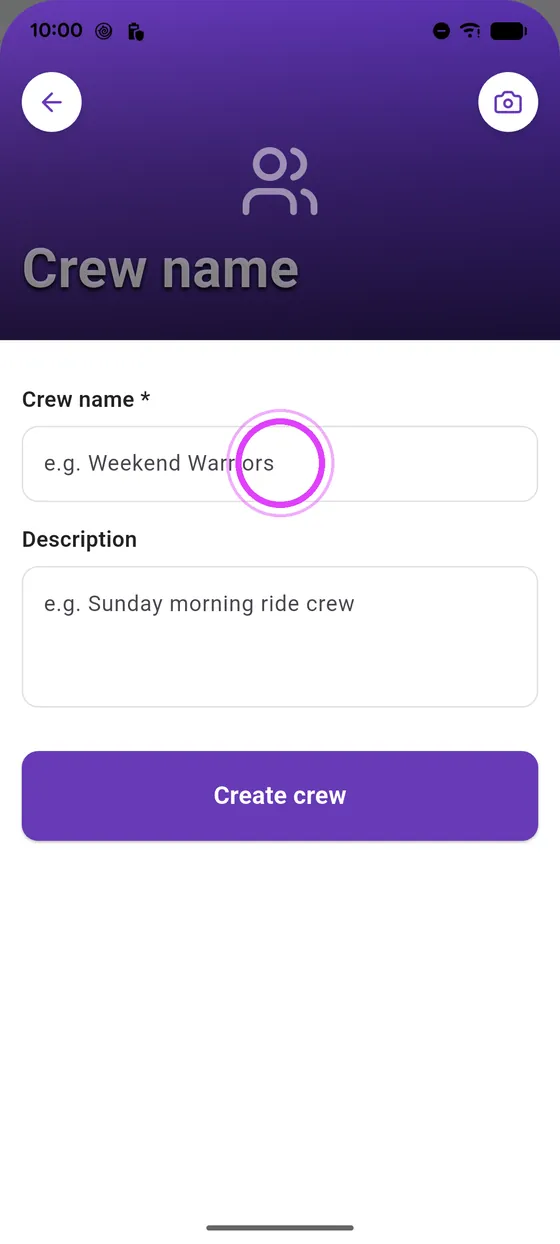
Give it a name
Give your crew a name. Photo and description are optional.
-
3
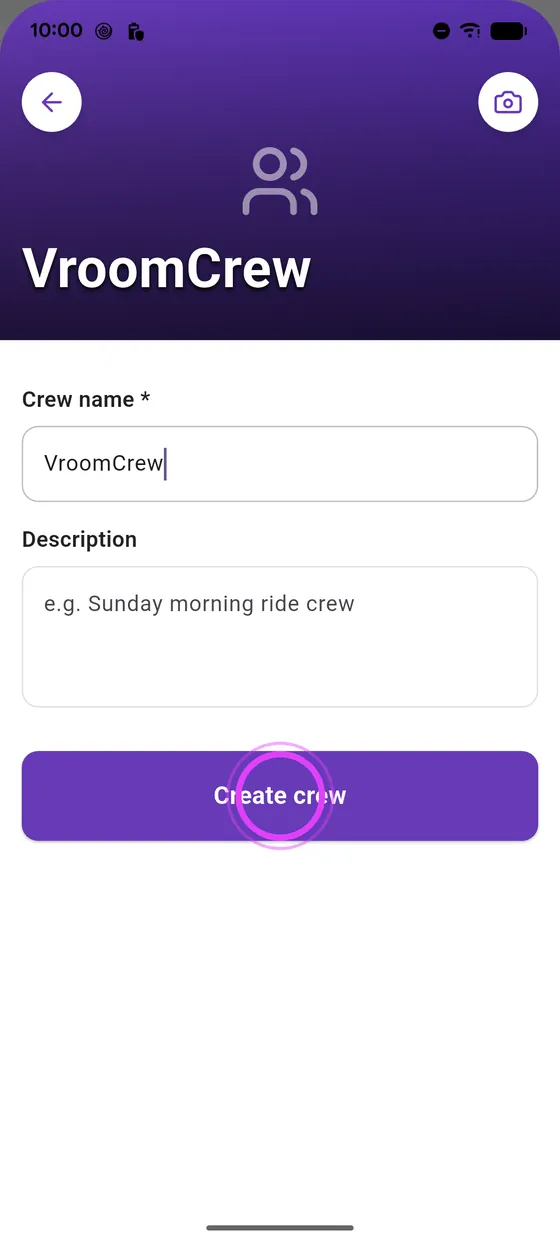
Create the crew
Tap Create crew: you are now its owner.
-
4
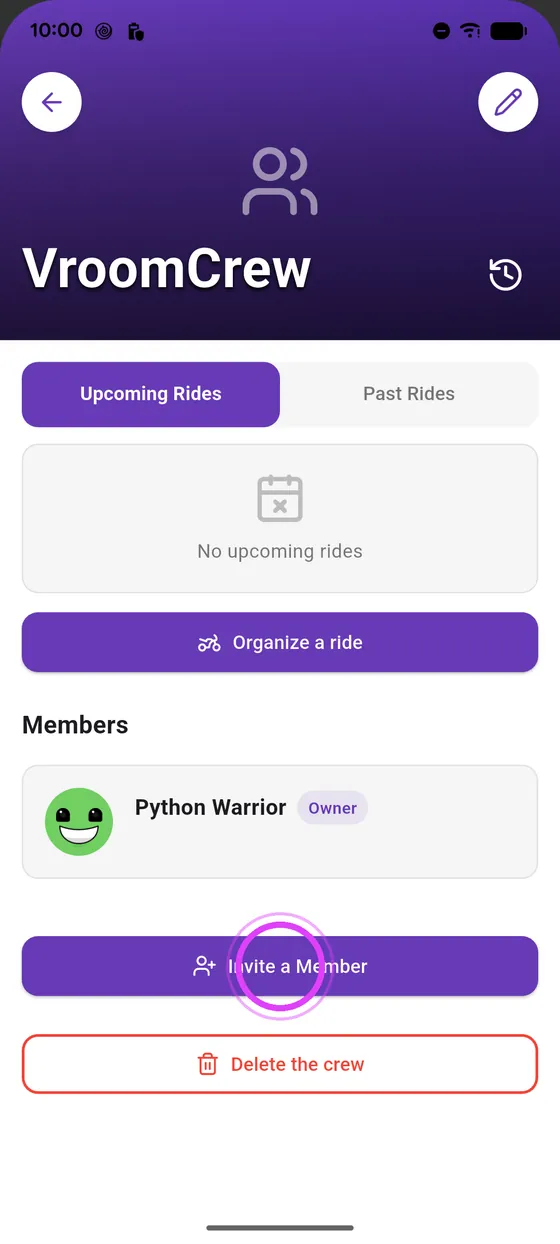
Invite your friends
Tap Invite a member: a link to send, or a QR code.
-
5
The QR code
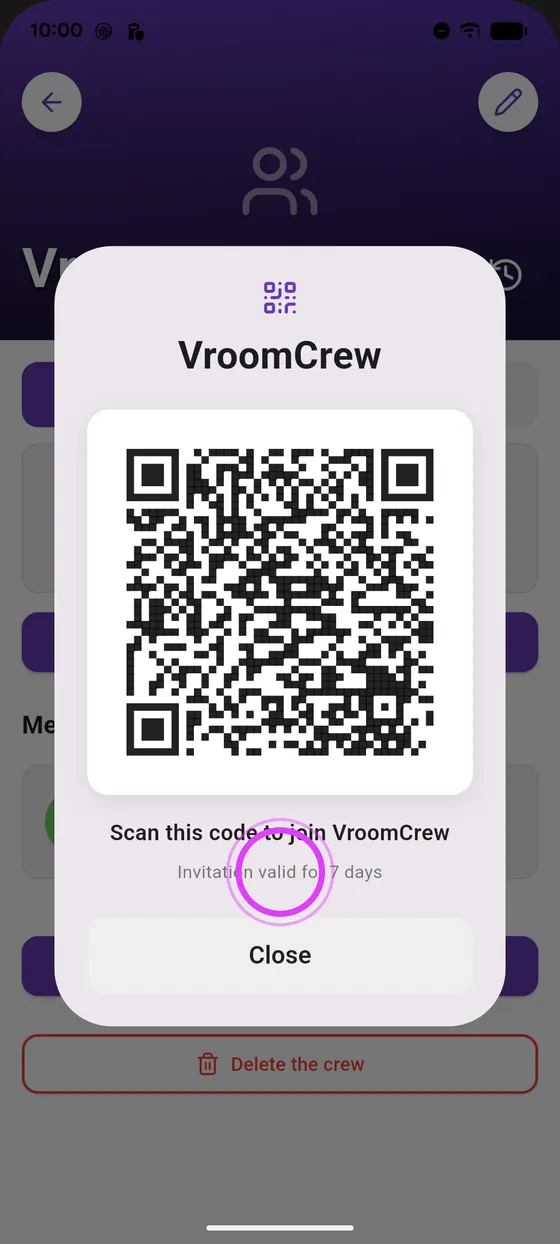
The QR code is scanned straight from your phone.
-
6
Valid for 7 days
Your friend scans it and joins your crew. The invitation lasts seven days.
← Vroom GPS guidesNext guide: Invite a friend on your ride, no crew needed →
Not onVroom GPS yet?
Get the free app: voice guidance, speed cameras, curvy roads and CarPlay, no subscription.