Guide · Simulation
Your ridepreviewed
Before you leave, watch the road unfold: bends, villages, scenery. Sped up, and even in satellite view.
Tested with Vroom GPS v2.1.8
Step by step ↓
Step by step
Followthe guide
Handy to spot a pass or a tricky section before you get there.
-
1
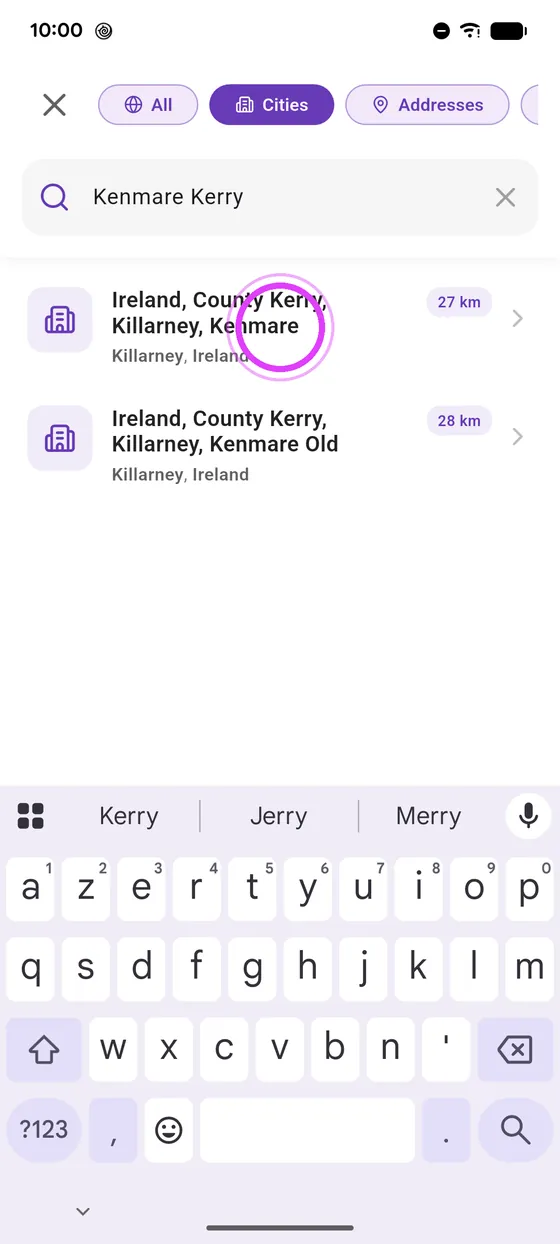
Pick your destination
Pick your destination.
-
2
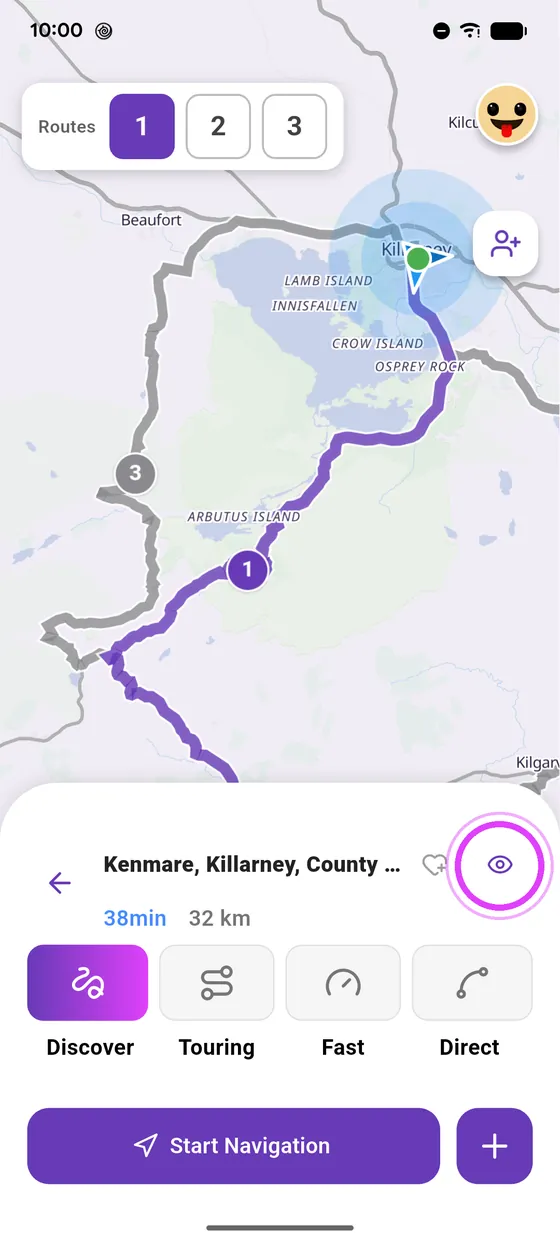
Tap the eye
Tap the eye, next to the name: the simulation starts.
-
3
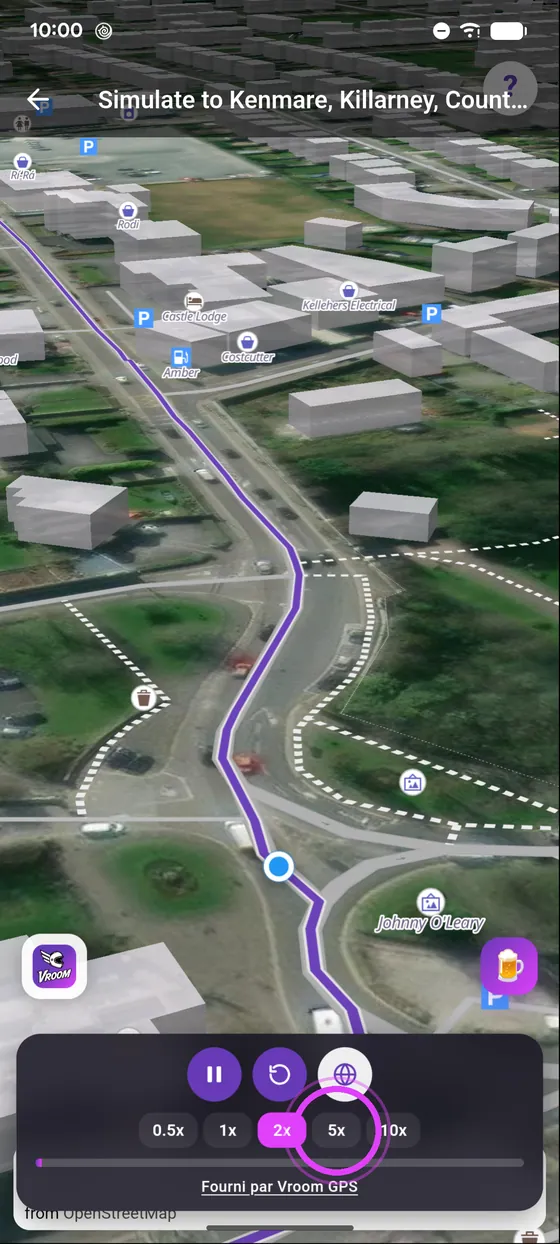
Speed it up
Speed it up, up to ten times faster.
-
4
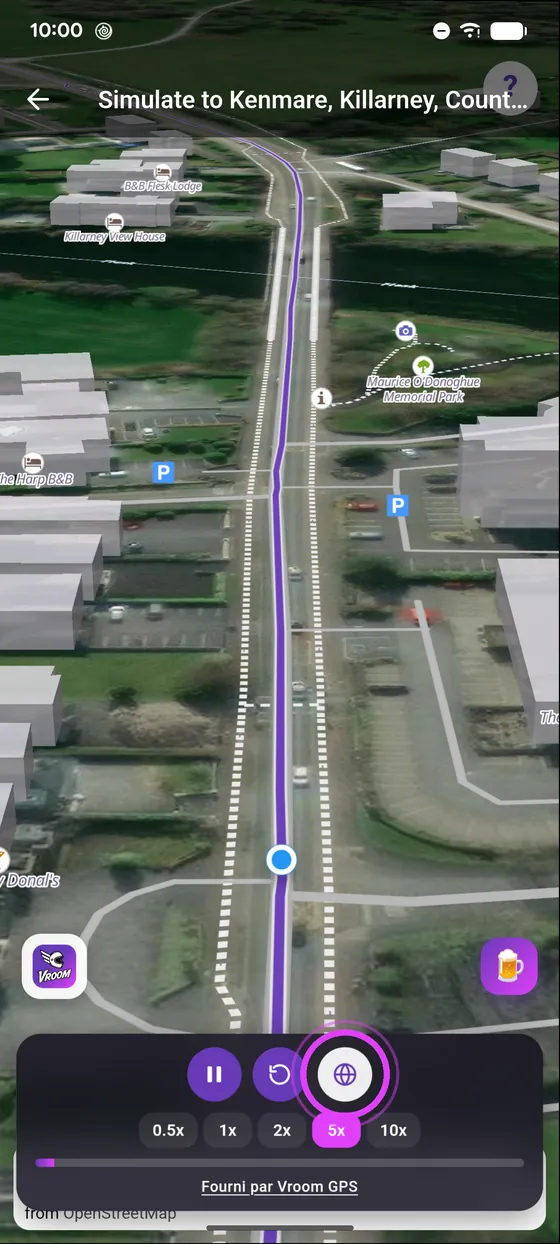
Satellite or map
Switch between satellite view and the map.
Not onVroom GPS yet?
Get the free app: voice guidance, speed cameras, curvy roads and CarPlay, no subscription.