Guide · Navigation
Pick upwhere you left off
A cut does not lose your trip: Vroom offers to pick it up again.
Break-in
Available since Vroom GPS v1.13.0
Step by step ↓
Step by step
Followthe guide
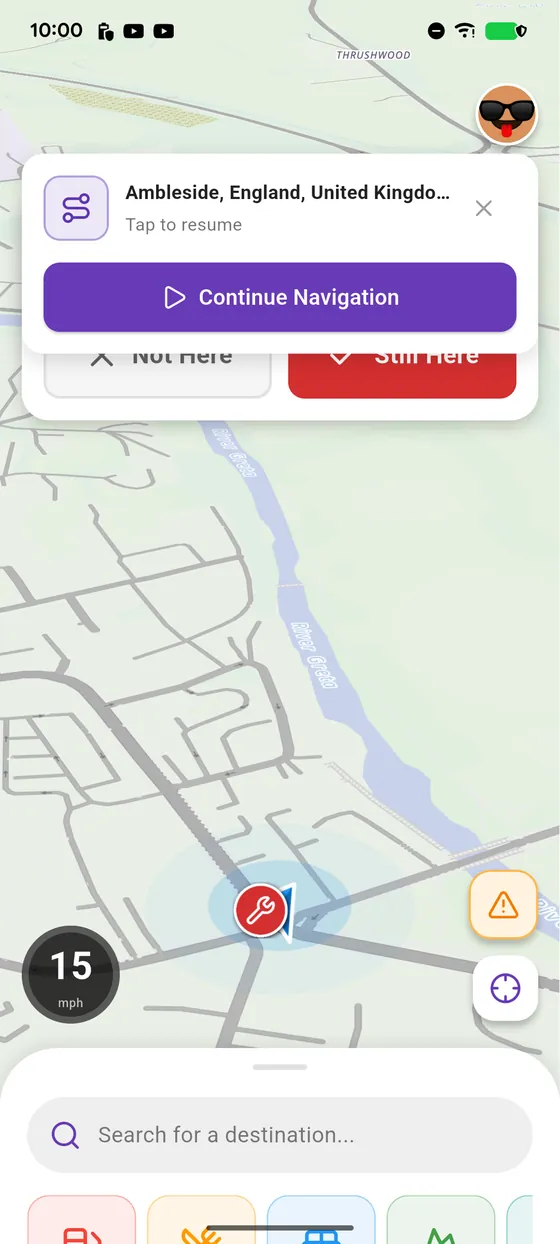
After a cut, the Continue Navigation banner shows at the top of the map. The cross clears it if you no longer need it.
-
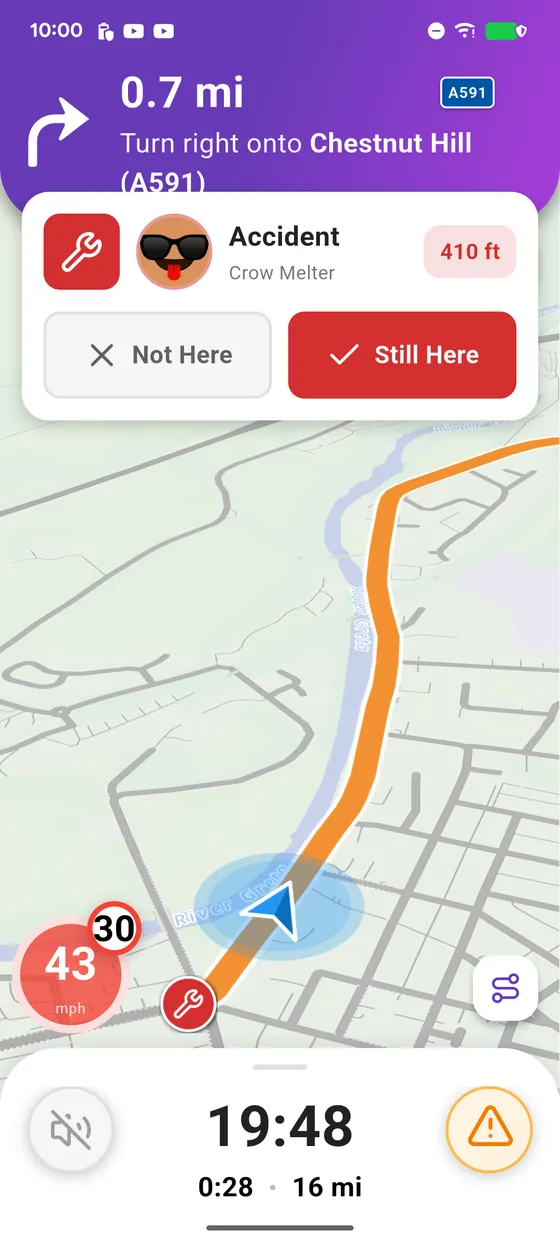
1
Navigating
You are navigating to your destination.
-
2
A cut
The app closes or the phone restarts: Vroom keeps your trip.
-
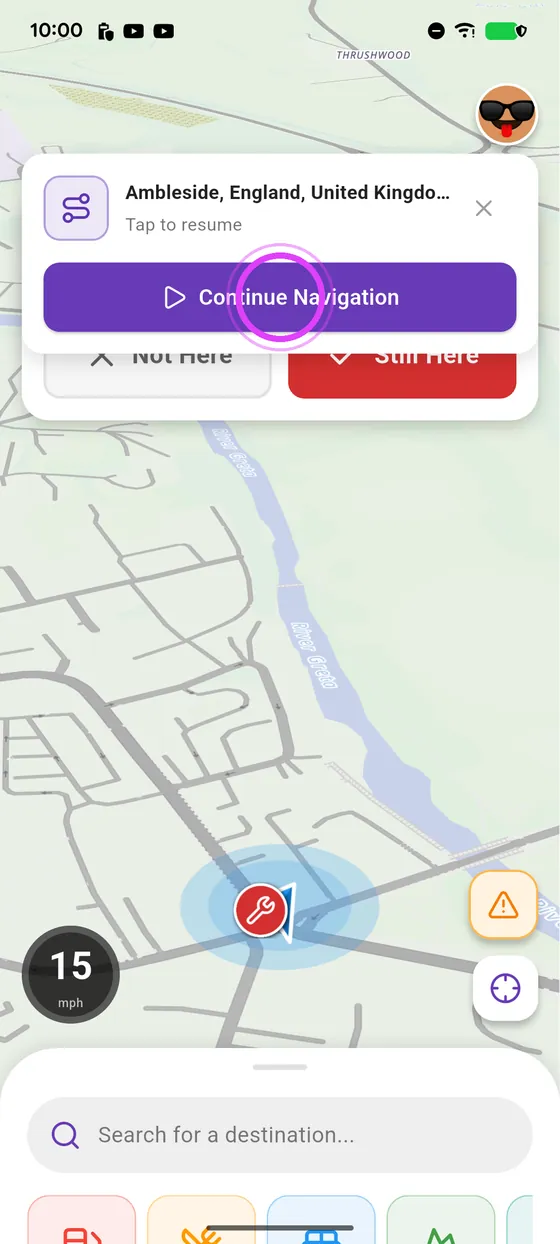
3
Continue Navigation
Tap Continue Navigation, at the top: guidance starts again.
-
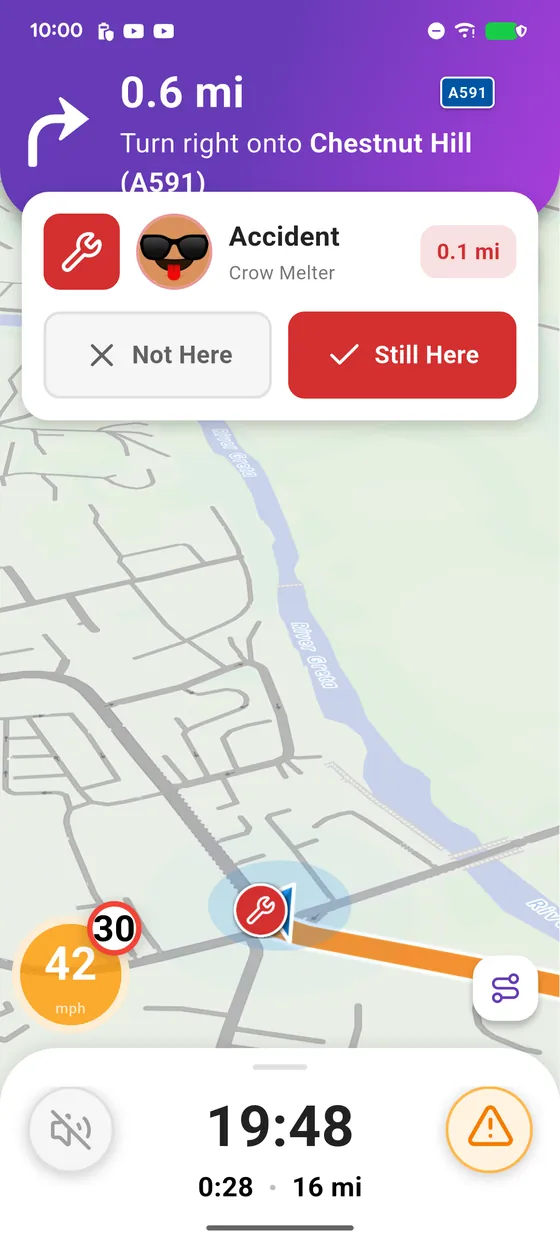
4
Enjoy the ride
Enjoy the ride!
← Vroom GPS guidesNext guide: Arriving and ending navigation →
Not onVroom GPS yet?
Get the free app: voice guidance, speed cameras, curvy roads and CarPlay, no subscription.