Guide · Search
Findyour destination
A town, an address, a place: type it in the search bar, Vroom computes your motorcycle route and suggests alternatives.
Step by step ↓
Step by step
Followthe guide
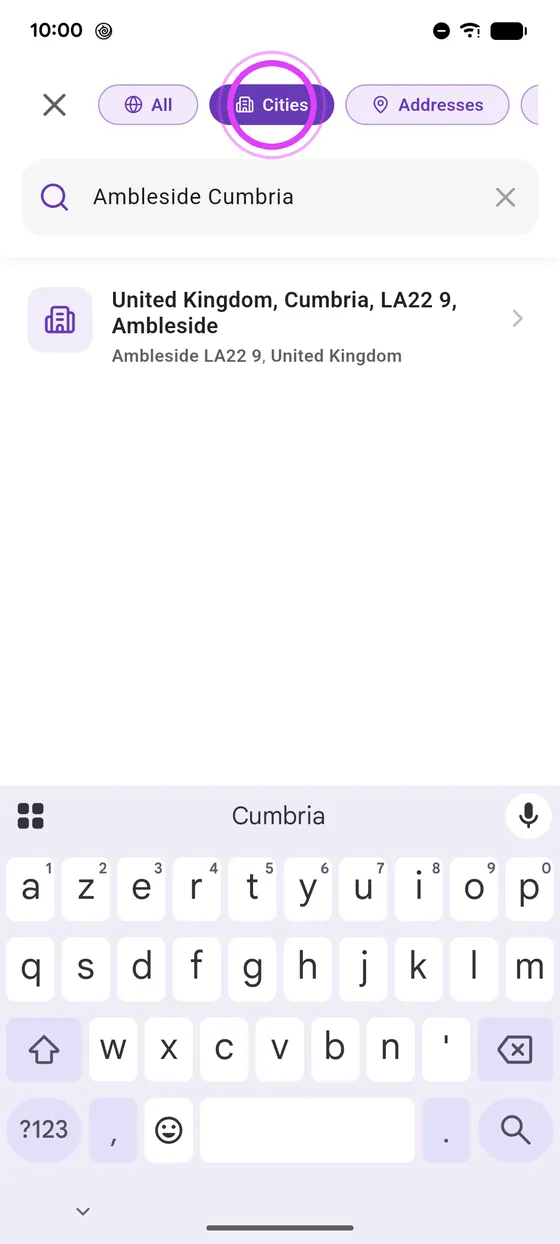
The Cities, Addresses and Places filters narrow the results when you are looking for something specific.
-
1
Type your destination
Tap the search bar, pick Cities if you like, and type your destination.
-
2
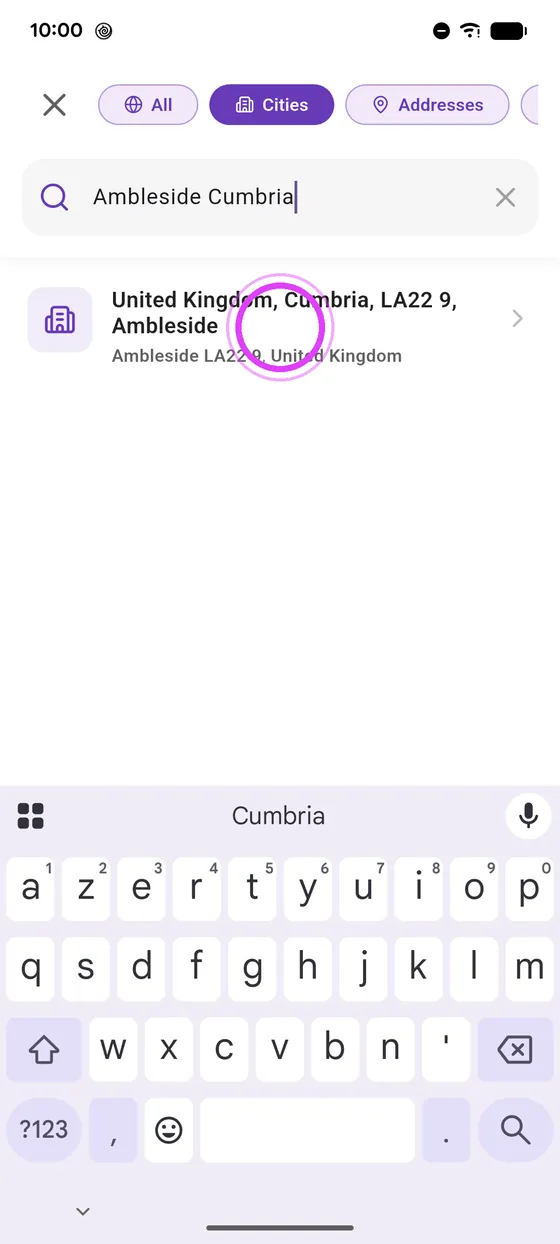
Pick the right result
Pick the right result: Vroom computes your route right away.
-
3
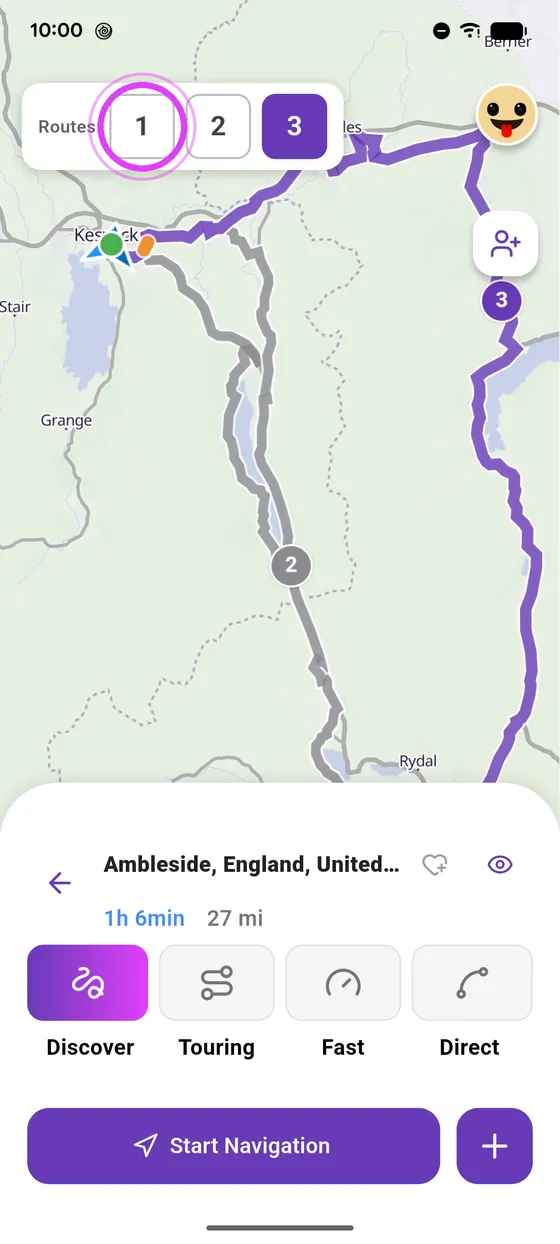
Compare the routes
When there are several, compare the routes by tapping their number.
-
4
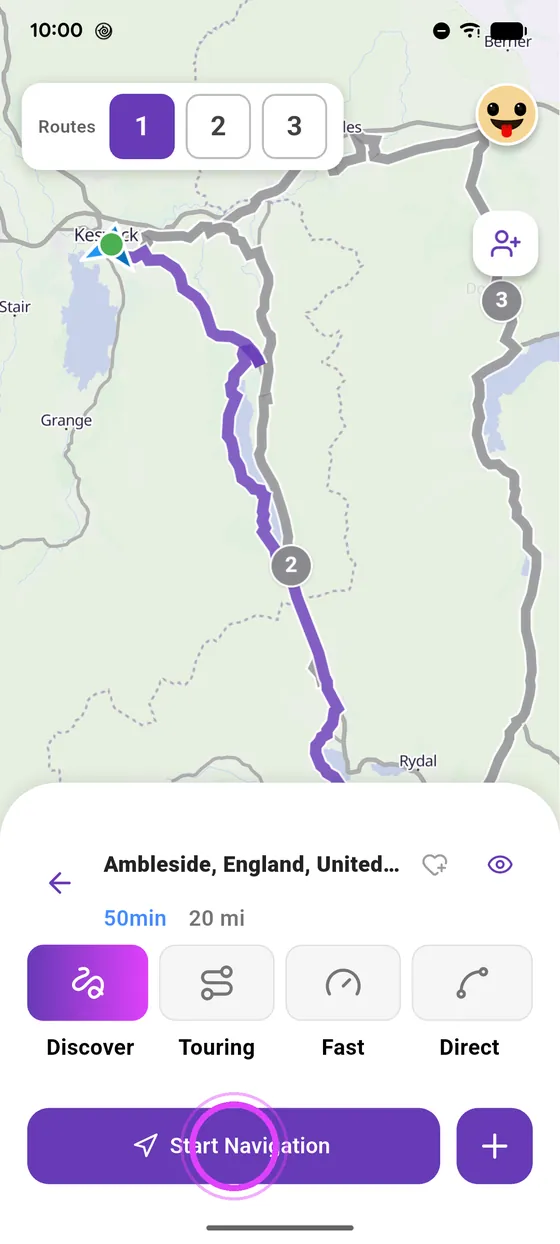
Start navigation
You're all set: just start navigation.
Not onVroom GPS yet?
Get the free app: voice guidance, speed cameras, curvy roads and CarPlay, no subscription.