Guide · Language and units
18 languageskm or miles
Vroom speaks 18 languages. Pick yours, and switch to miles if you prefer: distances and speeds follow.
Step by step ↓
Step by step
Followthe guide
Voice guidance follows the app's language.
-
1
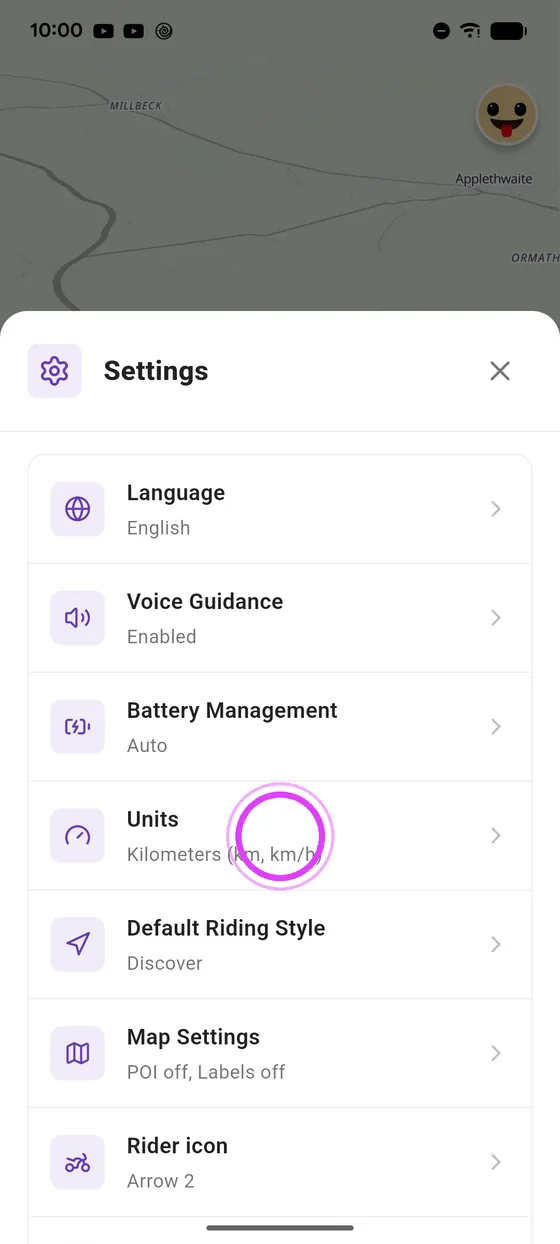
Open units
In settings, tap Units.
-
2
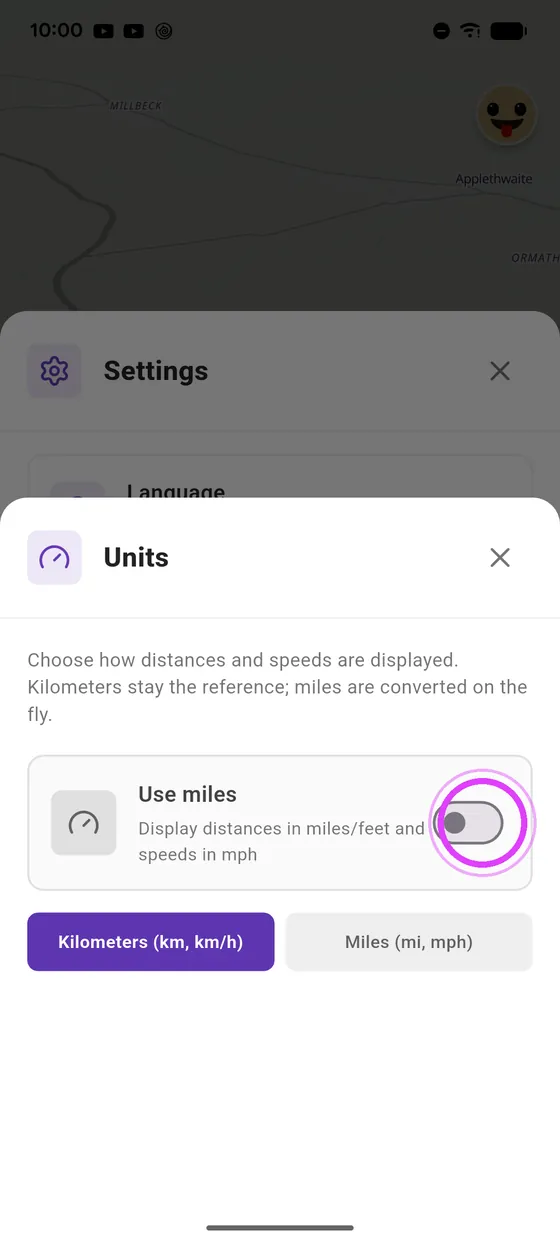
Switch to miles
Switch to miles: distances and speeds follow everywhere.
-
3
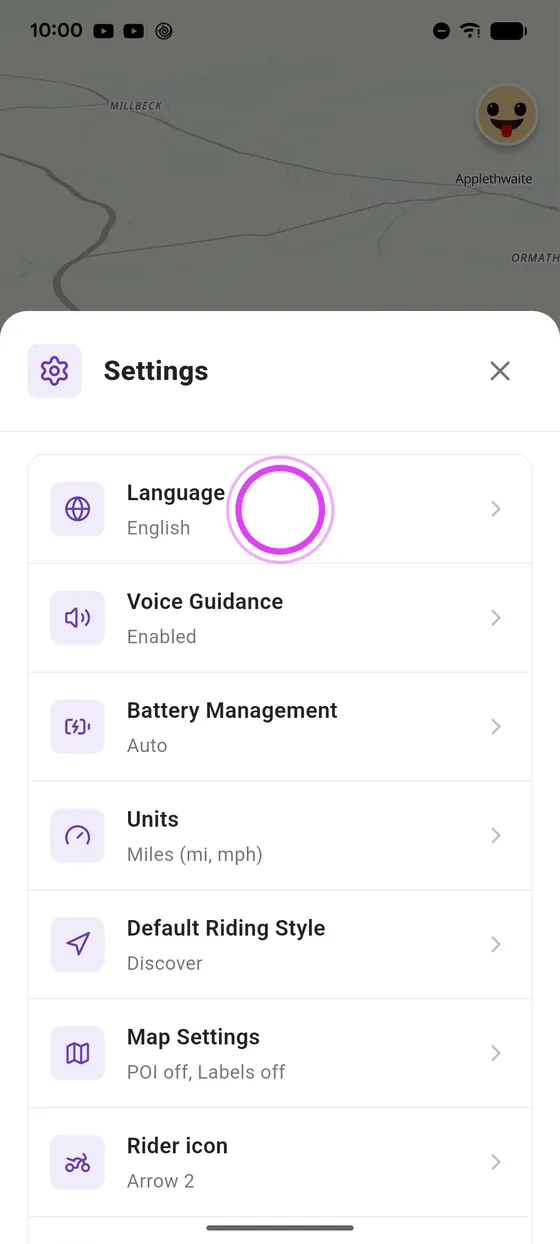
Open language
Tap Language to see the eighteen languages.
-
4
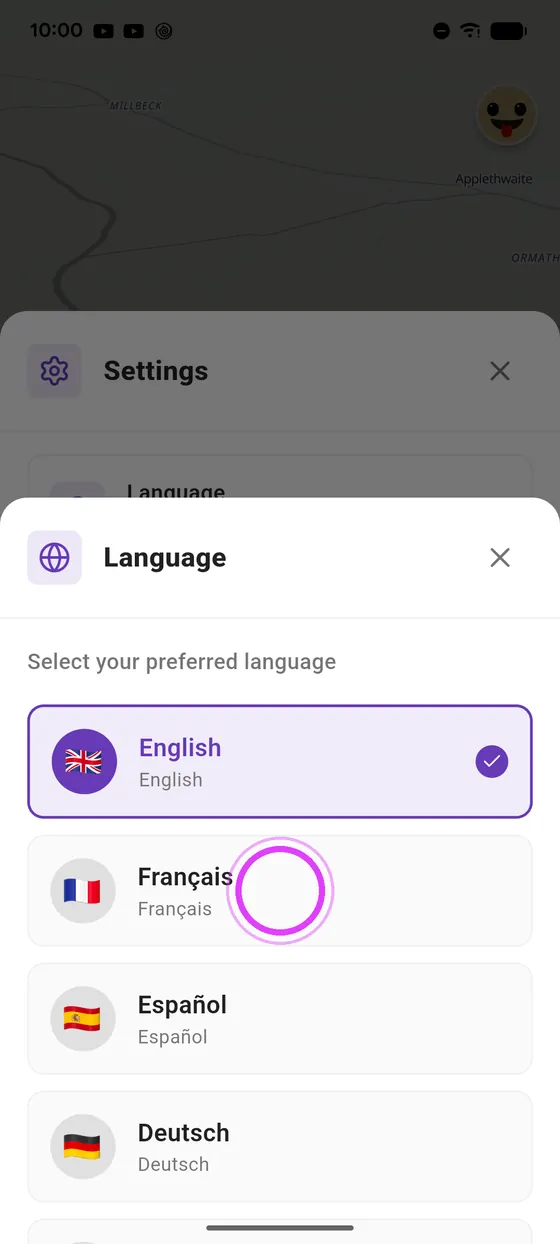
Pick your language
Pick your language: the app switches right away.
Not onVroom GPS yet?
Get the free app: voice guidance, speed cameras, curvy roads and CarPlay, no subscription.