Guide · Customisation
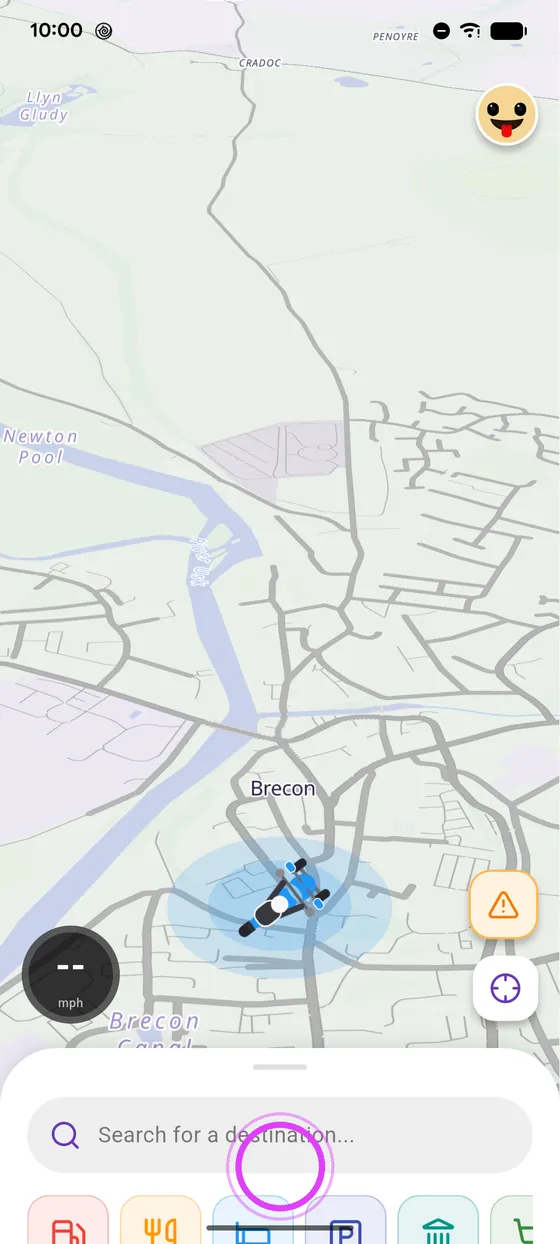
Your bikeon the map
Dot, arrow or your own bike: choose how you show up on the map, and enlarge the icon to spot it at a glance.
Step by step ↓
Step by step
Followthe guide
The “My bike” style can also be recoloured with the brush button.
-
1
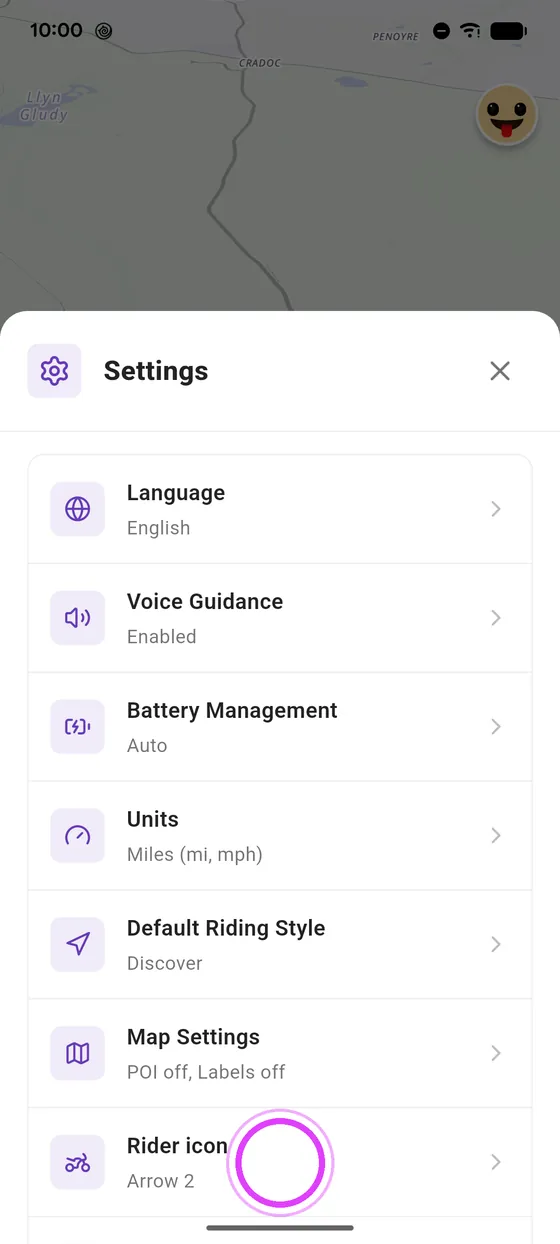
Open the rider icon
In settings, tap Rider icon.
-
2
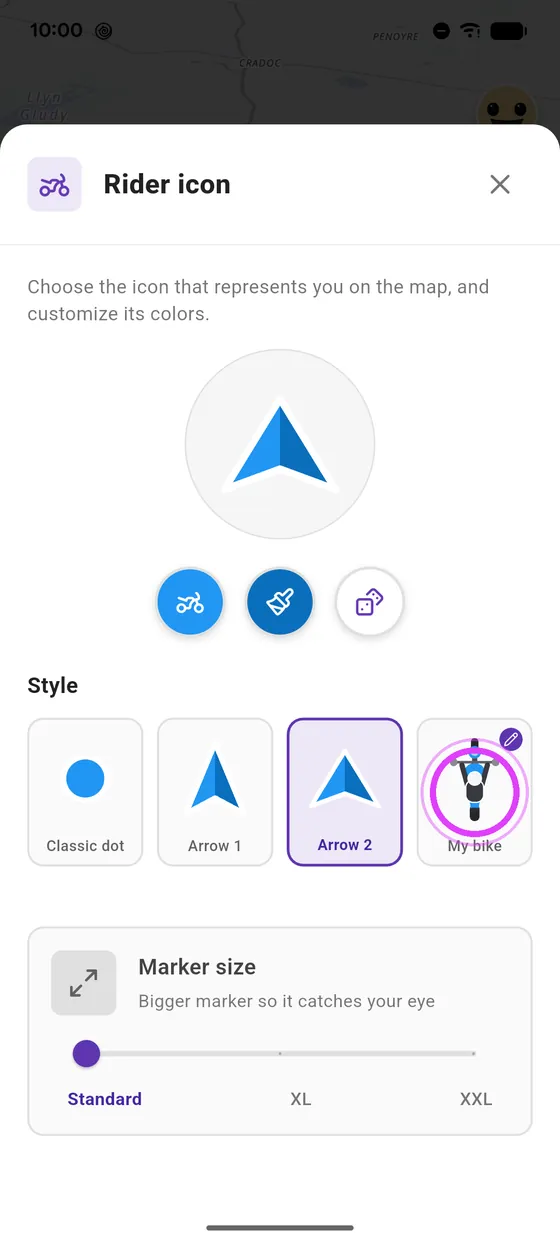
Pick My bike
Pick your style: dot, arrow, or your bike.
-
3
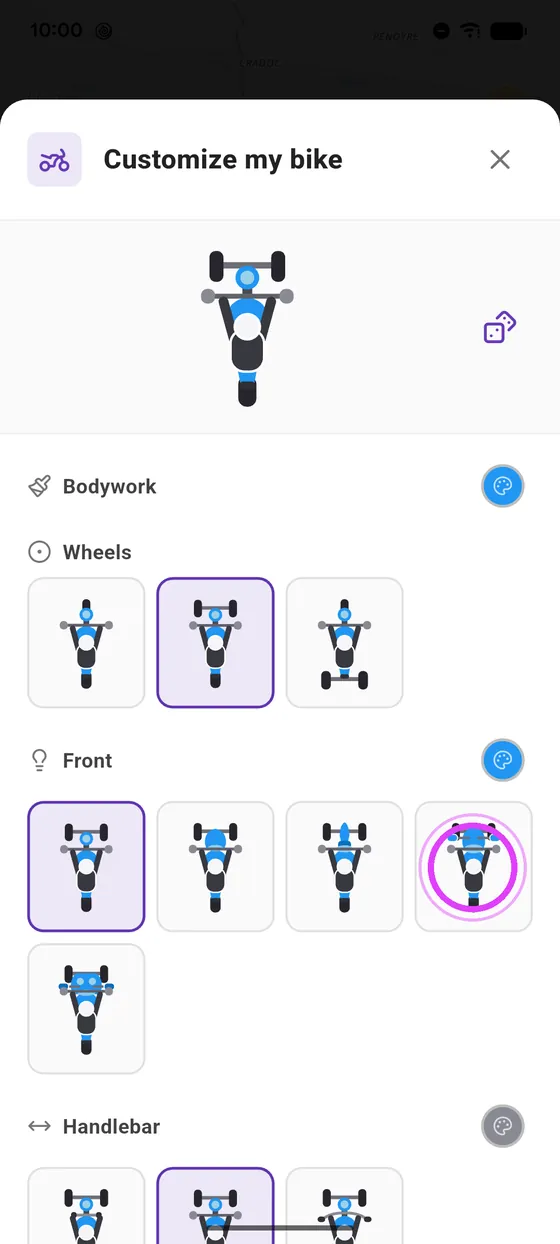
Customise your bike
Customise it: wheels, front, handlebars and colours.
-
4
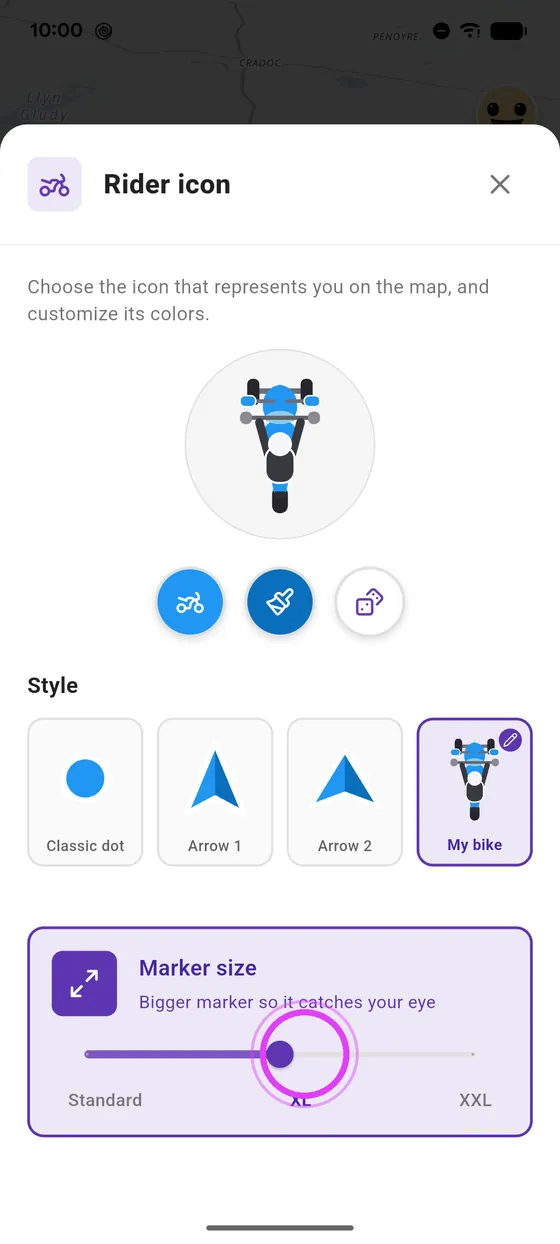
Enlarge the marker
Make it bigger with Marker size, to spot it at a glance.
-
5
Admire the result
And there is your bike on the map!
Not onVroom GPS yet?
Get the free app: voice guidance, speed cameras, curvy roads and CarPlay, no subscription.