Guide · Editor
Your road tripby hand
A long press on the map to drop a stop, the search to add more: the editor then works out the route on the best roads.
Tested with Vroom GPS v2.1.8
Step by step ↓
Step by step
Followthe guide
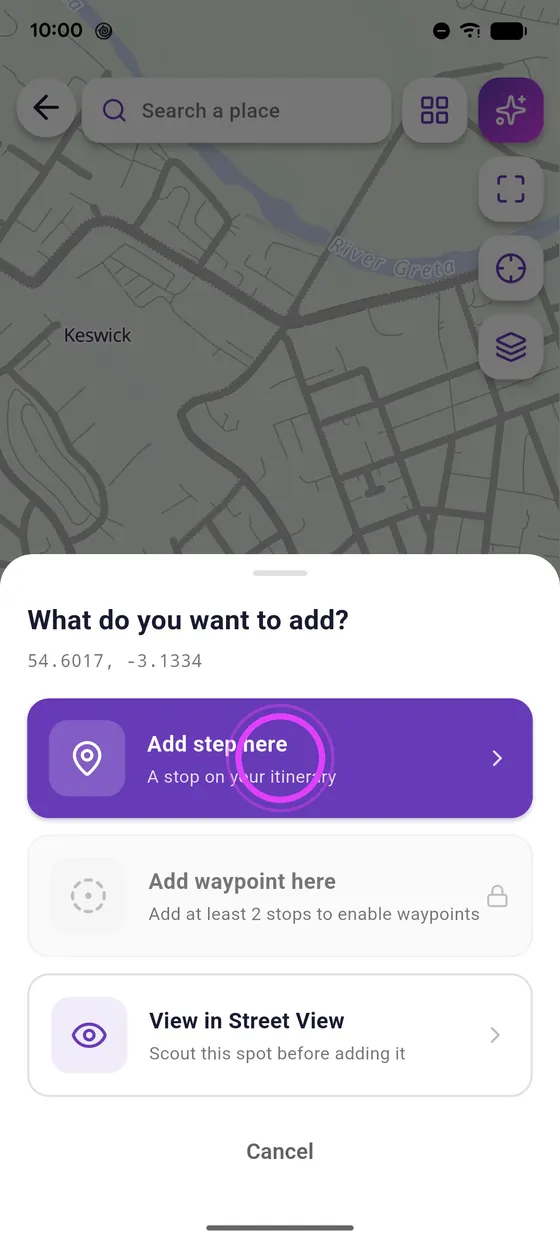
The long-press menu also offers a waypoint: it guides the route without being a stop. Add it before the next stop.
-
1
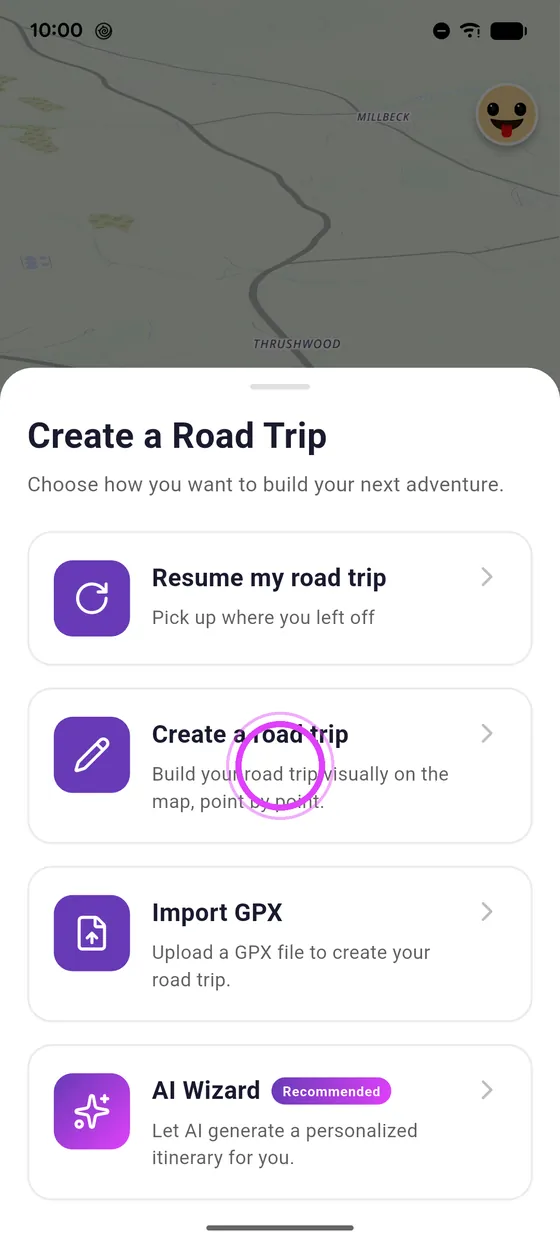
Open the editor
Tap Create, then Create a Road Trip.
-
2
Long press on the map
Long press on the map: add a stop, or a waypoint to guide the route.
-
3
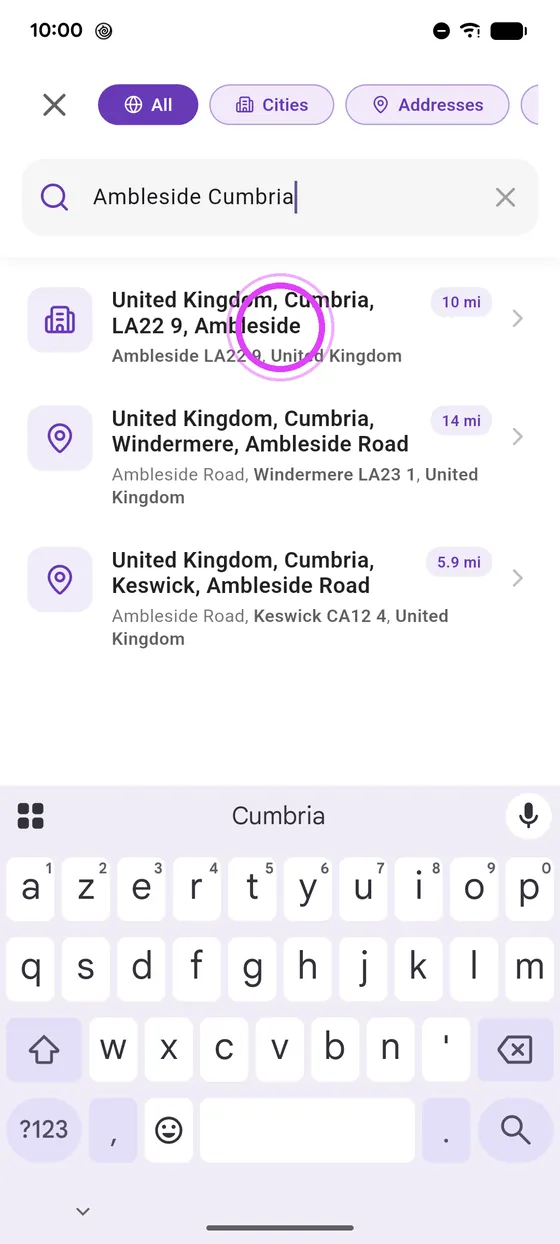
Search for a stop
Or search for a place: the map reframes on your road trip.
-
4
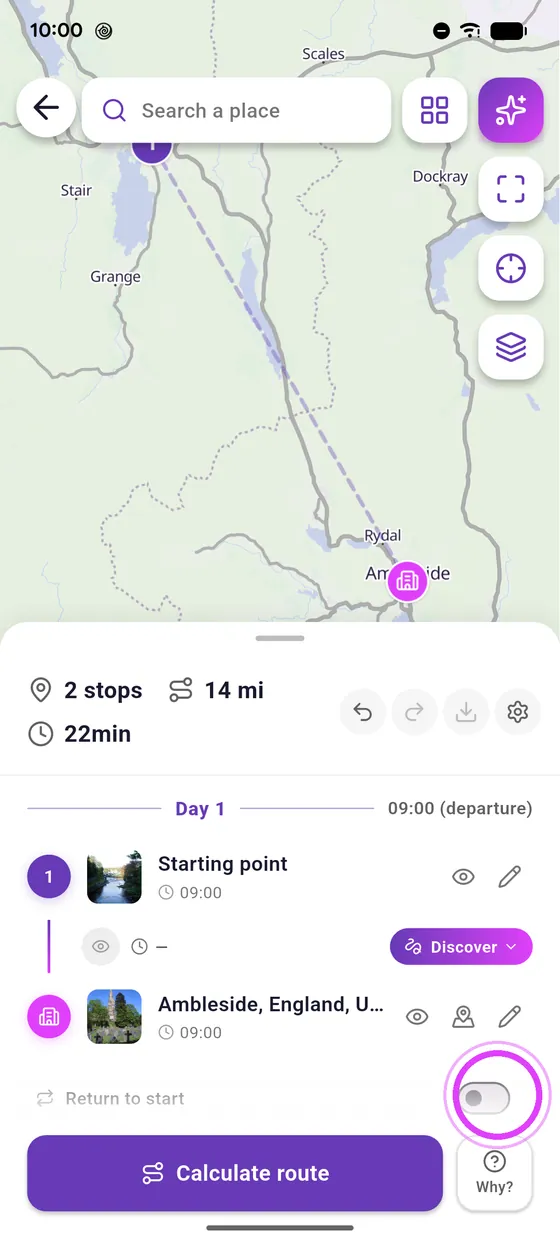
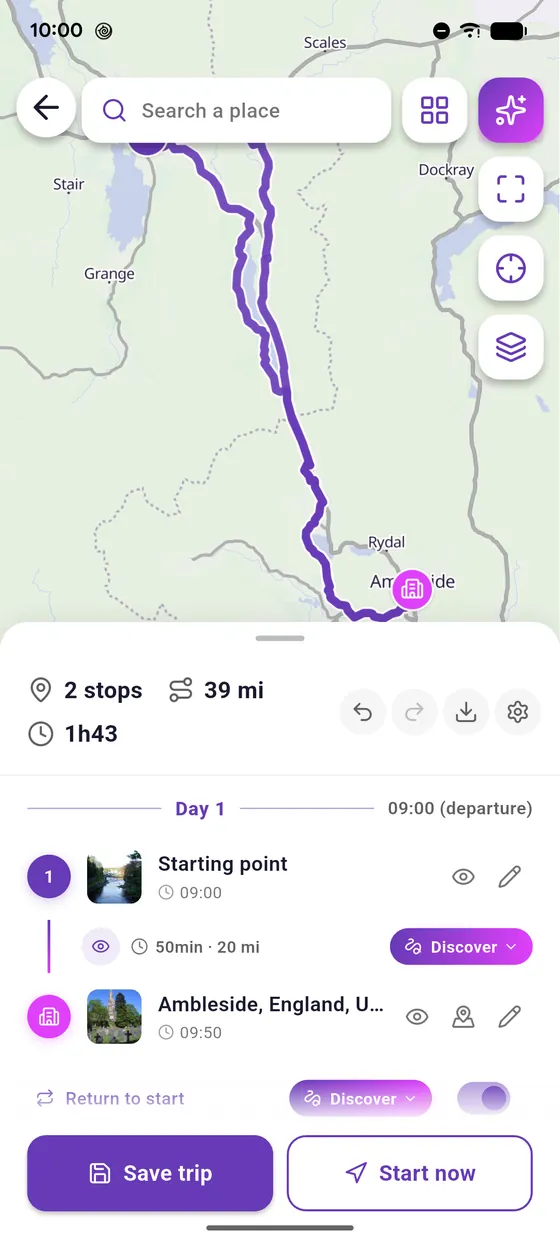
Return to start
Turn on Return to start to make it a loop.
-
5
Calculate the route
Calculate the route: your road trip is ready to save.
Not onVroom GPS yet?
Get the free app: voice guidance, speed cameras, curvy roads and CarPlay, no subscription.