Guide · Quick ride
A loop ridein 30 seconds
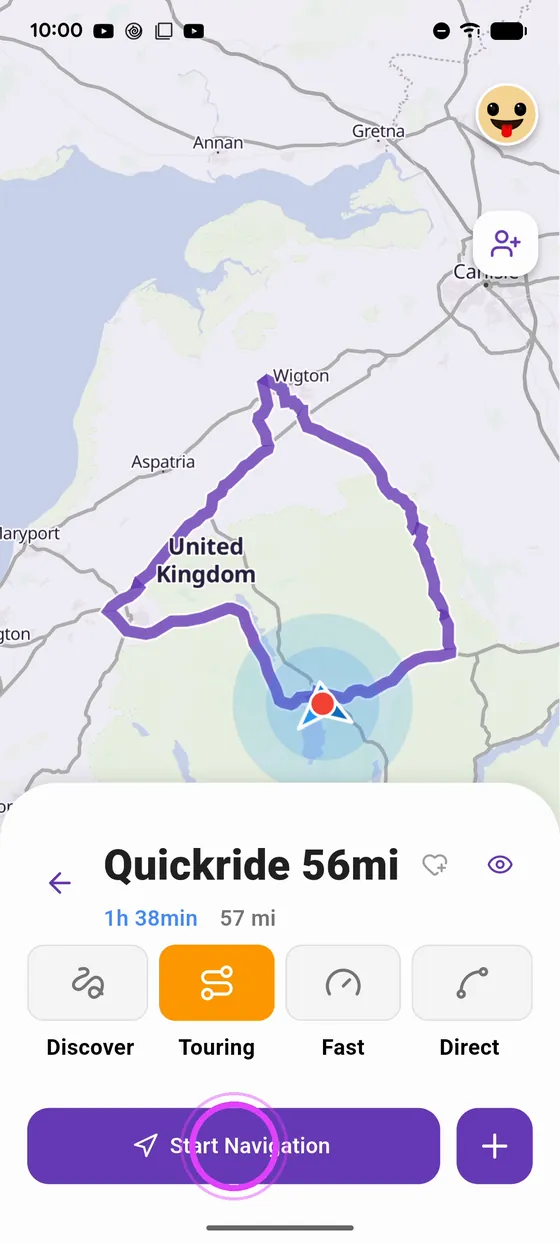
No idea where to ride? Quick ride generates three loops around you, at the distance and in the direction you want. Pick one and ride.
Step by step ↓
Step by step
Followthe guide
All you need is location turned on: the loop starts where you are.
-
1
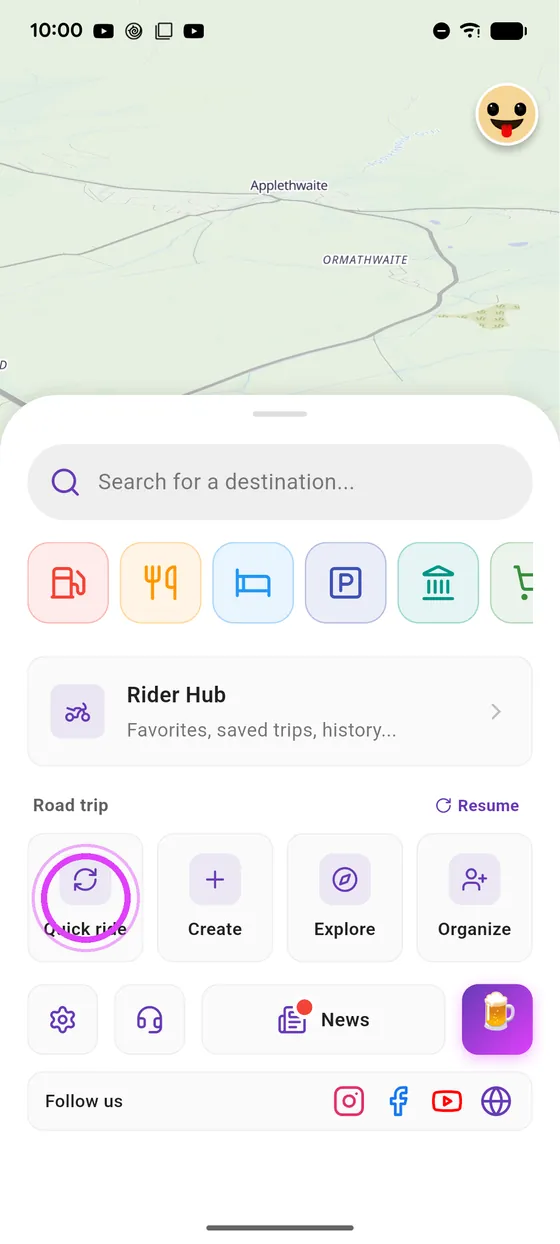
Open Quick ride
Slide up the bottom panel, and tap Quick ride.
-
2
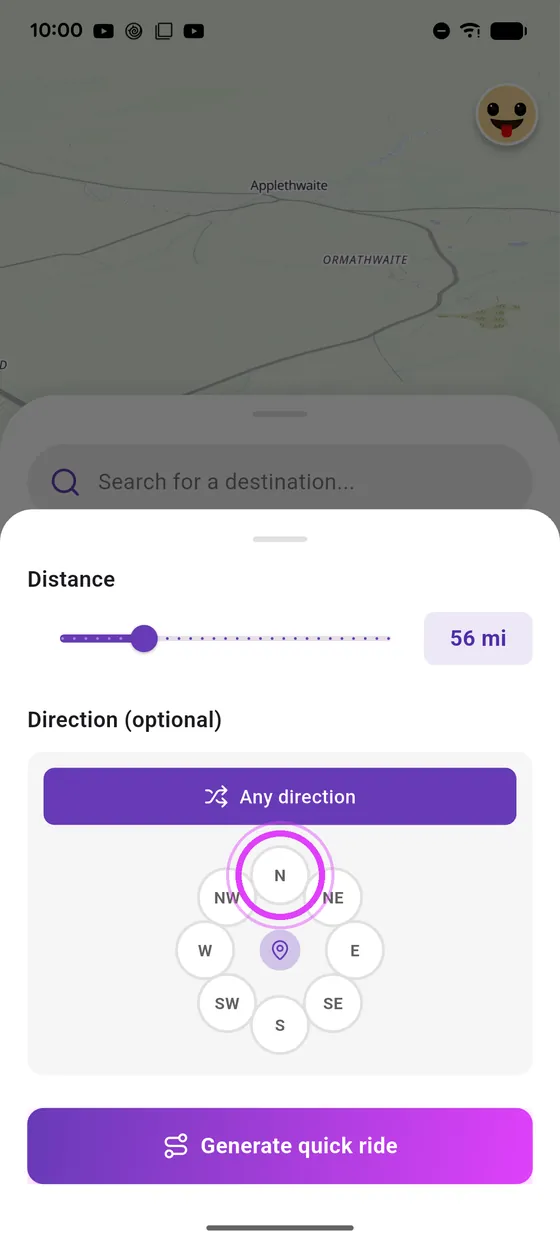
Distance and direction
Pick the distance and, if you like, a direction.
-
3
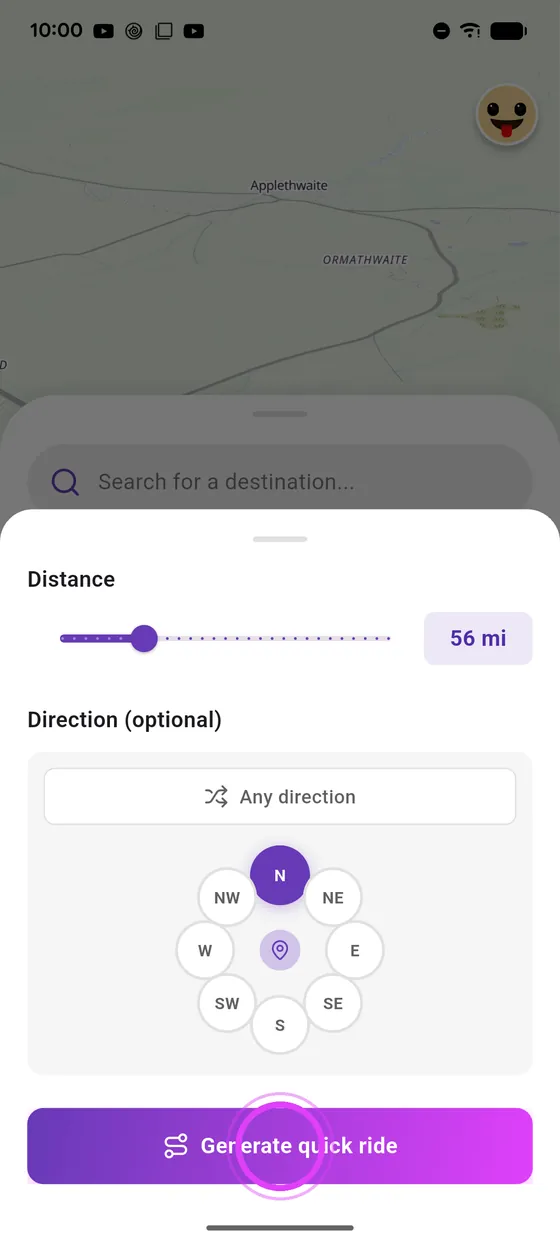
Generate your loops
Tap Generate: Vroom suggests three loops around you.
-
4
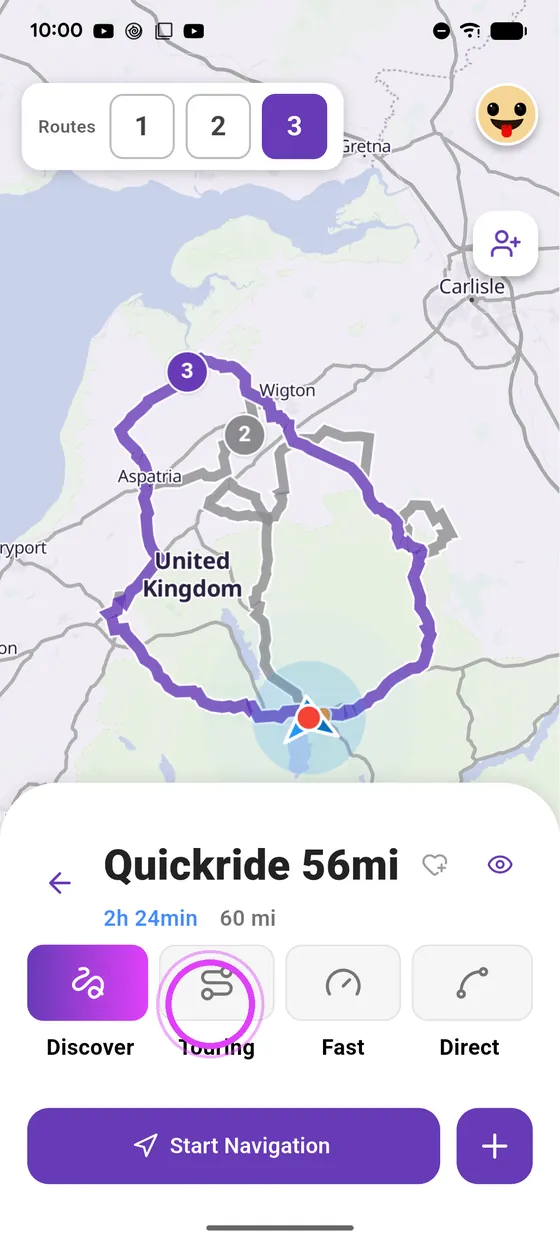
Compare and pick your style
Compare the three loops, then choose your riding style.
-
5
Start navigation
All that's left is to start navigation. Enjoy the ride!
Not onVroom GPS yet?
Get the free app: voice guidance, speed cameras, curvy roads and CarPlay, no subscription.