Guide · AI wizard
A road tripbuilt by AI
Start, length, riding time per day, interests, budget: the AI wizard suggests three road trips and builds the one you pick.
Tested with Vroom GPS v2.1.8
Step by step ↓
Step by step
Followthe guide
Everything stays editable afterwards in the editor: stops, days, riding style.
-
1
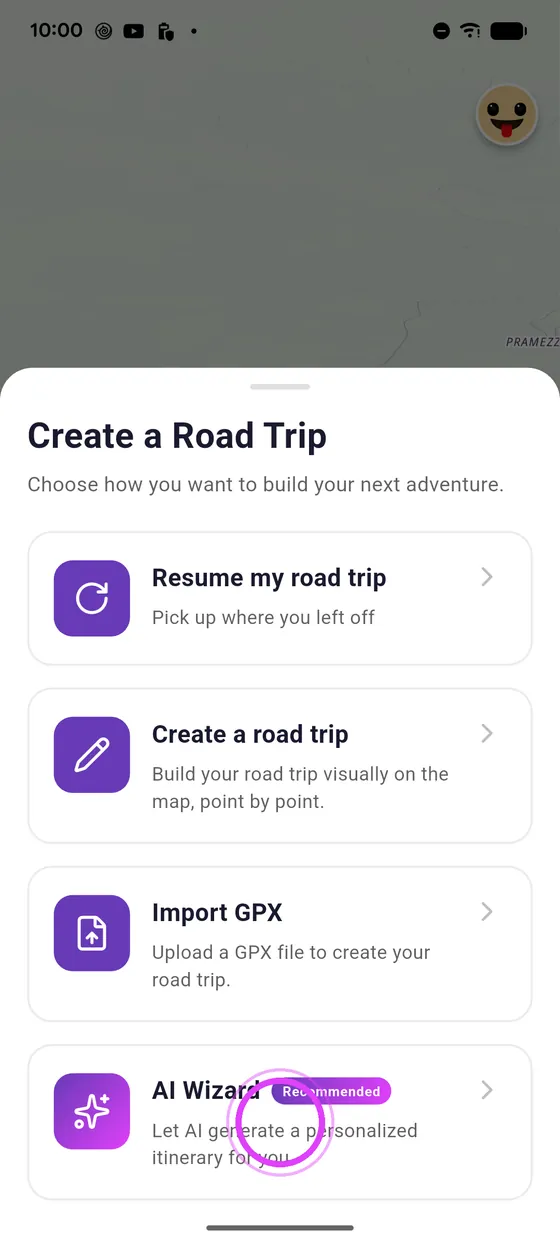
Open the AI wizard
Tap Create, then AI Wizard.
-
2
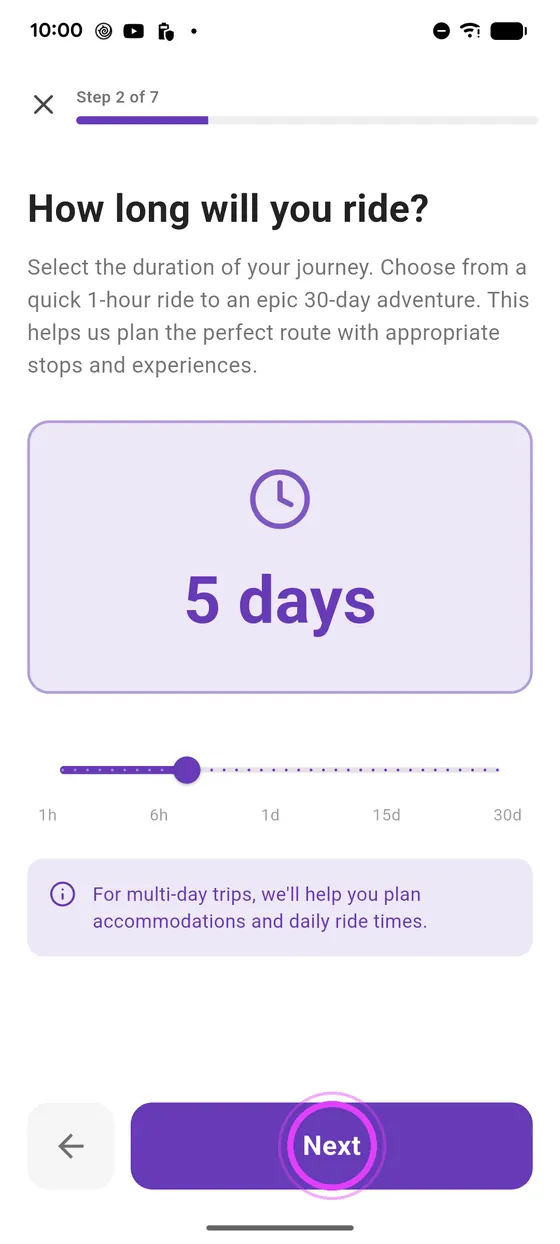
Start and length
Start from where you are, and choose how long the trip lasts.
-
3
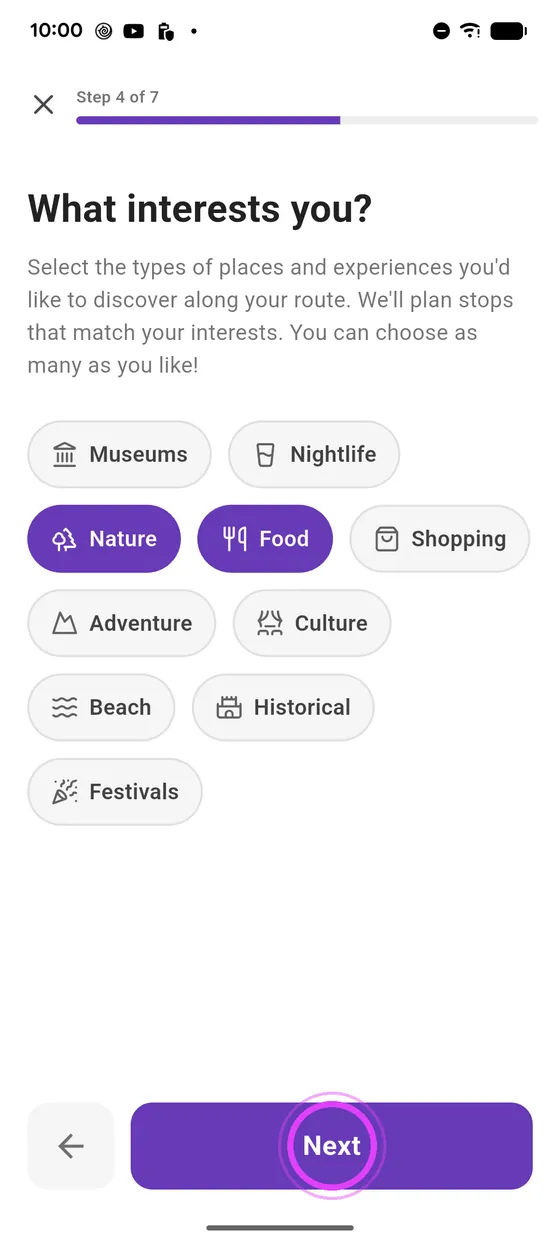
Riding time and interests
Set your riding time per day, and what you are into.
-
4
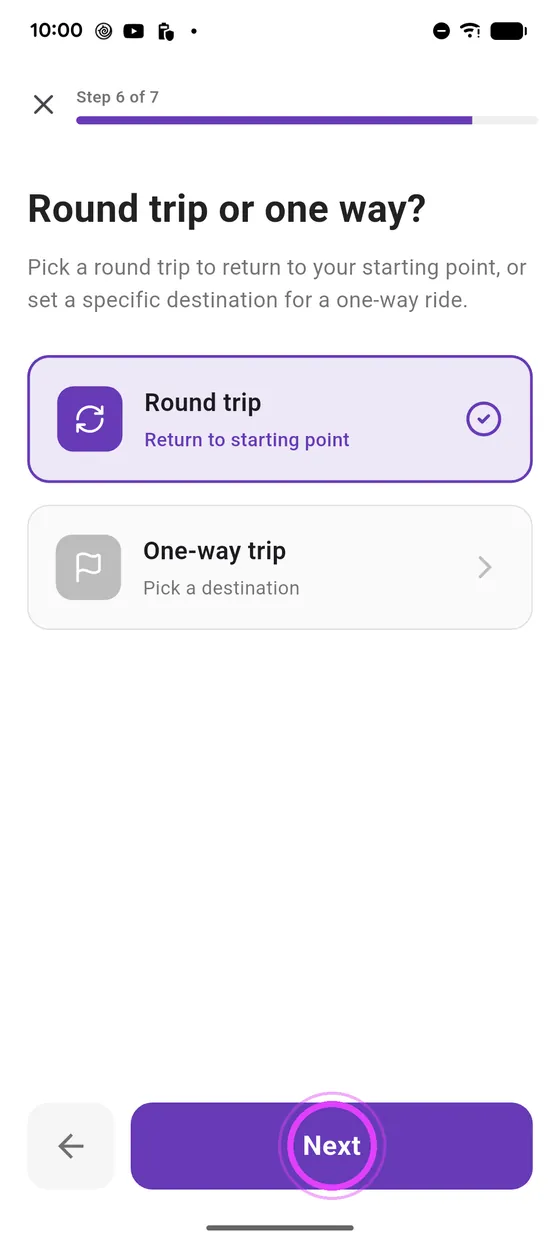
Budget and trip type
Set your accommodation budget, and choose a round trip.
-
5
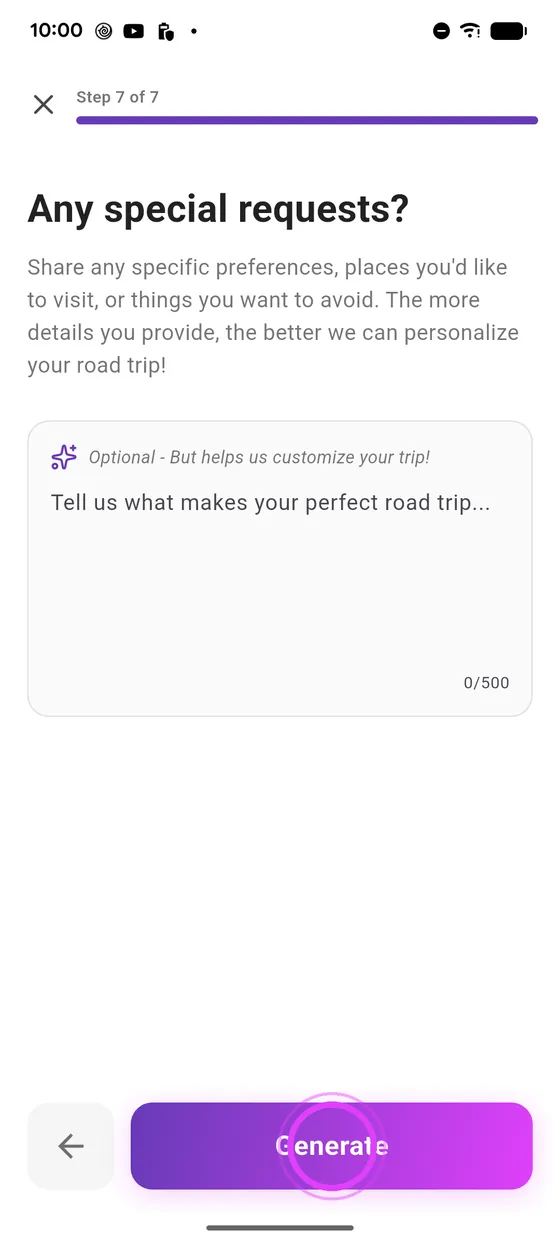
Generate
Add a special request if you like, then tap Generate.
-
6
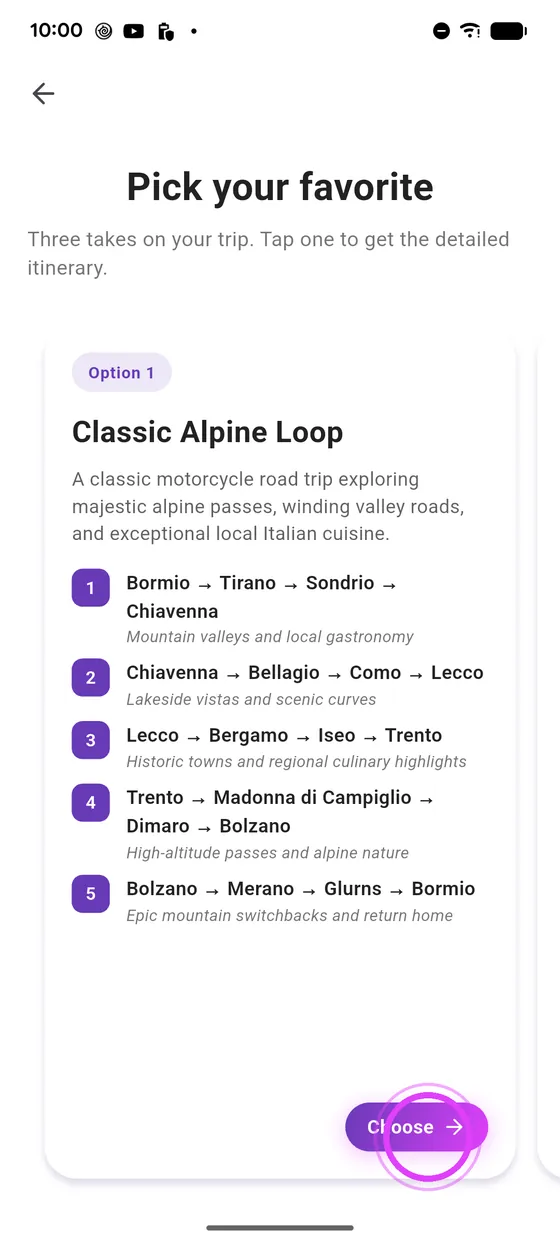
Pick a proposal
The AI suggests three itineraries: pick the one you like.
-
7
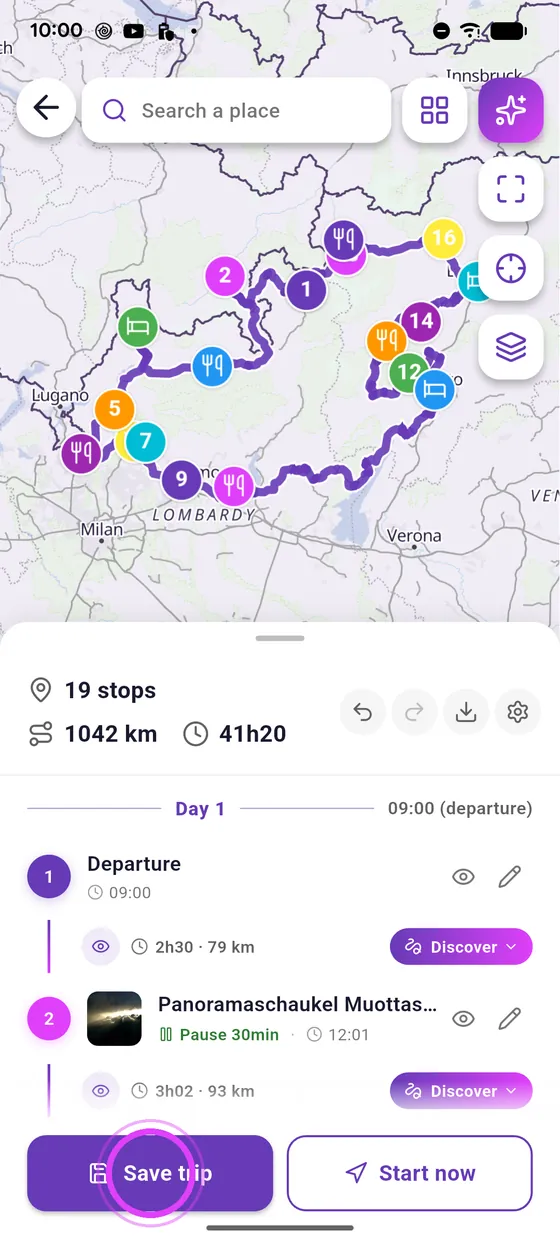
Fine-tune in the editor
Your road trip is ready in the editor: change anything you like, then save it.
Not onVroom GPS yet?
Get the free app: voice guidance, speed cameras, curvy roads and CarPlay, no subscription.